D33451 | Date 01/2018 37
Operation and control
5.6.3 CO
2
monitoring
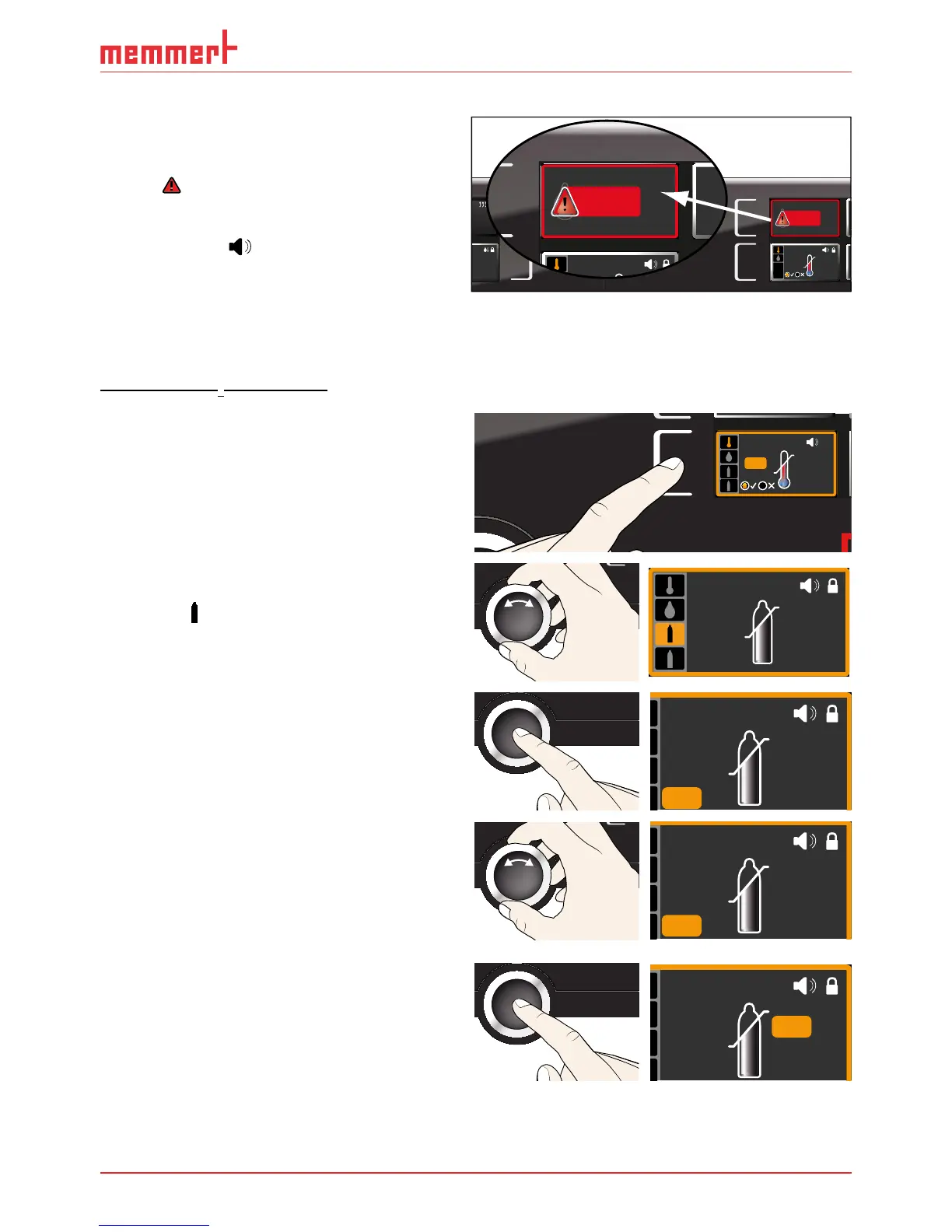
If CO
2
monitoring was triggered, this is
indicated by the CO
2
display: the actual
value is highlighted in red and a warning
symbol
is shown ( Fig. 22 ). If the acoustic
alarm has been activated in menu mode
(
Sound, see page 59, as indicated by the
speaker symbol
), the alarm is addition-
ally signalled by an intermittent acoustic
signal. Information on what to do in this
case is provided in chapter Malfunctions,
warning and error messages from page
41.
Adjusting CO
2
monitoring
1. Press the activation key to the left of the
ALARM display. The temperature moni-
toring setting is automatically activated.
min
000°C
ALARM
max
000°C
auto off
99K
-
+
ALARM
max
auto
40
0.0K
min
15.0°C .0°C
+
-
2. Turn the turn control until the CO
2
adjust-
ment entry is selected (upper gas bottle
symbol
).
ALARM
min
10.0%
max
10.0%
3. Accept the selection by pressing the
confirmation key. The lower alarm limit is
automatically selected.
ALARM
min
%
max
10.0%
10 4.
10.0
4. By turning the turn control, adjust the
desired lower alarm limit, in the example
on the right 7 %.
ALARM
min
%
max
10.0%
10 4.
7.0
5. Accept the selection by pressing the
confirmation key. The upper alarm limit is
automatically highlighted.
ALARM
min
7.0%
max
10.0%
min
000°C
ALARM
of °C
max
000°C
auto off
99K
-
+
ON
LIGHT
ON
LIGHT



 To Next Page