36 D33451 | Date 01/2018
Operation and control
Adjusting humidity monitoring (only for appliances in the corresponding
configuration)
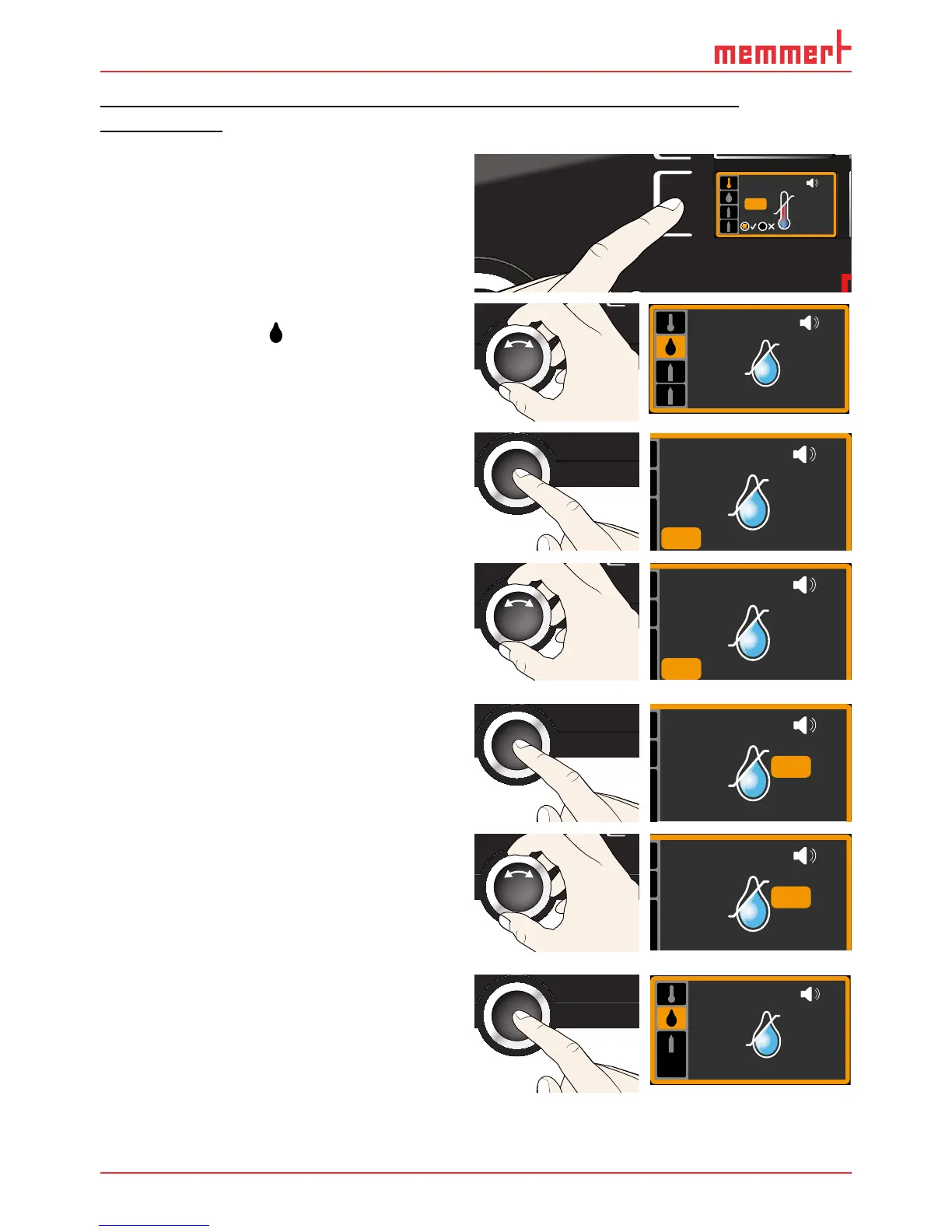
1. Press the activation key to the left of the
ALARM display. The temperature moni-
toring setting is automatically activated.
min
000°C
ALARM
max
000°C
auto off
99K
-
+
ALARM
max
auto
40
0.0K
min
15.0°C .0°C
+
-
2. Turn the turn control until the humidity
monitoring entry
is highlighted.
ALARM
min
20.0 %rh
max
60.0 %rh
3. Accept the selection by pressing the con-
firmation key. The lower humidity alarm
limit is automatically highlighted.
ALARM
min
20.0%rh
max
60.0%rh
4. By turning the turn control, adjust the
desired lower alarm limit, in the example
on the right 50 % rh.
ALARM
min
50.0%rh
max
60.0%rh
5. Accept the selection by pressing the con-
firmation key. The upper humidity alarm
limit is automatically highlighted.
ALARM
min
50.0%rh
max
60.0%rh
6. By turning the turn control, adjust the
desired upper alarm limit, in the example
on the right 70 % rh.
ALARM
min
50.0%rh
max
70.0%rh
7. Accept the selection by pressing the
confirmation key and leave the
Alarm
display by pressing the activation key on
the side. Humidity monitoring is now
active.
ALARM
min
50.0%rh
max
70.0 %rh



 To Next Page