Insta lling Output Modules
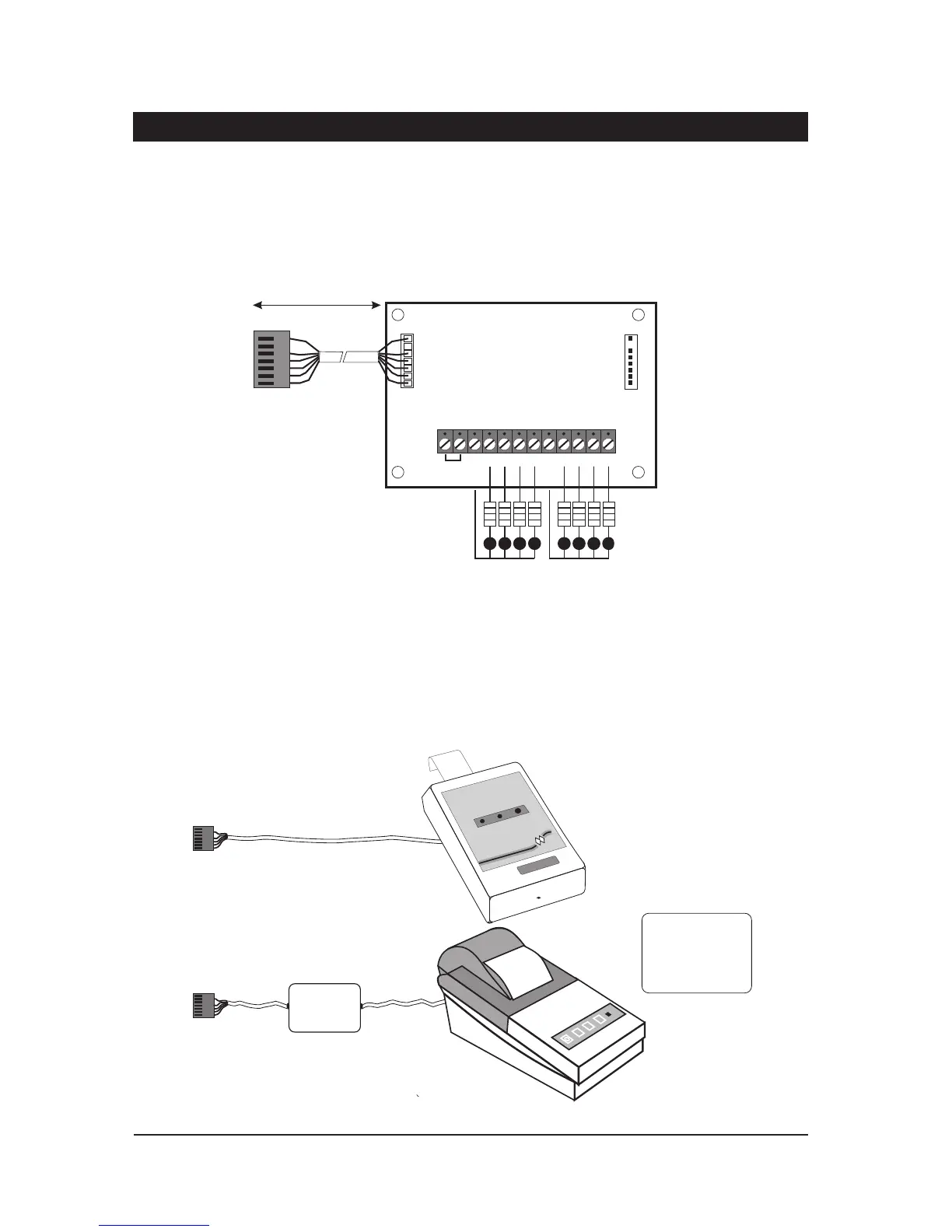
O utpu t m odules (CPA6.OM) can be used to provide an output to a set of LEDs to indicate cir cuit
activations (mimic). Outp ut modules will normally be fitted insi de the equipme nt they are
controllingandca n bepositioned upto500 metresawayfromthemainpanel.Theymaybefitted
insideth e TS700 by fittingpostsandsecuringthem to the base.Theoutput module should be u sed
and connected in accorda nce with the output module i nstru ctions provided (Figure 8).
Co nnecting a Printer
The printer model typ e CPA6.P (obsolete) may be dir ectly plugged on to the control panel pl ug
labelledPRINTER.Alternative lyothe r modelssuch asthe DATACor any standard RS232serialprinter
can be connected to the control panel via a MPA/DCI. Menvier Security supply a DATAC printe r kit
whichconsistsofaportab leRS323printer,chargerandDCI.TheDCIcanbepurchasedsepara tely
if you require to source your own RS232 printer.
12
System Installation TS700 Installation Manual
PL1
1k Resistors
LED's
1 2 3 4 5 6 7
+12V IN
+12V OUT
+12V OUT
8
PL2
To next OM
Connect to plug
labell ed OUTPUT
MODULE
100m
Figure 8. Ou tput Module Connections
MPA
or DCI
DATAC or RS232 printer
CPA6 Printer
RS232 Data
Connect to JP1
PRINTER
Connect to JP1
PRINTER
1



 To Next Page