28
Chapter 4 Congure the Router in Wireless Router Mode
• Security - Select an option from the Security drop-down list. We recommend you keep
the default settings.
• Password - Set the password for the wireless network.
• Transmit Power - Select High, Middle or Low to specify the data transmit power. The
default and recommended setting is High.
• Channel Width - Select a channel width (bandwidth) for the wireless network.
• Channel - Select an operating channel for the wireless network. It is recommended to
leave the channel to Auto, if you are not experiencing the intermittent wireless connection
issue.
• Mode - You can choose the appropriate “Mixed” mode.
• MU-MIMO - This feature enables the router to simultaneously send data to multiple
devices, significantly enhancing the network efficiency.
4. 5. 2. Guest Network
Guest Network allows you to provide Wi-Fi access for guests without disclosing your host
network. When you have guests in your house, apartment, or workplace, you can create a
guest network for them. In addition, you can customize guest network settings to ensure
network security and privacy.
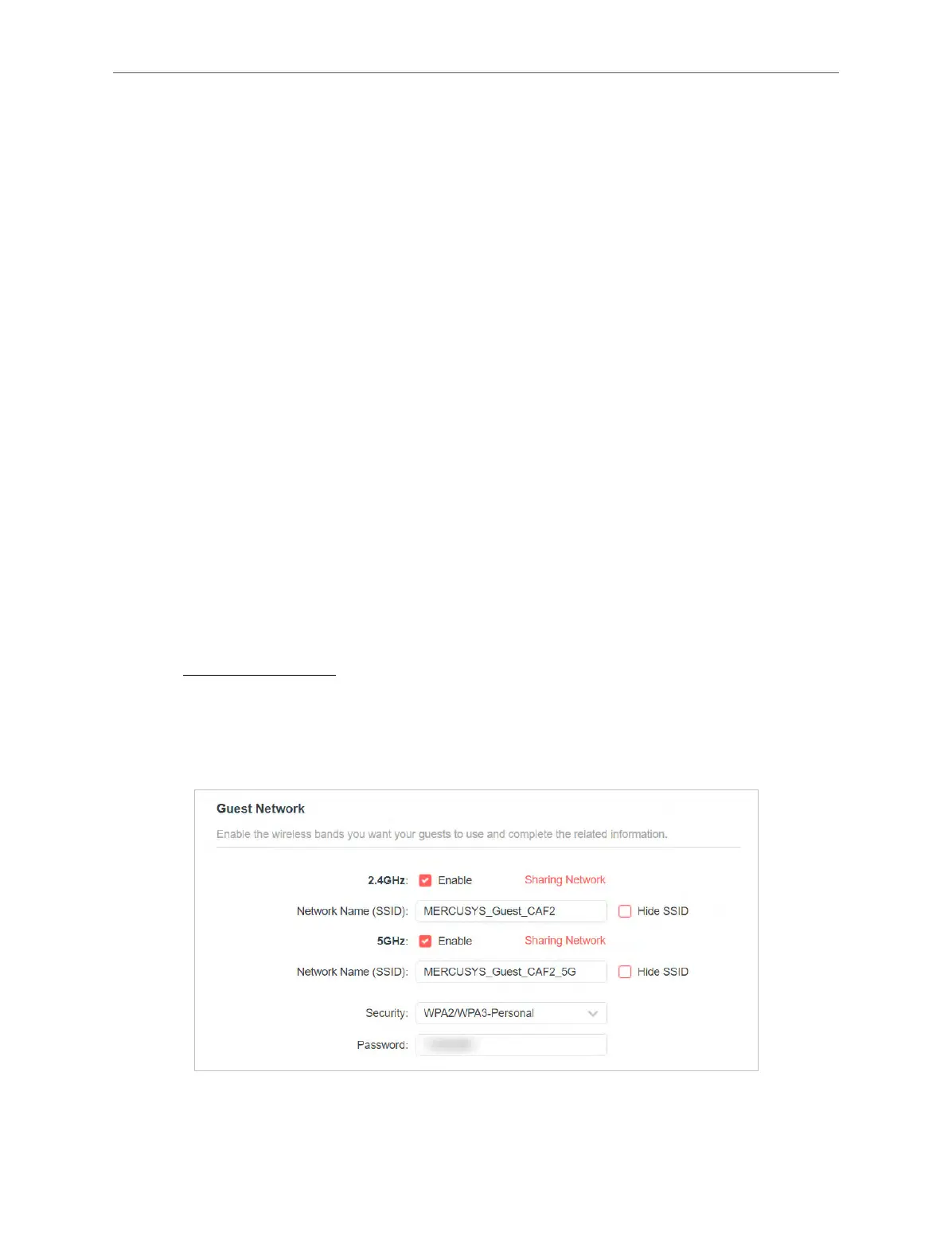
• Create a Guest Network
1. Visit http://mwlogin.net, and log in with your Mercusys ID or the password you set for
the router.
2. Go to Wireless or Advanced > Wireless > Guest Network.
3. Enable the 2.4GHz and/or 5GHz guest network according to your needs.
4. Create a network name for your guest network.
5. Select the Security type and create the Password of the guest network.



 To Next Page