300Mbps Wireless N Router User Guide
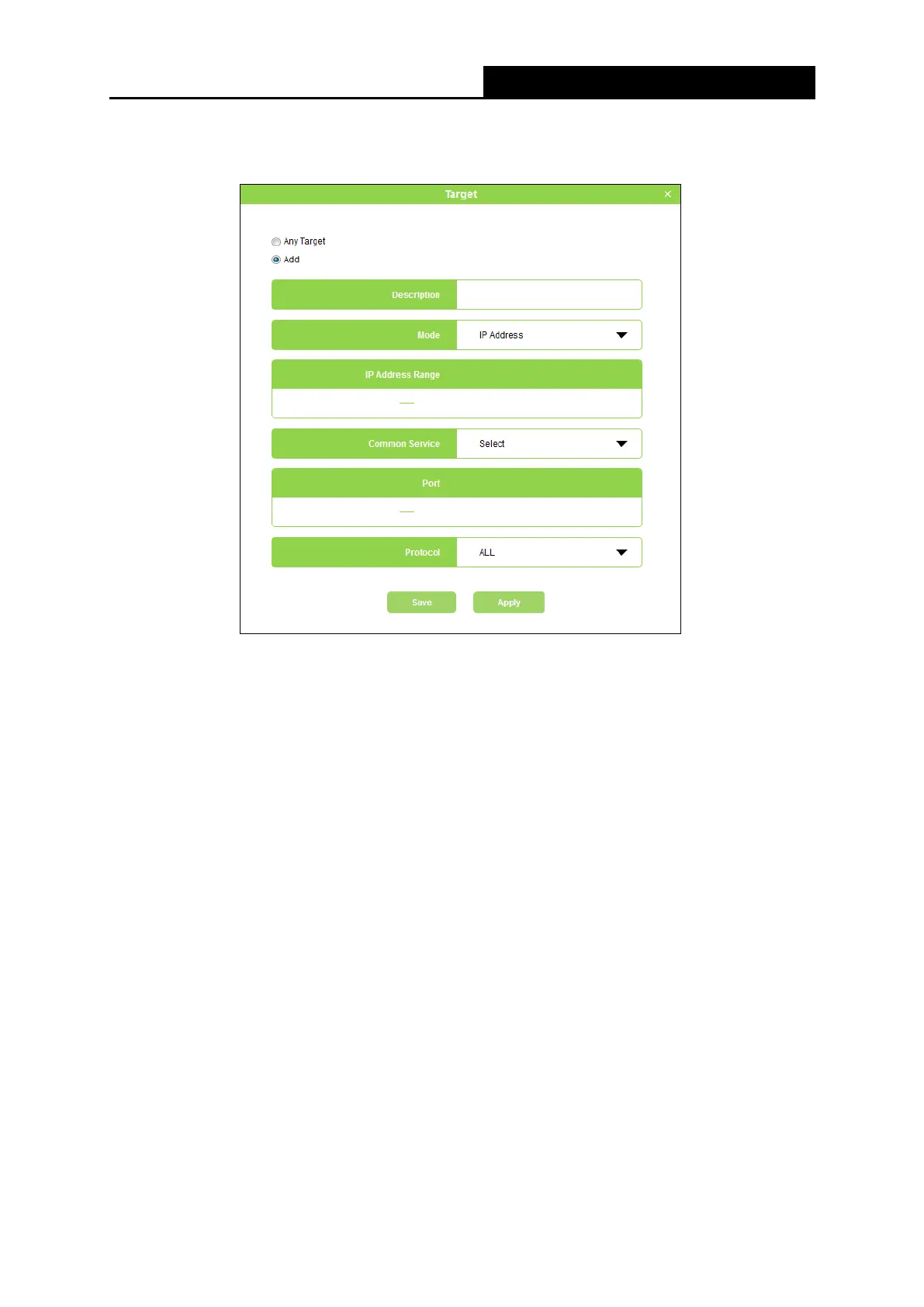
5. Click Configure in the Target column, you can select Any Target, or select Add to add a
new target. Then click Apply.
▶ Description - In this field, create a description for the target. Note that this description
should be unique.
▶ Mode - Here are two options, IP Address and Website Domain. You can choose either
of them from the drop-down list.
If the IP Address is selected, you will see the following items:
▶ IP Address Range - Enter the IP address (or address range) of the target (targets) in
dotted-decimal format.
▶ Common Service - Here lists some common service ports. Select one from the
drop-down list, and the corresponding port number will be filled in the Port field
automatically. For example, if you select HTTP, 80 will be filled in the Port automatically.
▶ Port - Specify the port or port range for the target. For some common service ports,
you can make use of the Common Service item above.
▶ Protocol - Here are three options, All, TCP and UDP. Select one of them from the
drop-down list for the target.
If the Website Domain is selected, you will see the following items:
- 36 -


 To Next Page
 Loading...












