MM-IM User Guide
17
Straton
Straton provides the sequence language on the MM-IM, as well as the Modbus &
Ethernet/IP drivers. Tutorials and help are provided with Straton, so only Medina MM-IM
specific issues will be covered in this section
The Medina MM-IM makes use of a set of extensions to Straton that must be present in
the installation. They are distributed with each Medina MM-IM firmware release, or are
available on request. If you are not using the Straton Medina Enhancements ensure that
the “Destination folder” is the same as the MicroMC configuration directory for that RTU.
By default, this will exist in C:\Isawin\Apl\<RTU NAME>.
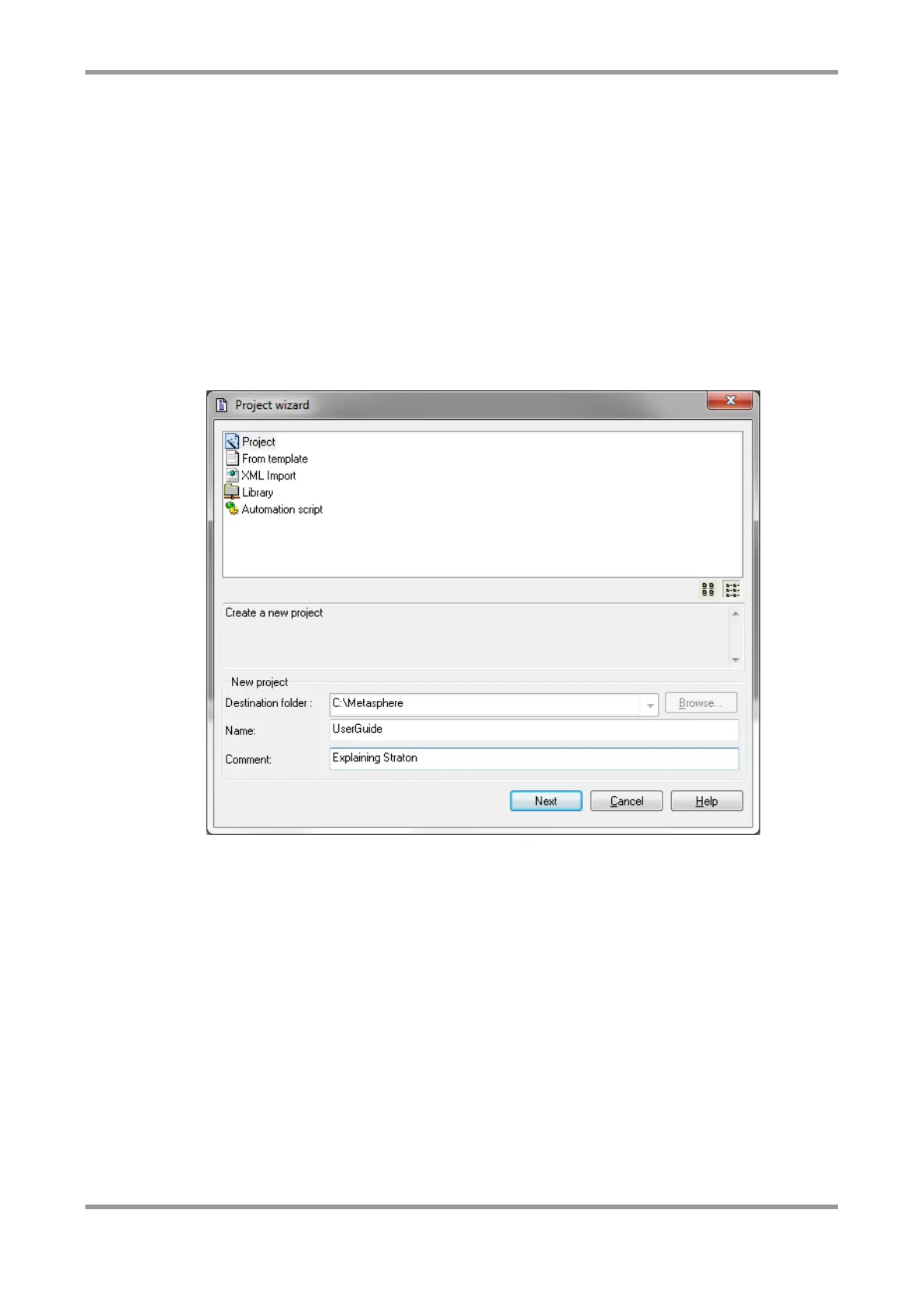
To create a new project for the new MM-IM configuration, click “Create an empty project”
and click OK.
Choose a Name for the project – for example, the same name as the MicroMC
configuration.
The Wizard will request Medina and some other configuration options, to which defaults
can be used.
Fieldbus Configuration
Straton provides the drivers for a number of field bus protocols, including the Modbus and
Ethernet/IP protocols supported by the MM-IM.
To configure a field bus driver, first you must open the Fieldbus Configuration in Straton.
Click on the toolbar icon:



 To Next Page