MM-IM User Guide
33
Note: Where an MM-IM is configured with both IP and a modem, it will contact the
master dependant on the Test Frequency as detailed in the Dynamic Configuration and
Reporting section. By default it will always try IP first to contact Master Control,
followed by the modem if IP fails.
Modem Configuration
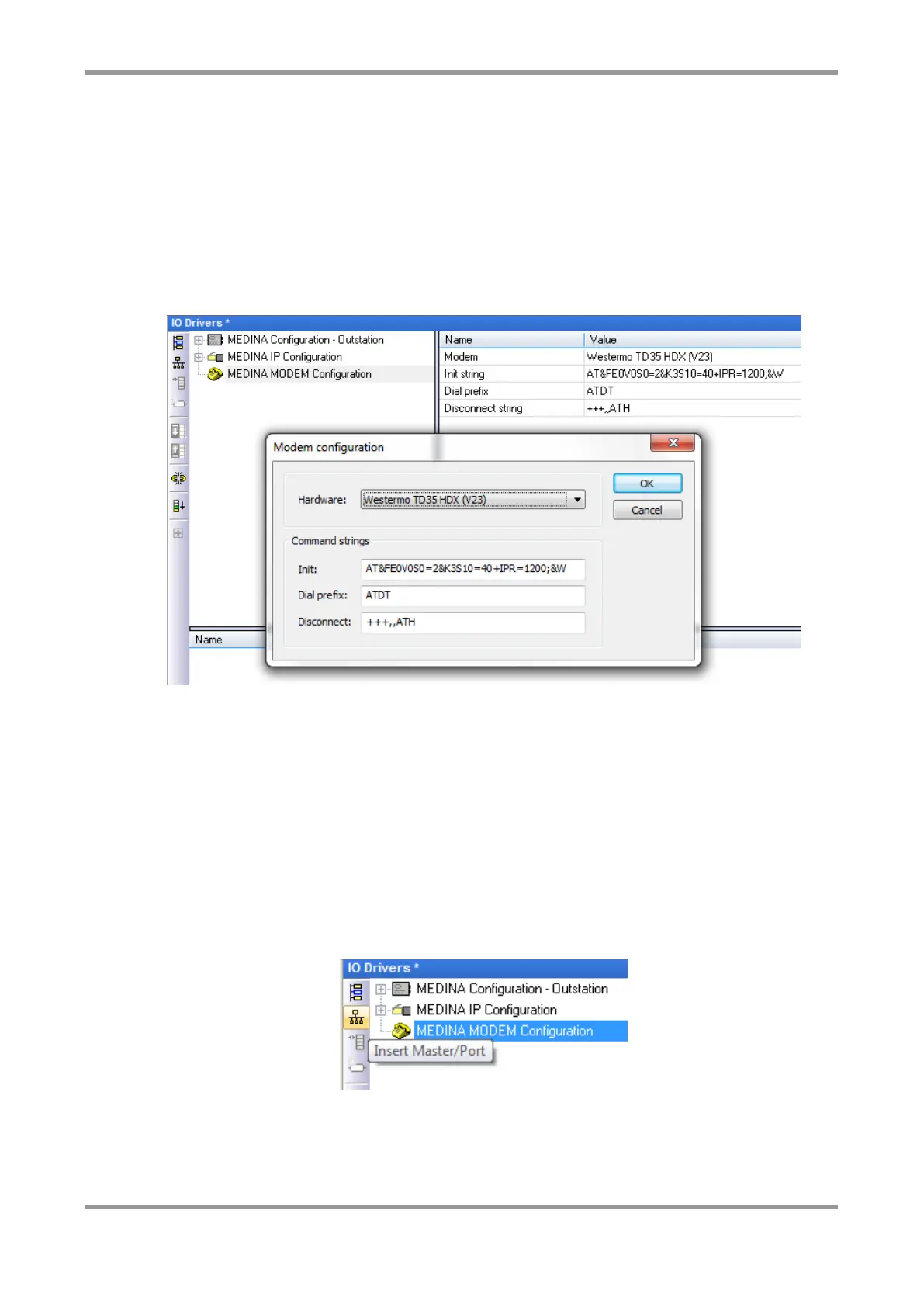
To configure a modem that is connected to the MM-IM, you need to insert the “MEDINA
MODEM Configuration”. Double clicking on the item in the tree-view brings up the
following window:
In here, you can select a type of modem from the drop-down list, which will automatically
populate the command strings for that type.
Note: The types of modem and command strings are held in the “MODEM.INI” file,
located in the “IOD” directory in the Straton installation.
You can optionally configure up to eight telephone numbers which the MM-IM will use to
contact the Master Control Servers. These phone numbers will be loaded to the MM-IM,
but will be over-written by the DG with the phone numbers that the DG is configured with
for the MM-IM’s PSTN type. The MM-IM will then store the DG numbers in non-volatile
memory and will use them until a new configuration is loaded. The DG numbers stored in
non-volatile memory will be remembered and used after any subsequent restart.
To add a phone number click the icon as shown, or right-click on the modem and choose
“Insert Master/Port”:
You can specify the phone number, and an optional name to identify the number, e.g.
“DG1”.



 To Next Page