MM-IM User Guide
48
The “Action” serves as an indication whether the data in the polling block will be read from
the DF1 device or written to it.
As you enter the information, the range of points updates dynamically on the left. In this
example, the last block in the list will populate points AI0 – AI15 inclusive. The data will
come from File 10 and it will read 16 words starting at an offset of 2 in the file (i.e.
starting at the third word).
Note: For Digital Input/Outputs, a size of ‘1’ indicates 1 word, which is 16 digital
values.
Ethernet/IP
It is not possible to configure Ethernet/IP connections using MicroMC; Straton Workstation
must be used.
Straton Point Mapping
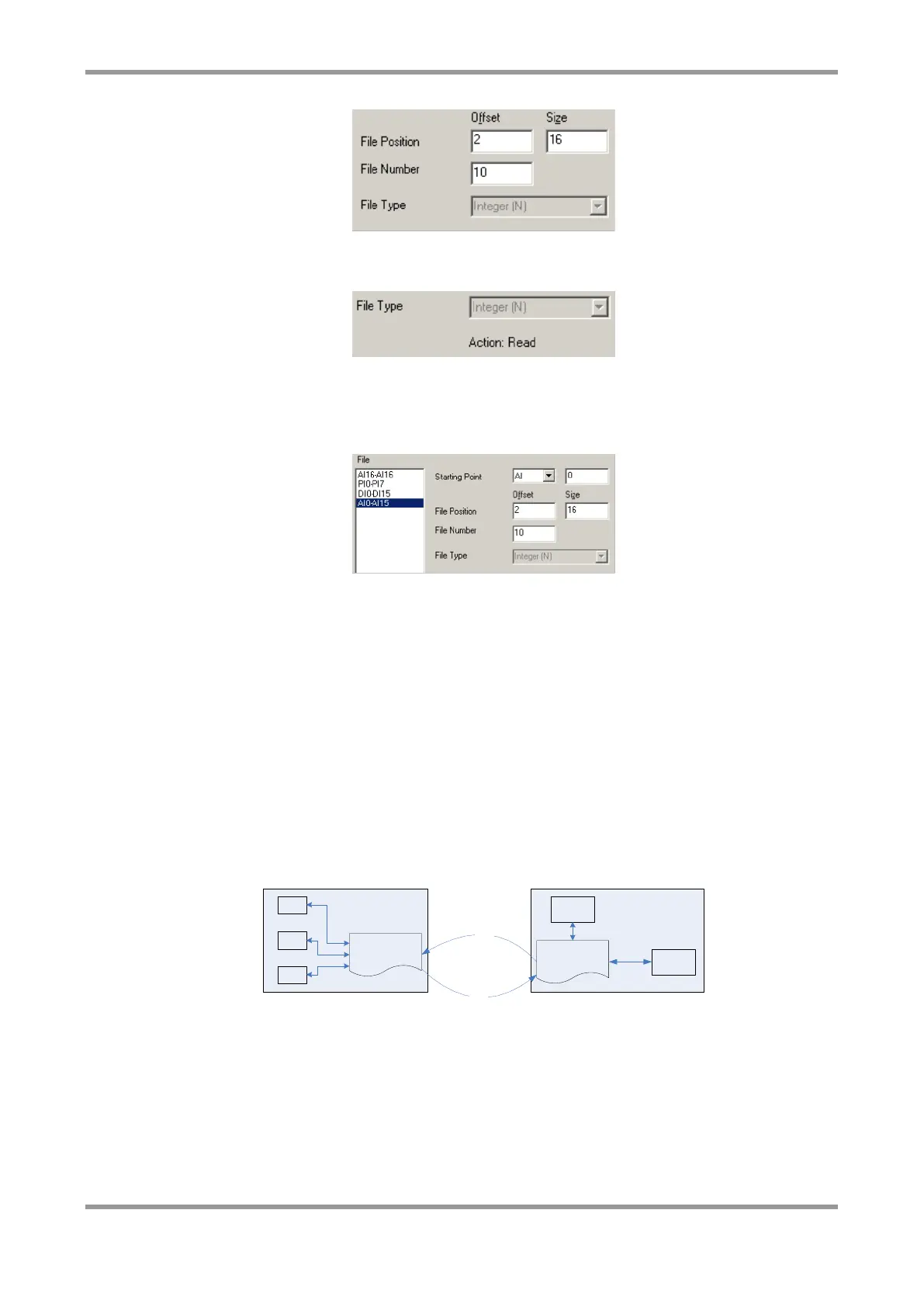
The MM-IM and Straton are two different environments that are linked through a mapping
file (isa.map). This defines, for each point that is to be mapped, whether the point will be
read from Straton or written to Straton. The diagram below helps illustrate this. The
reading/writing of points to/from Straton happens every scan cycle.
Point Database
DF1
DSM
LSI
MM-IM
Variables
MODBUS
STRATON
Write
Read
STRATON
Program
All points read or written by the DG are processed directly from the MM-IM’s point
database.
In order to enable the mapping of points between Straton and the MM-IM, a profile needs
to be added to the Straton “Libraries” (this only needs to be done once).
Select “Libraries” from the Straton program folder. Then select the “Profiles” tab and click
“New”. Enter “mm4” for the name and click OK. The library manager should look similar
to that shown below.



 To Next Page