MM-IM User Guide
46
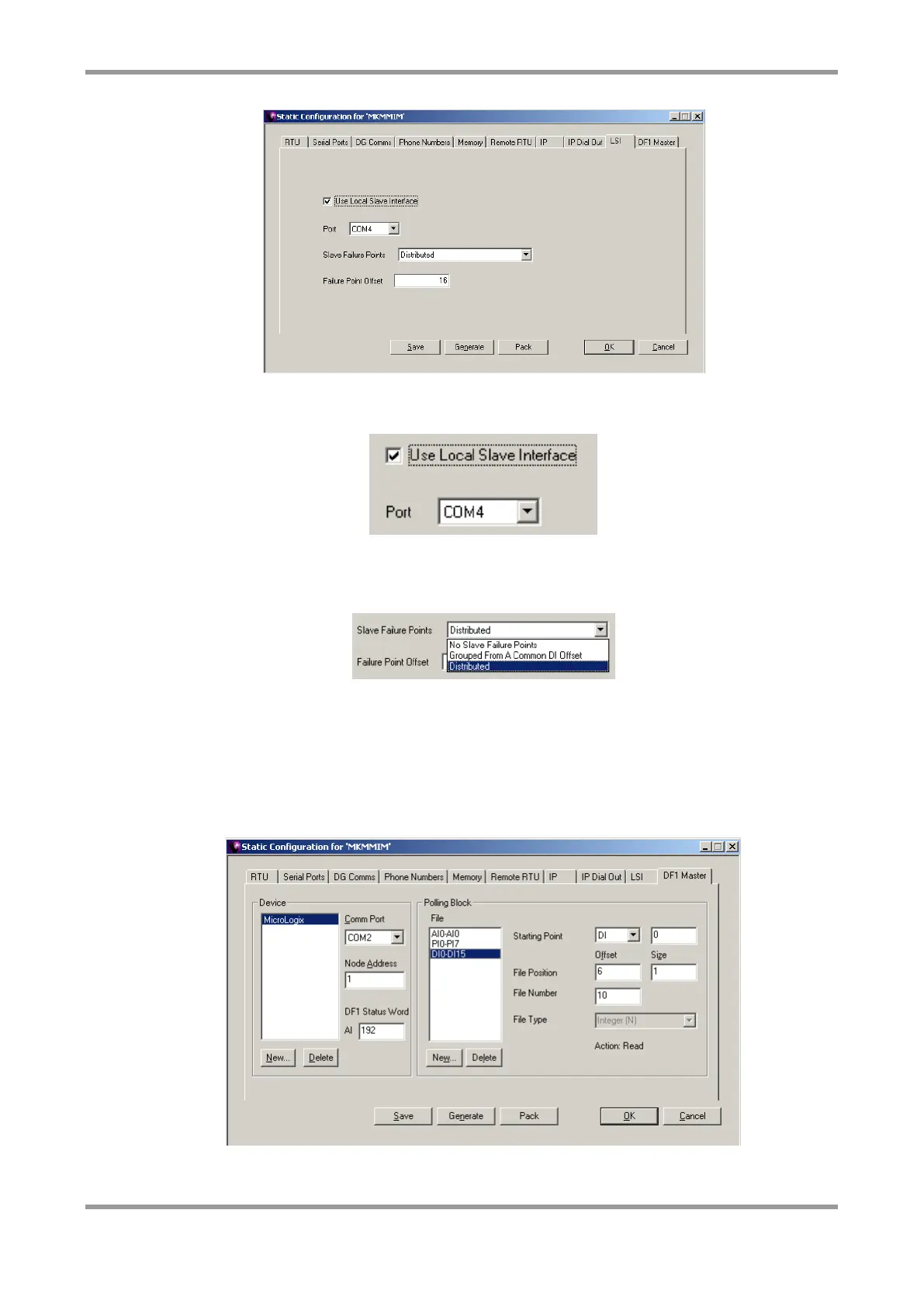
Tick “Use Local Slave Interface” to activate the MM-IM’s LSI driver. Select a COM port that
was set up for LSI in the “serial ports” screen.
The slave failure points provide digital inputs that indicate the state of the LSI slave
devices. “Distributed” is a common option, where one Digital Input (at the offset
configured) in each slave’s DI range is used as the failure status for that slave.
Note: If using LSI and Straton (and you have the Straton-Medina enhancements),
remember to enable it in Straton as well. See the Straton configuration section for
more details.
DF1
Use this screen to configure the MM-IM as a DF1 Master.
Click “New” to create a new device. You are prompted for a name to identify the device.
The name chosen is merely an identifier and is not important, but it must not be blank.



 To Next Page