MM-IM User Guide
34
LSI Configuration
The Local Subsidiary Interface (LSI, sometimes called Local Slave Interface) can be used to
retrieve points from either other Medina RTU’s configured as LSI slaves, or from
proprietary Medina Bus Master modules.
The MM-IM scans the selected serial port when it starts up, to detect any connected slave
devices and automatically begins polling. After each polling cycle, it checks for the
presence of a new slave device that hasn’t yet been found, in order to achieve “plug and
play” functionality
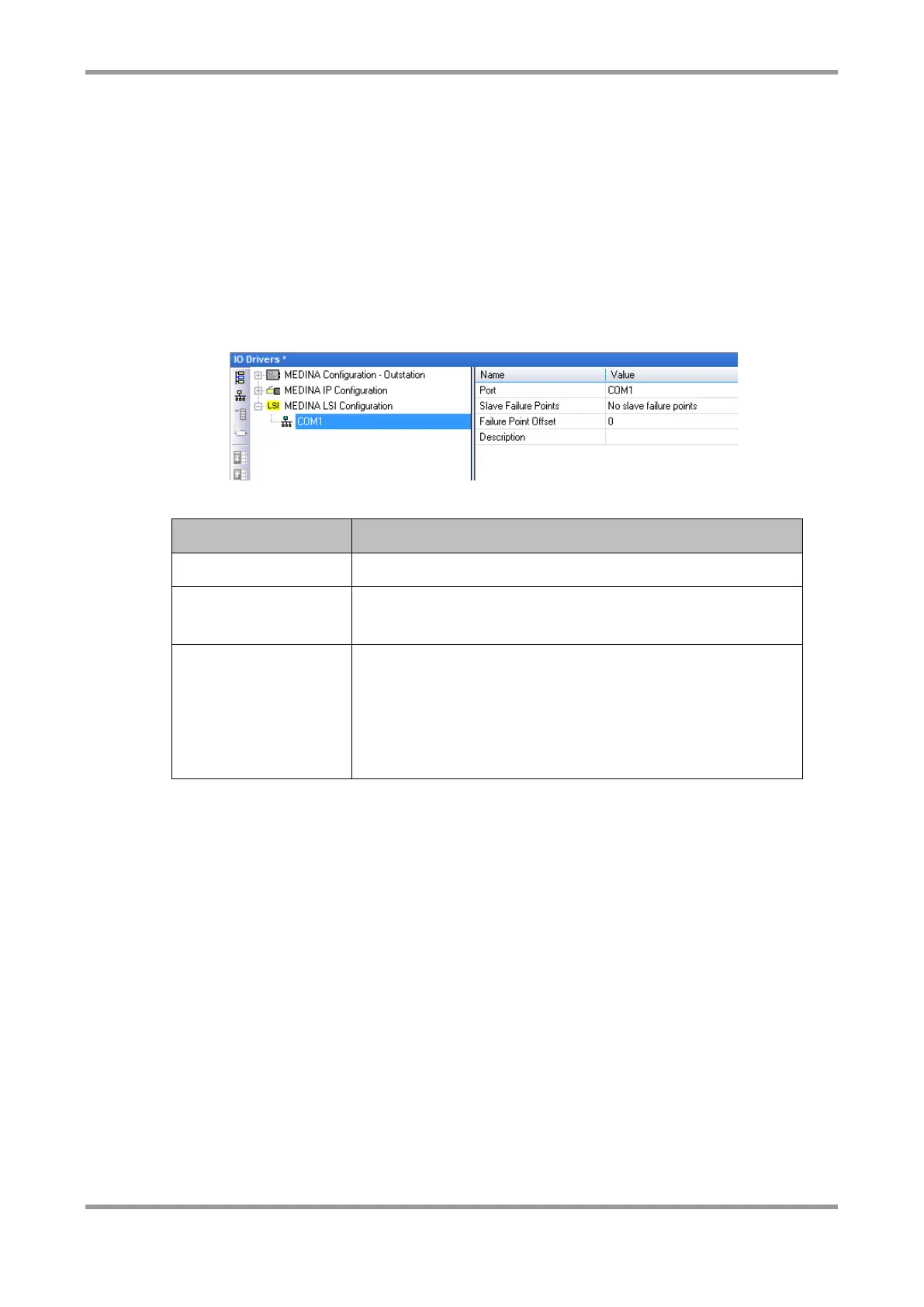
Insert the MEDINA LSI Configuration, and then insert the “Master/Port”, much like any
other MEDINA configuration element within Straton.
The following parameters are configurable:
The COM port to be used for LSI
The slave failure points provide digital inputs that
indicate the state of the LSI slave devices.
For “Distributed” failure points, one Digital Input (at the
offset configured) in each slave’s DI range is used as the
failure status for that slave.
For “Grouped” failure points, all the failure points appear
in one group, at the offset configured.
Straton point properties
Each variable in Straton has a set of properties associated with it. For each variable that is
linked to a telemetry point, it must have the correct type of “MEDINA” profile assigned to
it. These profiles are automatically assigned when importing an ODF. Here is an example
of the properties for an analogue point.



 To Next Page