MM-IM User Guide
37
Downloading an MM-IM configuration
Once you’ve made your changes to the configuration, the configuration file can be
generated by selecting the “Build Project” option from the Project menu, or by clicking on
this icon:
Any build errors are shown in the “Build” window at the bottom of the Straton Workbench.
When the project has been successfully built, Straton will create a “PAK” file (please see the
section on
PAK files
for more information).
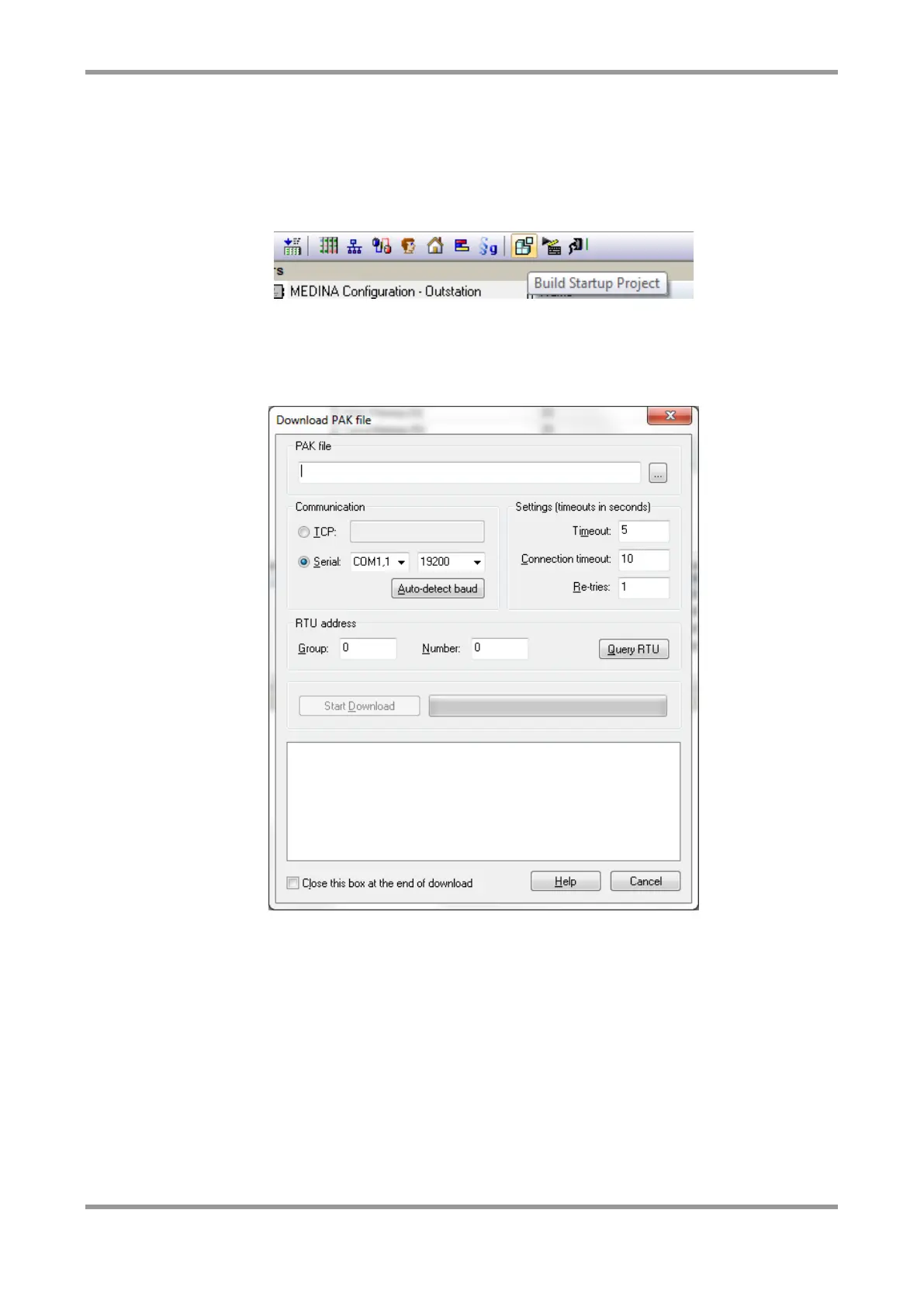
To download the configuration, select “Tools / Download PAK configuration File”.
By default the configuration file you’ve just created will be ready for download. You can
navigate to a different file if you want.
You must first establish the communication link between your PC and the RTU. The
“Communication” section of this window will be set to the current connection settings for
the Straton Workbench. You can select either to connect over IP or serial. For IP, enter the
IP address of the MM-IM. For serial, select the serial port of your PC and the baud rate.
Then click “Query RTU”.
If successful, the current address will appear in the “RTU address” section.
You can then click “Start Download” to perform the configuration download.
Once the download is complete, the MM-IM will automatically restart and adopt the new
configuration.



 To Next Page