MM-IM User Guide
28
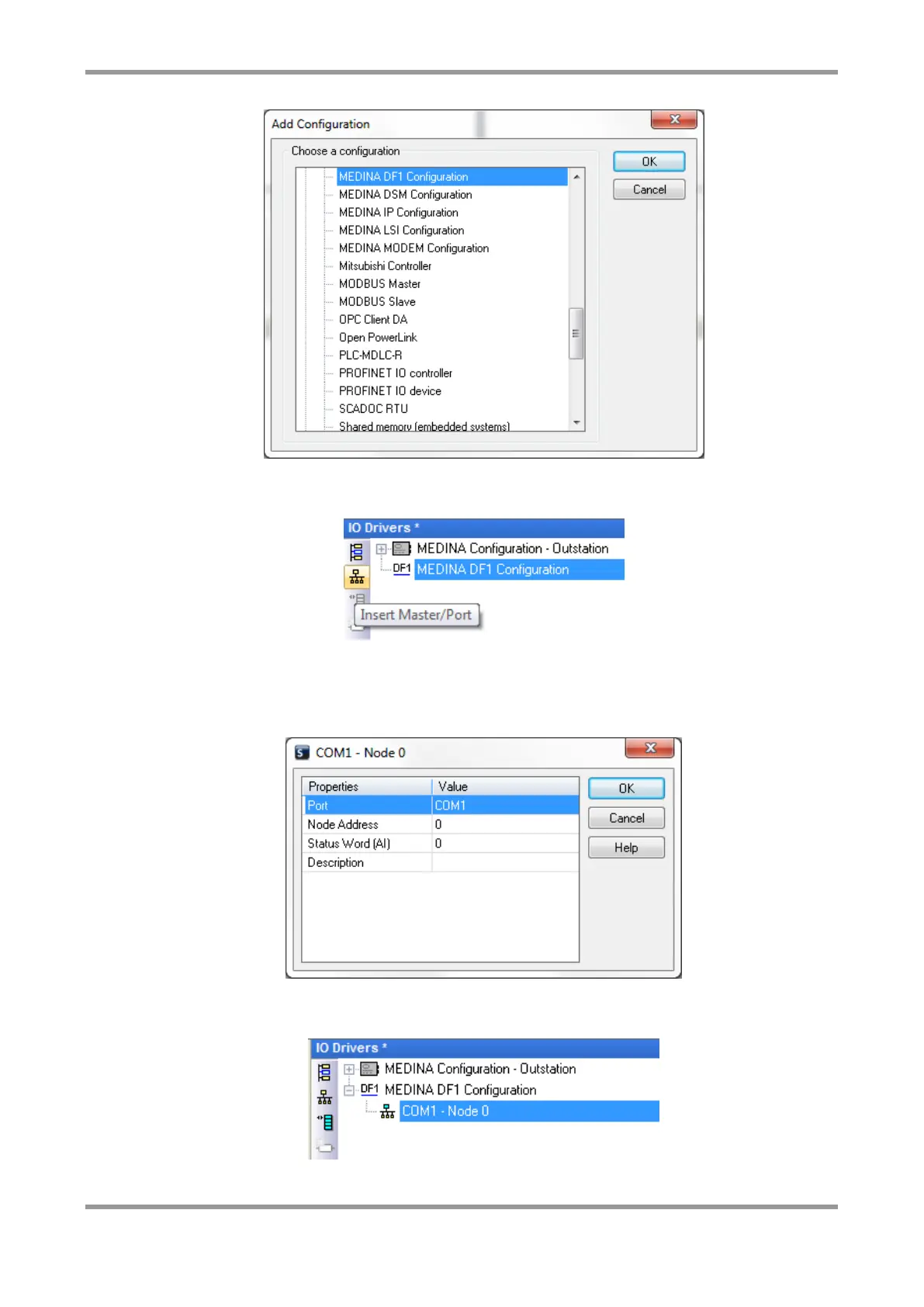
You must now define the details of the PLC you are connecting to, by clicking on this icon
or right-clicking on the “MEDINA DF1 Configuration” and choosing “Insert Master/Port”:
In here, select the serial port connected to the PLC, the PLC Node address, and a status
word. The status word is an analogue value that indicates the health of the link to the
PLC. Any non-zero value indicates a problem (1=STS Error, 3=NAK Error, 5=Timeout,
9=CRC Error).
Next, you can create polling blocks of data for the PLC. Click on this icon, or right click
and choose “Insert Slave/Data Block”:
In here, you can define the details of the polling block:



 To Next Page