MM-IM User Guide
50
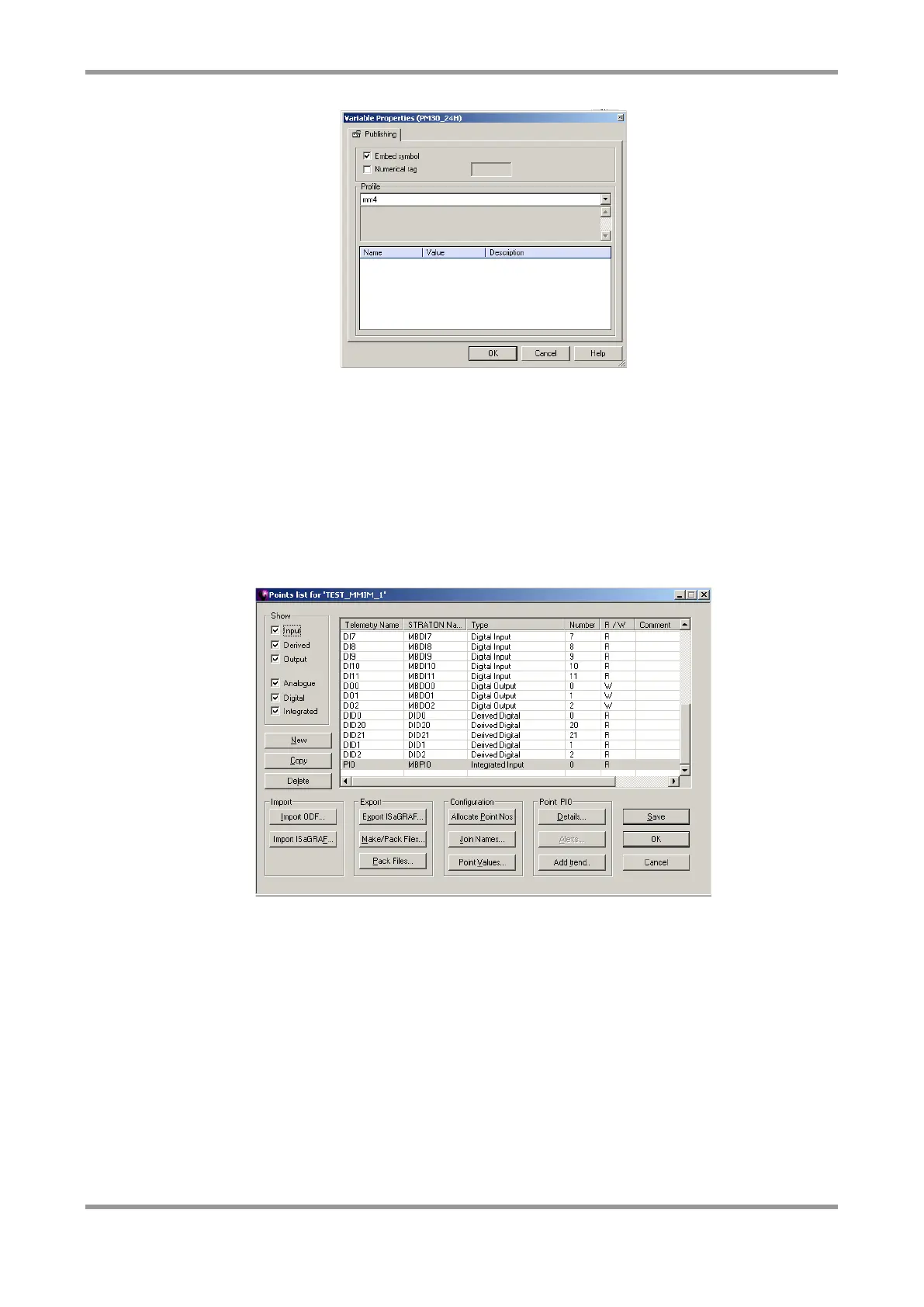
In the properties for the point you want to map (shown above), select the “mm4” profile
and also “Embed symbol”.
Note: If you use the “copy” and “paste” functions to create points, the profile and
“Embed symbol” settings are remembered.
The mapping for each point you wish to use in Straton needs to be made in the points list
in MicroMC.
Open the points list by selecting “Points” and “List” from the menu. To populate the list
you can either manually insert points or click the “Import ODF” button to import an ODF.
The diagram below shows an example list.
The entries in the “telemetry name” column must contain a name for the point. The
entries in the “Straton Name” column must contain the name of the Straton variable that
will be mapped to this point. Usually these two names will be the same. The “R/W”
column was previously used to indicate whether the point should be written to Straton (W)
or read from Straton (R). However, from MM-IM firmware version V6.0C5122 all variables
that you map are mapped as both read and write (i.e. bi-directional), so the choice of “R”
or “W” doesn’t matter, but it must be one of them. When you have finished, click “Save”
and “OK”.
Point Scaling
For MM-IMs running firmware versions earlier than V6.0C5122 , any analogue values
which are written in to Straton will be scaled if the MM-IM has received scaling factors for
those points. Scaling factors for all “onscan” analogue points configured on the DG are
downloaded to the MM-IM during the power-up sequence. This means that for points



 To Next Page