Controller / User Interface | 4-31
Analyzer Information
Before proceeding, test the area around the analyzer for explosive
gases and proceed only when the area is found to be safe.
Do not reset the analyzer if there is an explosive gas atmosphere pres-
ent.
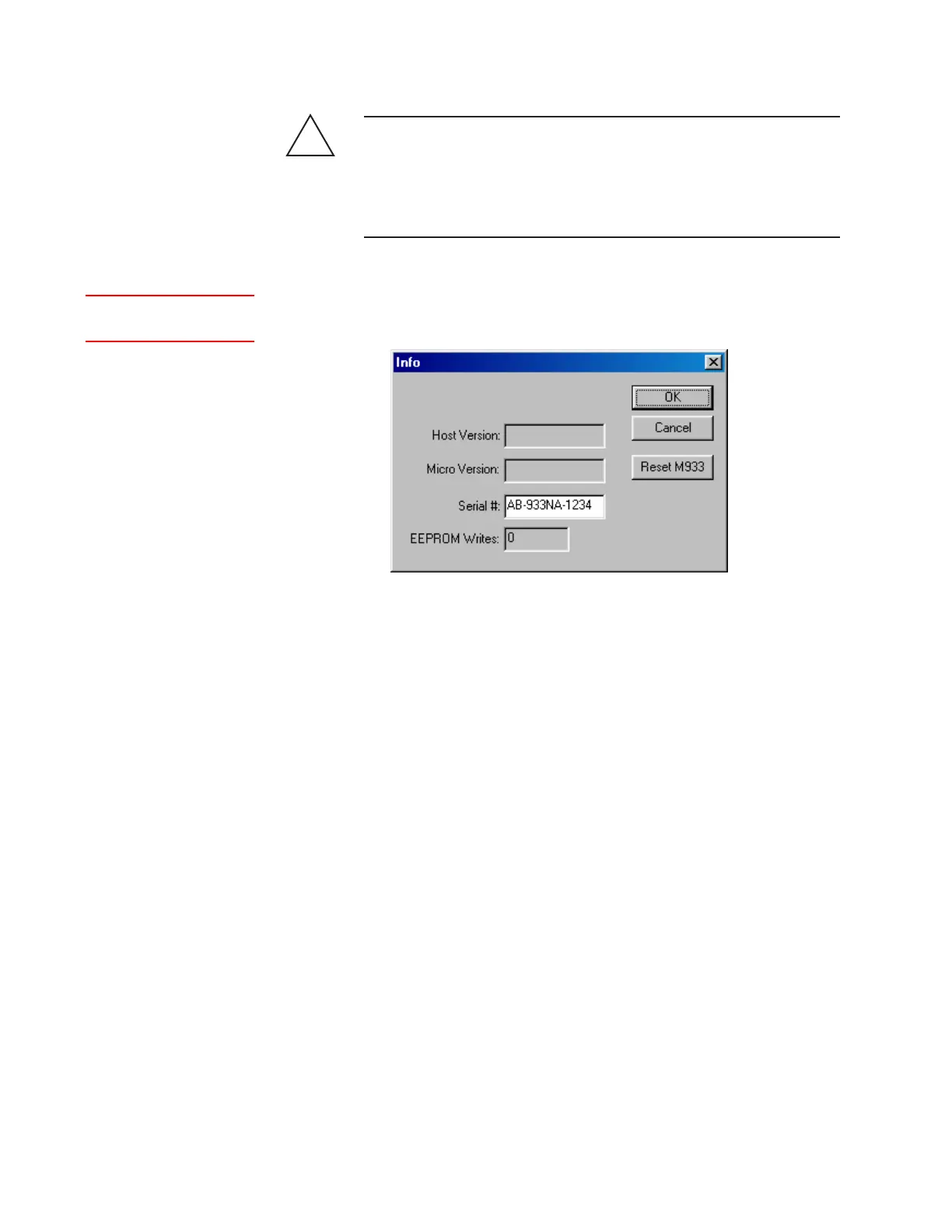
The Information dialog box contains Microcontroller and Host Control-
ler board information.
!
WARNING
Host Version
Host Controller board software version number.
Micro Version
Microcontroller board software version number.
Serial #
Analyzer serial number.
EEPROM Writes
The number of times that new configuration data has been saved to
the analyzer’s EEPROM. The maximum allowable number of saves is
20,000.
Reset M933
Resets the analyzer’s Host Controller board.
Figure 4-13.
Information dialog
box.
Setup (tab)Info


 To Next Page