4-12 | Model 933 UV Analyzer
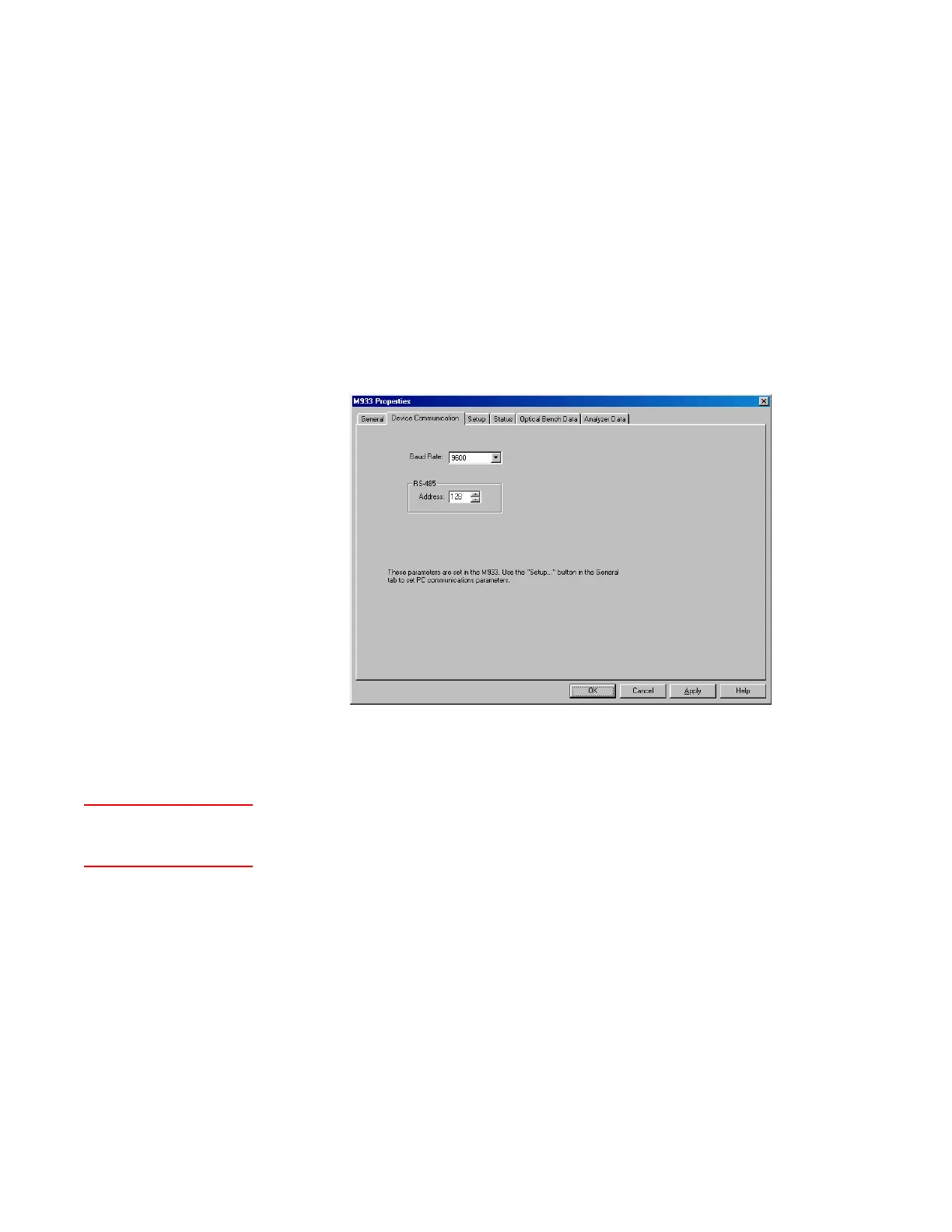
Device Communication Tab
The Device Communication tab contains the setup parameters specifi-
cally for the analyzer’s RS-485 Remote Service Port. To set up the analyzer
to communicate via the Remote Service Port, configure the settings on this
tab first, then return to the Serial Port Configuration dialog box and select
RS-485 Port.
Baud Rate
Baud rate at which data will be transferred (fixed at 9600).
RS-485 Address
Enter the communications address of the analyzer. If using multiple
analyzers, enter a different address for each unit.
To set up RS-485 communication parameters:
1. Ensure the device is “Online”. Device Enabled and Live Data must be
selected.
2. From the Device Communication tab, enter the analyzer address
(0–239) in the RS-485 Address text box.
The baud rate is fixed at 9600.
Click Apply. For the changes to take effect, save the settings to
EEPROM.
Figure 4-3.
Device
Communication tab.
General (tab)
<<Status>>


 To Next Page