4-14 | Model 933 UV Analyzer
User Interface
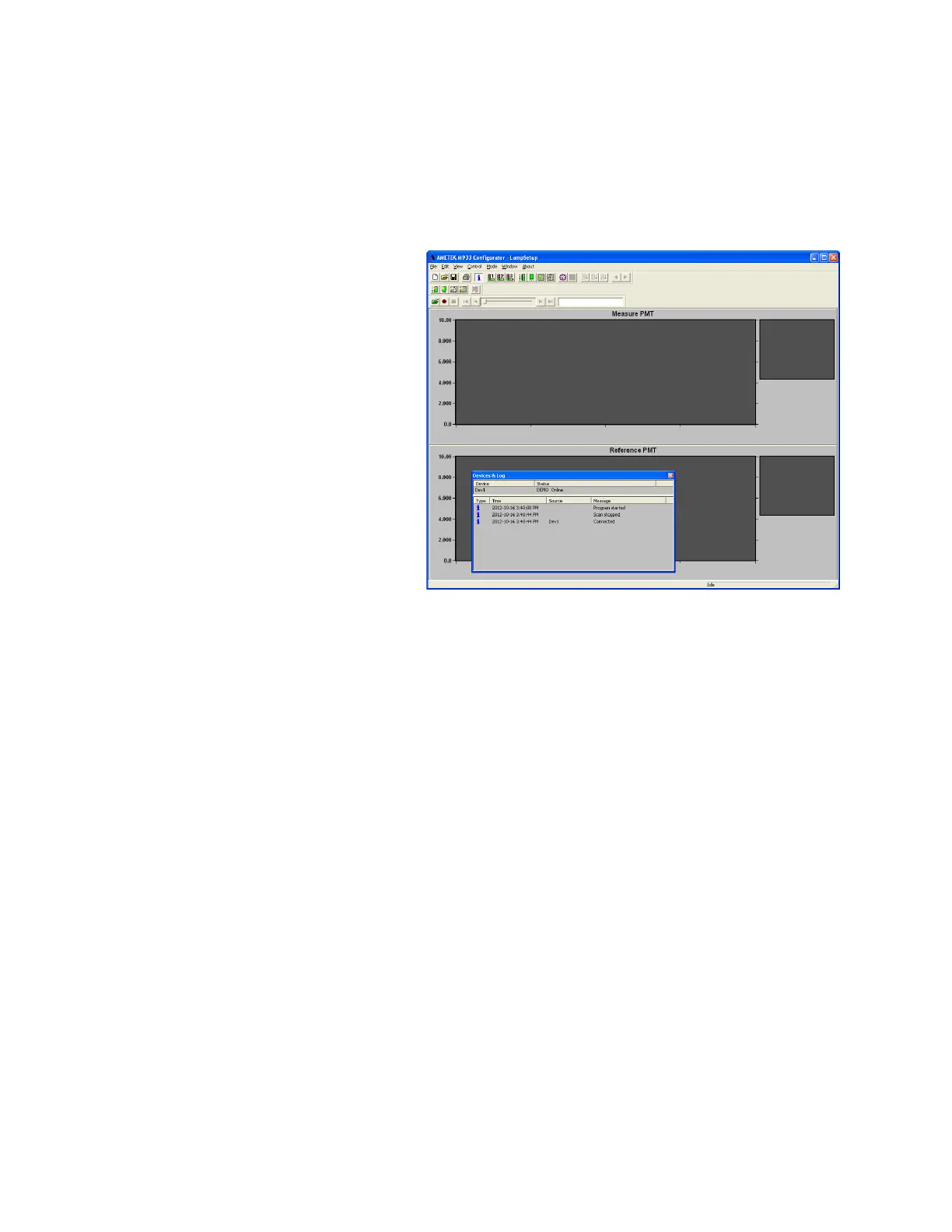
The Main Window of the Configurator Software displays the various
mode windows that can be used to view and configure data. The software
allows you to customize the Main Window and can display the Devices
& Log window, which is a system event log that lists all active devices and
their status.
Setting Up the Main Window
To set up the Configurator Software Main Window (Figure 4-4), display or
hide the toolbars (and Devices & Log window) from the View menu.
• Standard Toolbar
Contains icons used most often, including the main display modes.
• Custom Mode Toolbar
Contains icons used to create Custom mode displays (not discussed in
this manual).
• Data File Toolbar
Contains icons used to save data files (not discussed in this manual).
• Status Bar
Displays system messages.
• Devices & Log window
This window is a system event log that lists all devices and their status
(see “Viewing Device Activities”).
Figure 4-4.
Congurator Software
main window (Lamp
Setup.dyc le open,
Devices & Log
window active).
Standard Toolbar
Custom Mode Toolbar
Data File Toolbar
Main Window
Status Bar


 To Next Page