■■■■■■■■■■■■■■■■■■■■■■
3 Overview of the device
■■■■■■■■
9
3.2 Indicators and controls
3.2.1 Overview
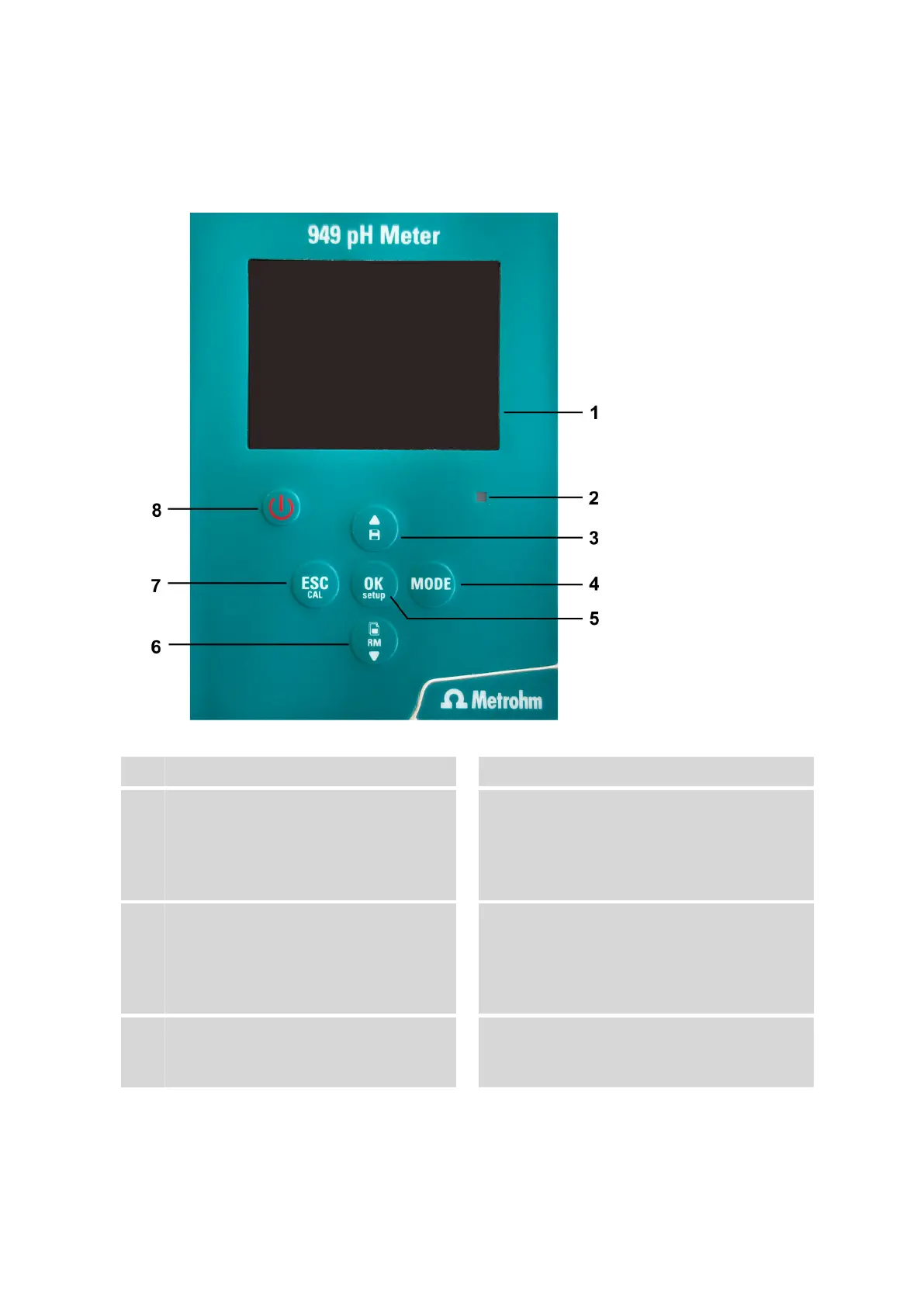
Figure 2 949 pH Meter – Indicators and controls
1
Display
2
LED status display
3
Up direction button
Direction button for scrolling through sub-
menus and between saved values, to
change the values, to save and to print the
values
4
Mode button
Selection between the measurement
parameters pH, mV, ORP (oxidation reduc-
tion potential)
5
Enter button and Menu button
For opening the settings, selecting the func-
tion or the value, confirming the value dur-
ing calibration
6
Down direction button
Direction button for scrolling through sub-
menus and between saved values, to
change the values, to retrieve the saved val-
ues
7
Cancel button and Calibration button
Return to measuring mode, start of calibra-
tion
8
On/Off button
Switches the device on or off.












 To Next Page