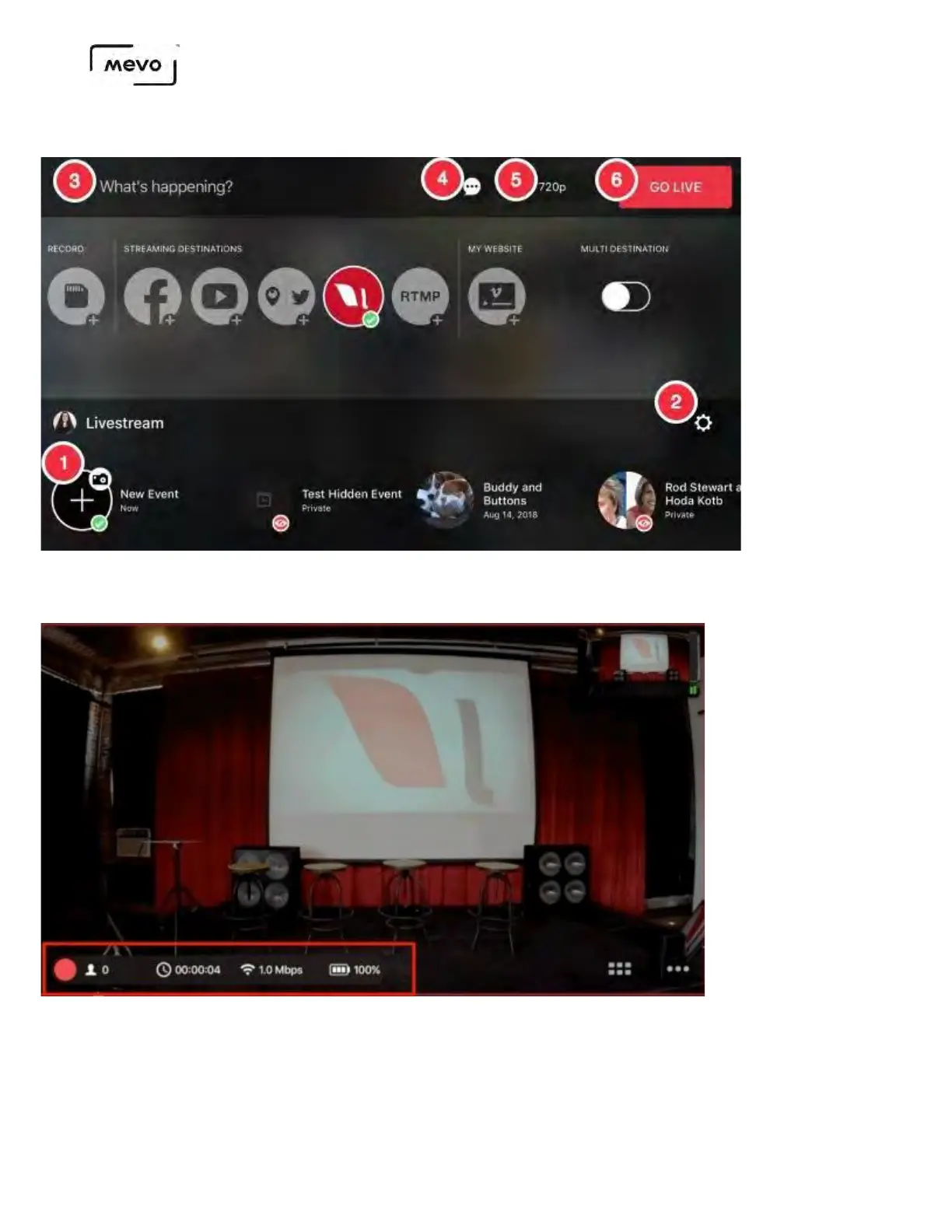
6. Tap Go Live in the upper right corner to start your stream.
Tap small red dot on the bottom left corner to see more information about your stream, including
viewer count, battery percentage, bitrate, and a timer.
Tap the information bar again to collapse it.
If you tap a specific statistic, such as viewer count or bitrate, that statistic will still appear next to the red
down when you collapse the information bar. In the below example, the timer is selected.
Mevo Start User Manual
Page 62



 To Next Page