Stream to Facebook Live with Mevo Start
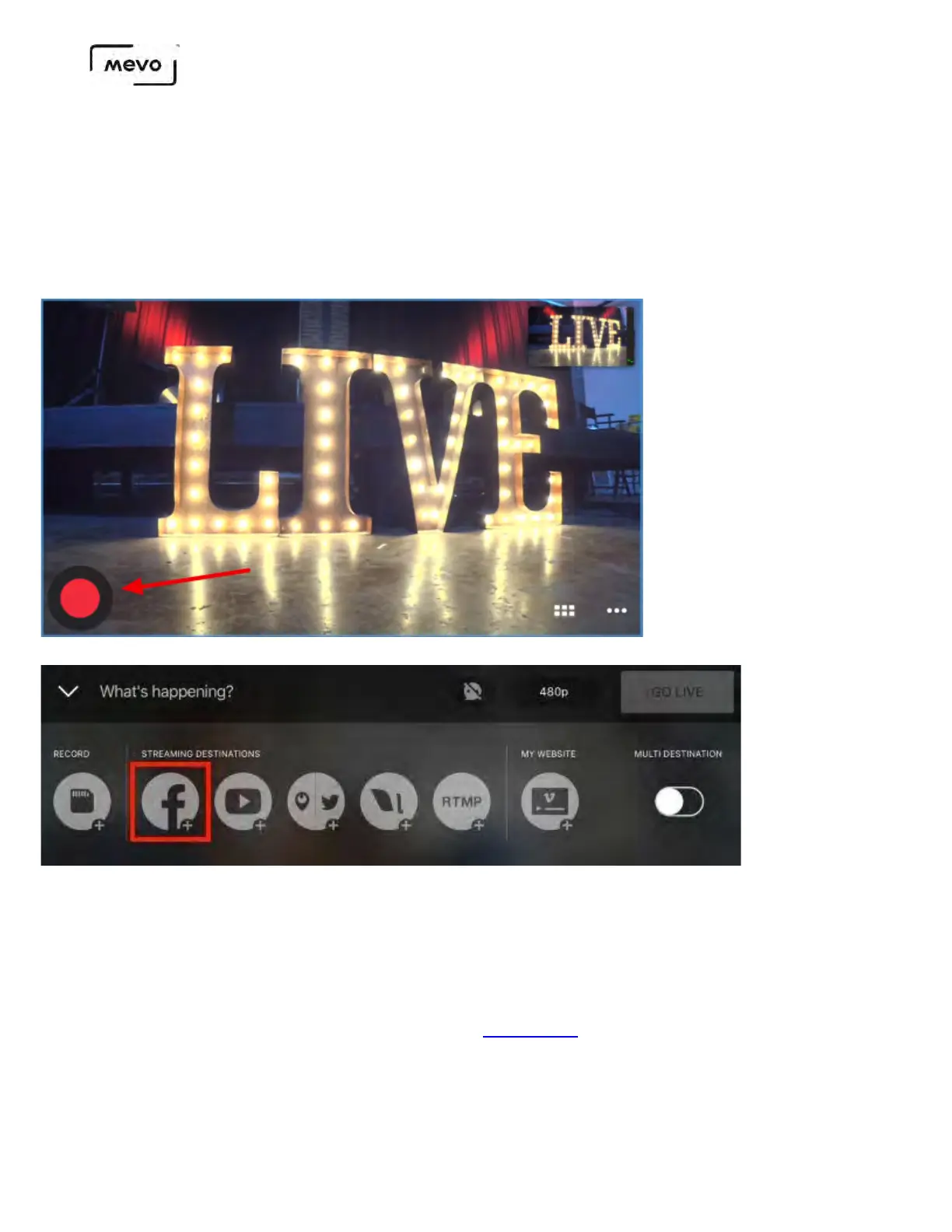
Once your Mevo Start is connected to the Mevo app, you should notice a red button in the bottom
left corner of the picture.
To log in and stream to Facebook Live, tap this red button, then tap the Facebook Live icon.
Facebook will open in a browser window and request that you log in and grant certain permissions.
You should allow all permissions in order for streaming to Facebook with Mevo to work properly.
If you intend to stream to an audience beyond your Facebook friends (e.g. a Page or a Group), you should
set your default audience as Public. After doing so, you can change your desired audience on a
case-by-case basis when you go live (see below). Learn more about your default privacy settings for
Facebook.
Once you allow Facebook permissions, the following screen will appear.
Mevo Start User Manual
Page 64



 To Next Page