Streaming to Your Website Using Vimeo and Mevo
Start
With Mevo Start and a Vimeo Live account, you can stream your event directly to a custom-designed
embedded player on your website.
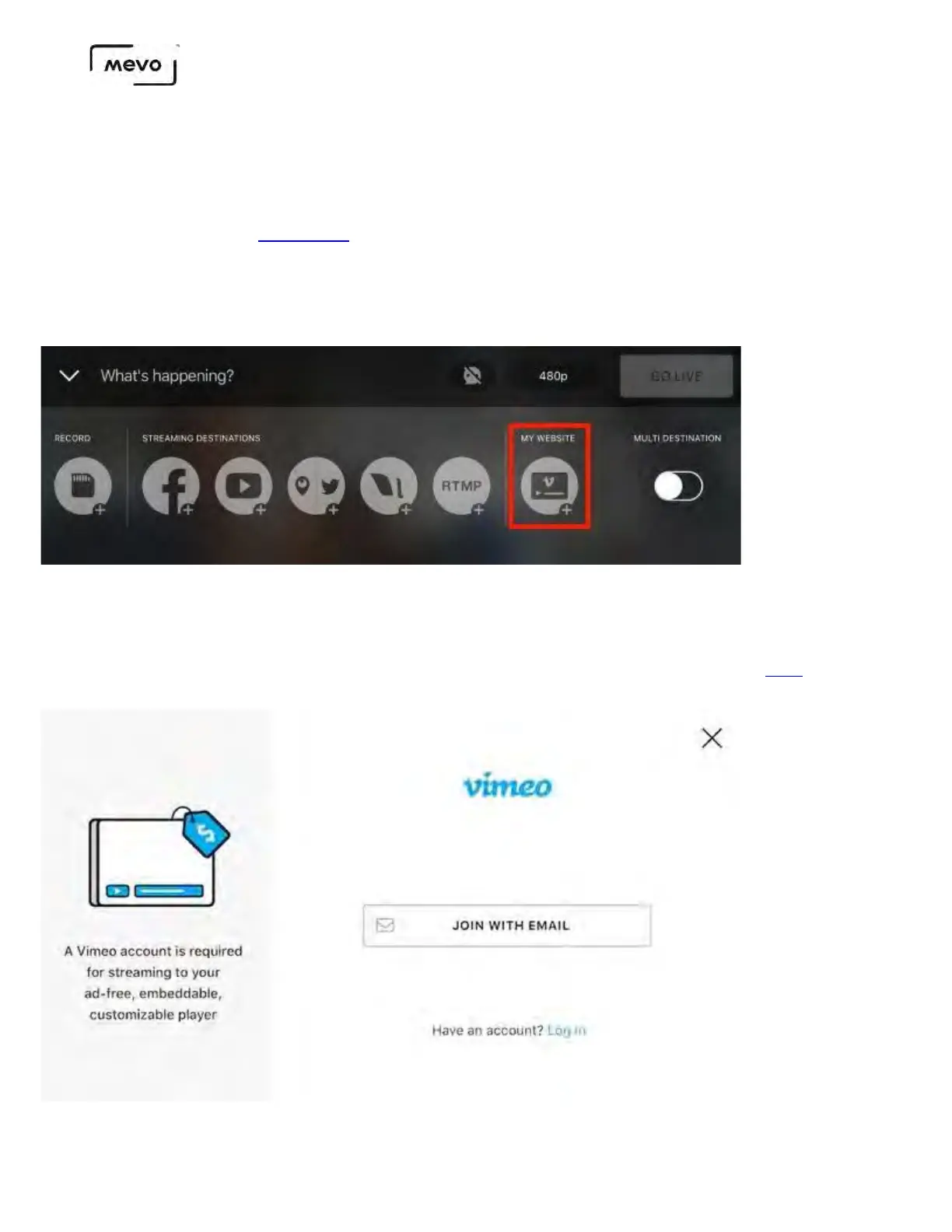
Connect to Mevo Start and tap the red button in the bottom left corner. Towards the right side, you will
see an option for My Website with the Vimeo icon. Tap this to log into Vimeo.
Tapping Vimeo will open the window shown below prompting you to either join or log in to Vimeo. If you
have an account, tap Log in, then enter your account credentials. You will then need to authorize Mevo
to access your Vimeo information to proceed.
You need a Vimeo Premium plan in order to go live to Vimeo. Learn more here.
Mevo Start User Manual
Page 58



 To Next Page