Adjusting the Camera's Image
You can adjust everything about the image Mevo Start produces via a quick-access menu that allows
you to see the changes you are making in real-time.
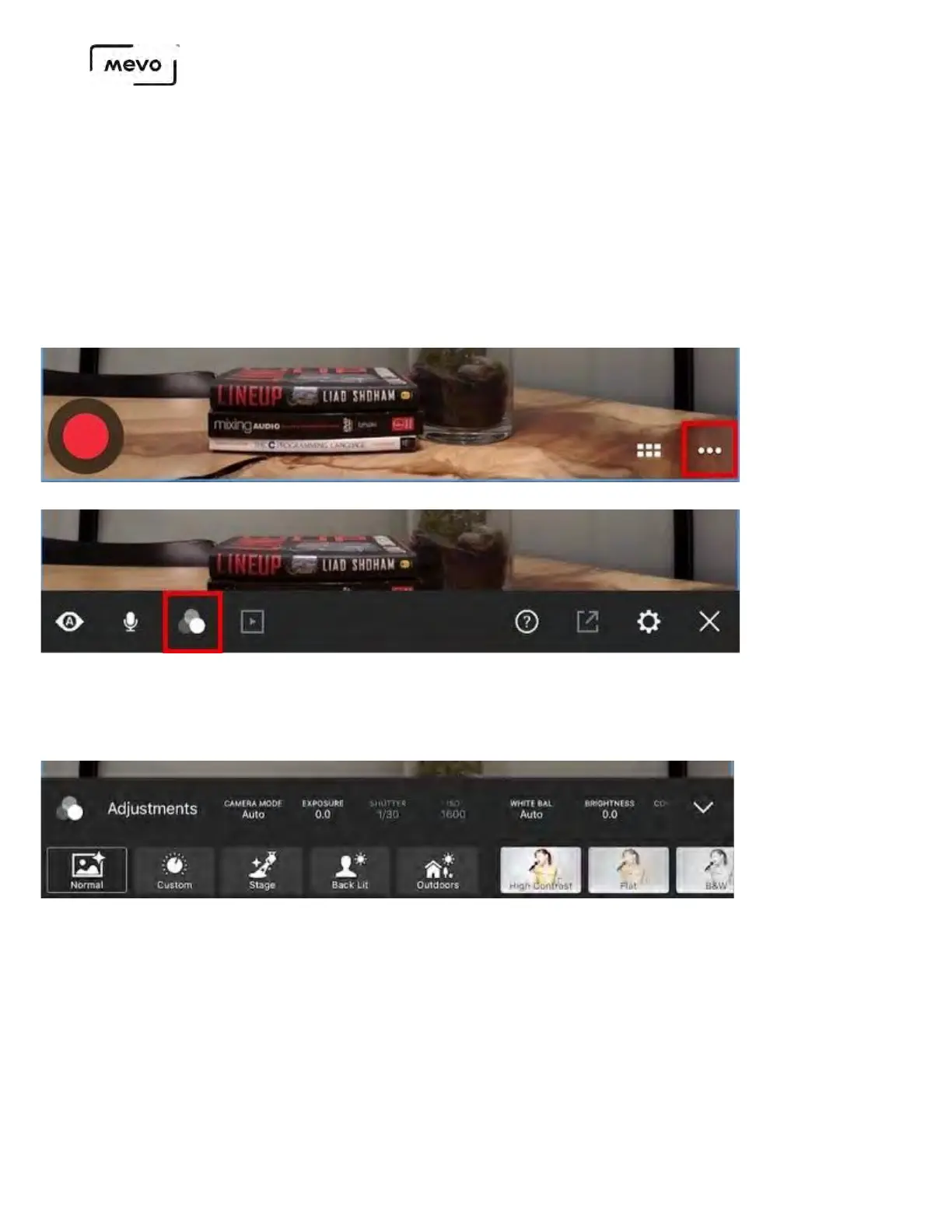
Access the Image Settings Menu
In the live edit view, tap the Options icon (•••) in the lower right corner. Then tap the image
adjustments icon (third from the left).
The menu will open in the lower third of the live edit view. The menu consists of two rows; the
bottom row includes presets with the top row includes individual image settings. Swipe each row left
to see further options.
Camera Modes and What They Mean
You can choose between three camera modes to operate in: Auto, Shutter, and Manual. The
difference between these is how exposure, shutter speed, and ISO settings are controlled.
Mevo Start User Manual
Page 108



 To Next Page