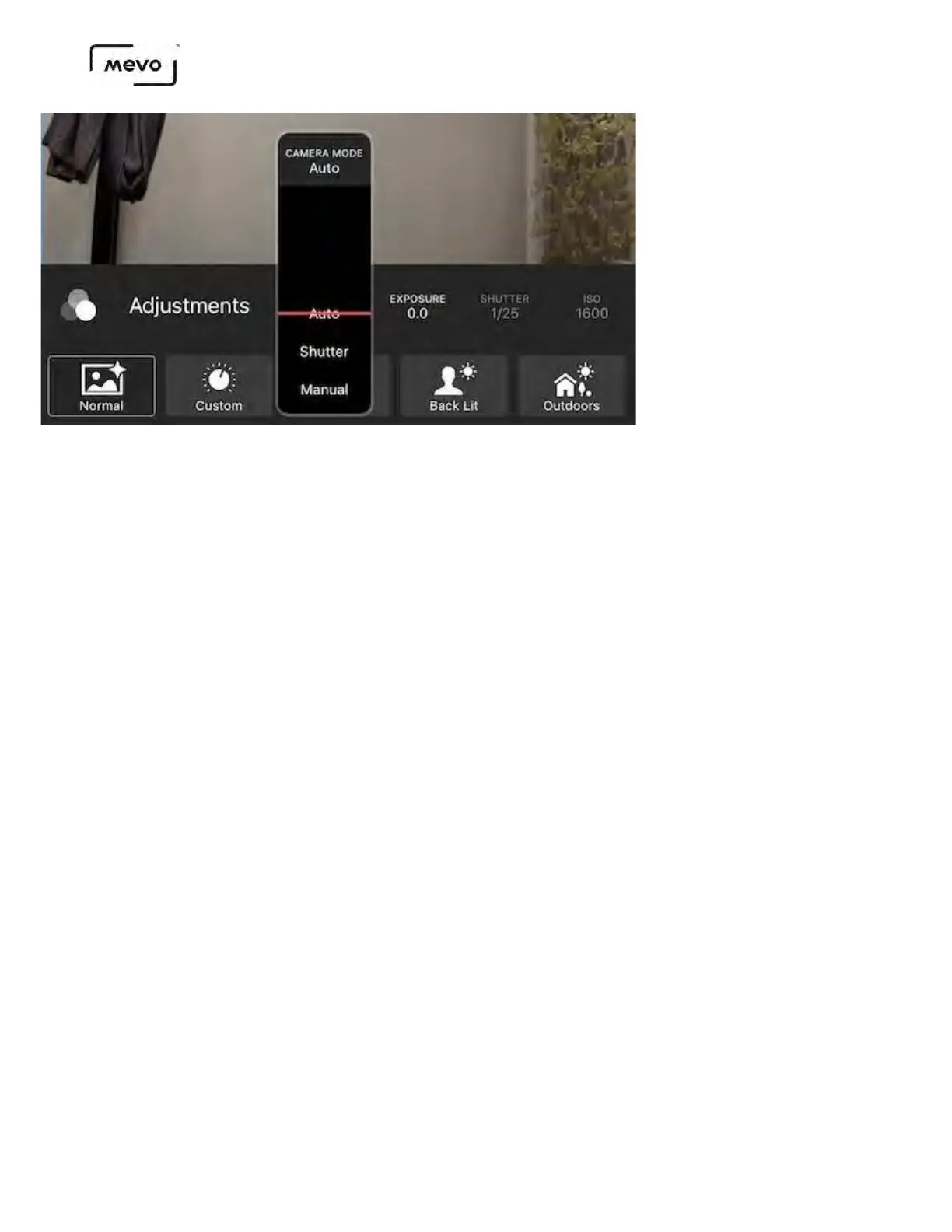
Auto
Selecting Auto will cause both shutter speed and ISO settings to adjust on their own to create the best
shot possible based on the lighting in your environment. You will not be able to manually adjust these
settings in this mode, but you can adjust exposure and all other settings in this menu as needed.
Shutter
Shutter priority mode allows you to dial in the minimum shutter speed manually, while the ISO setting
automatically compensates to create smooth movement within the shot. This is ideal for a producer
working in extremely fast or extremely slow environments who wants the camera to adjust based on
changing lighting (e.g. sunset).
Manual
For full control of both shutter speed and ISO, select Manual. Exposure cannot be adjusted since it is a
combined value and will automatically dial in based on how you set your shutter speed and ISO setting.
Choose this setting if you prefer to have full control, or if you are looking to showcase a change in
lighting from one environment to another with no camera adjustment period. For example, if you are
starting indoors but moving outdoors, you may want to manually set your shutter speed and ISO for
optimal appearance for outdoors, which will keep your indoor environment looking darker.
Image Adjustment Settings
Exposure
Mevo Start User Manual
Page 109



 To Next Page