Enable Livestream Studio Remote Camera Mode
You can bring your Mevo Start into your Livestream Studio production as a Remote Camera. This
would allow you to use more than one Mevo camera in your production at one time if you want.
Make sure that your camera is turned on and connected to the same local network as your Livestream
Studio machine. If it is not connected to the same network (i.e. to the same access point), Studio
cannot recognize Mevo.
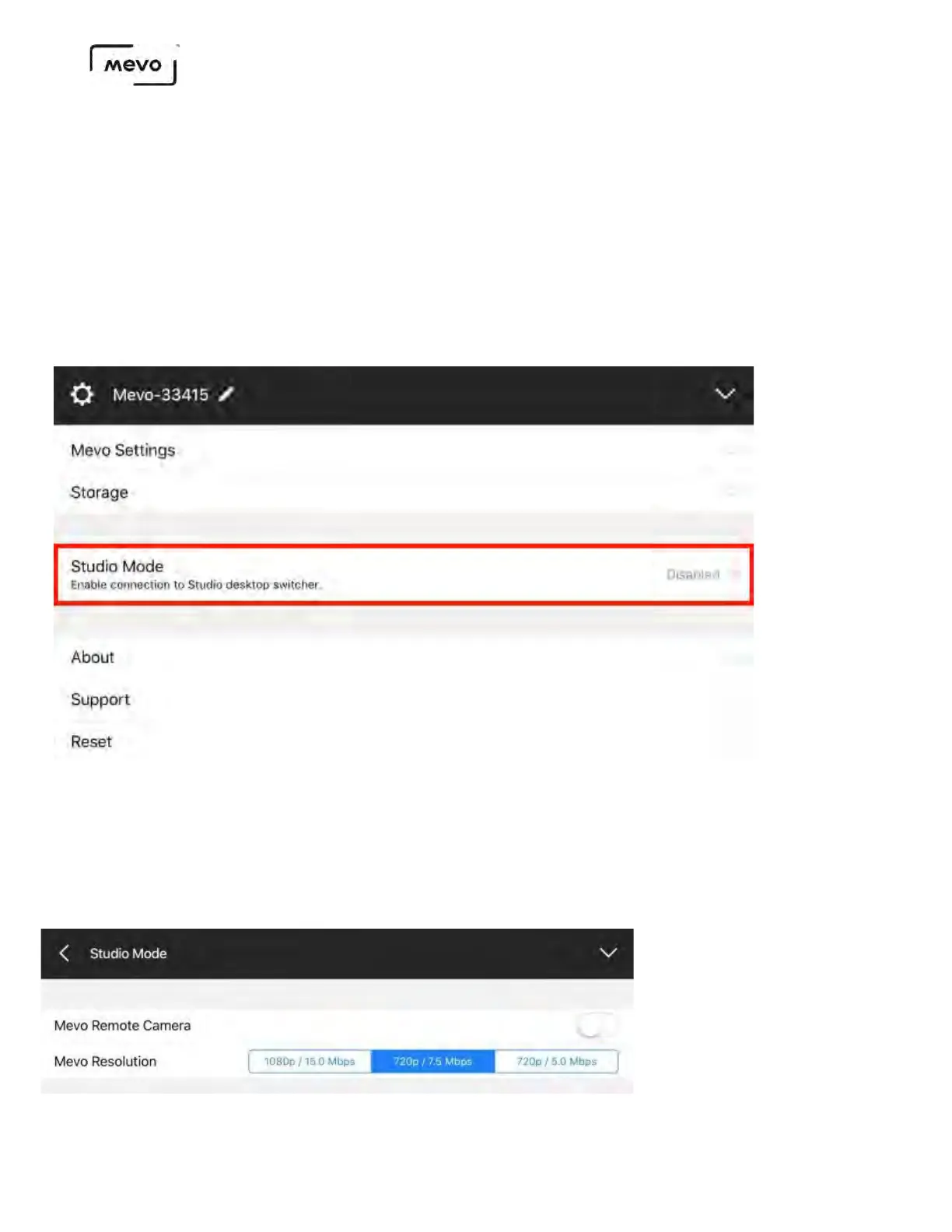
Launch the Mevo app and navigate to the main Settings menu. Scroll down to find the Studio Mode option.
Choose your desired resolution and bitrate for your camera's output into Studio, then toggle on the Mevo
Remote Camera switch.
You cannot change your resolution while remote camera mode is enabled.
Mevo Start User Manual
Page 116



 To Next Page