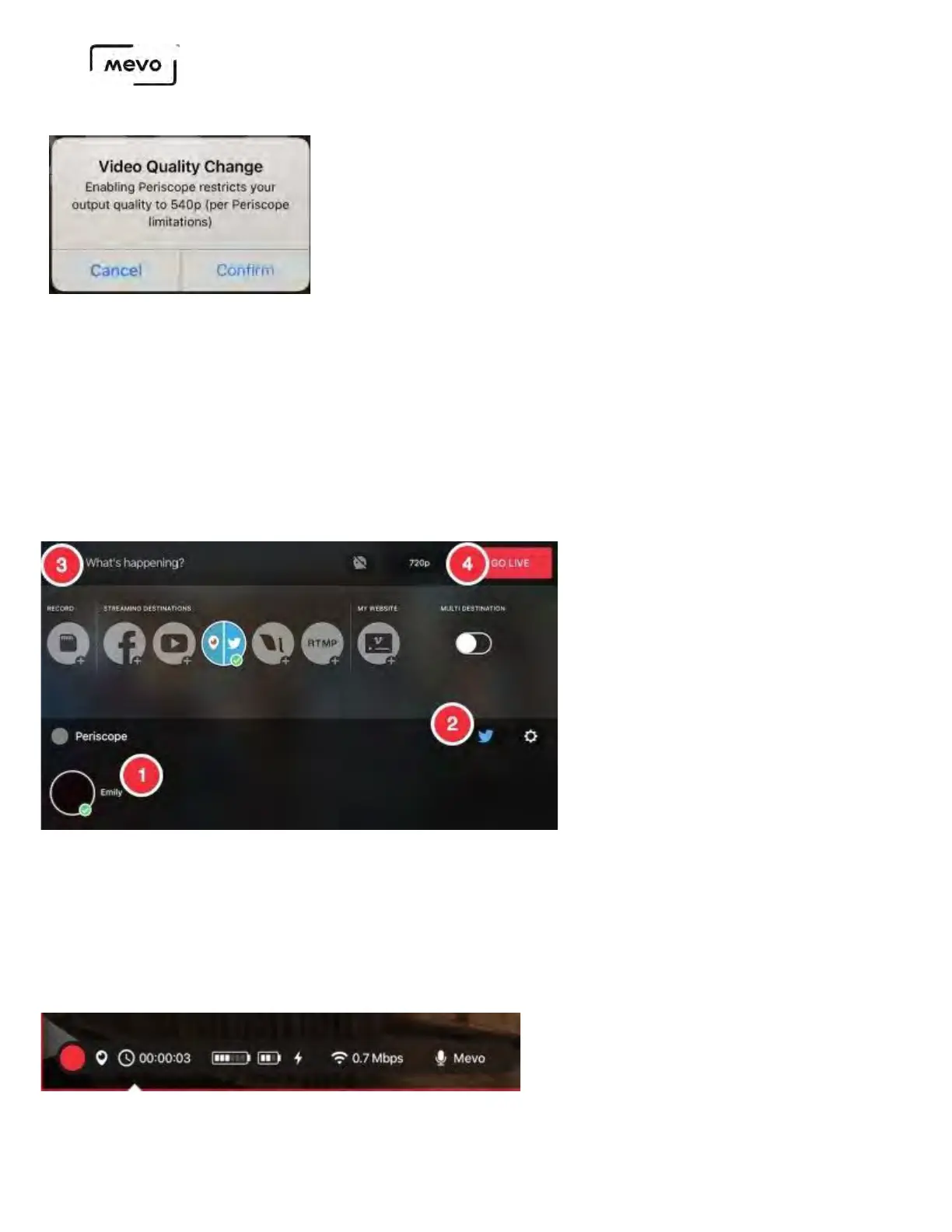
1. Tap your profile name in the lower left corner to select it as your streaming destination (it may
already be selected by default). At this time, Mevo does not stream to Periscope Groups.
2. Tap the Twitter icon in the lower right corner to also push your stream to Twitter (it will turn blue
when enabled; white when disabled).
3. Give your stream a title.
4. When you are ready to start streaming, tap Go Live.
The gearwheel icon open another screen that gives you the option to log out of your account
It will take a moment for the connection to establish. Once it does, you will see a timer in the bottom
right corner for the duration of your stream.
Tap the timer to see other information about your stream, such as battery life, bitrate, and audio source.
Mevo Start User Manual
Page 69



 To Next Page