Once each provider's destination is configured, give your stream a title and choose the streaming
quality. Keep in mind not all provider's support the same quality types. For example, Facebook cannot
exceed 720p.
When you're ready to start streaming, tap Go Live. After a moment the stream will start and your event
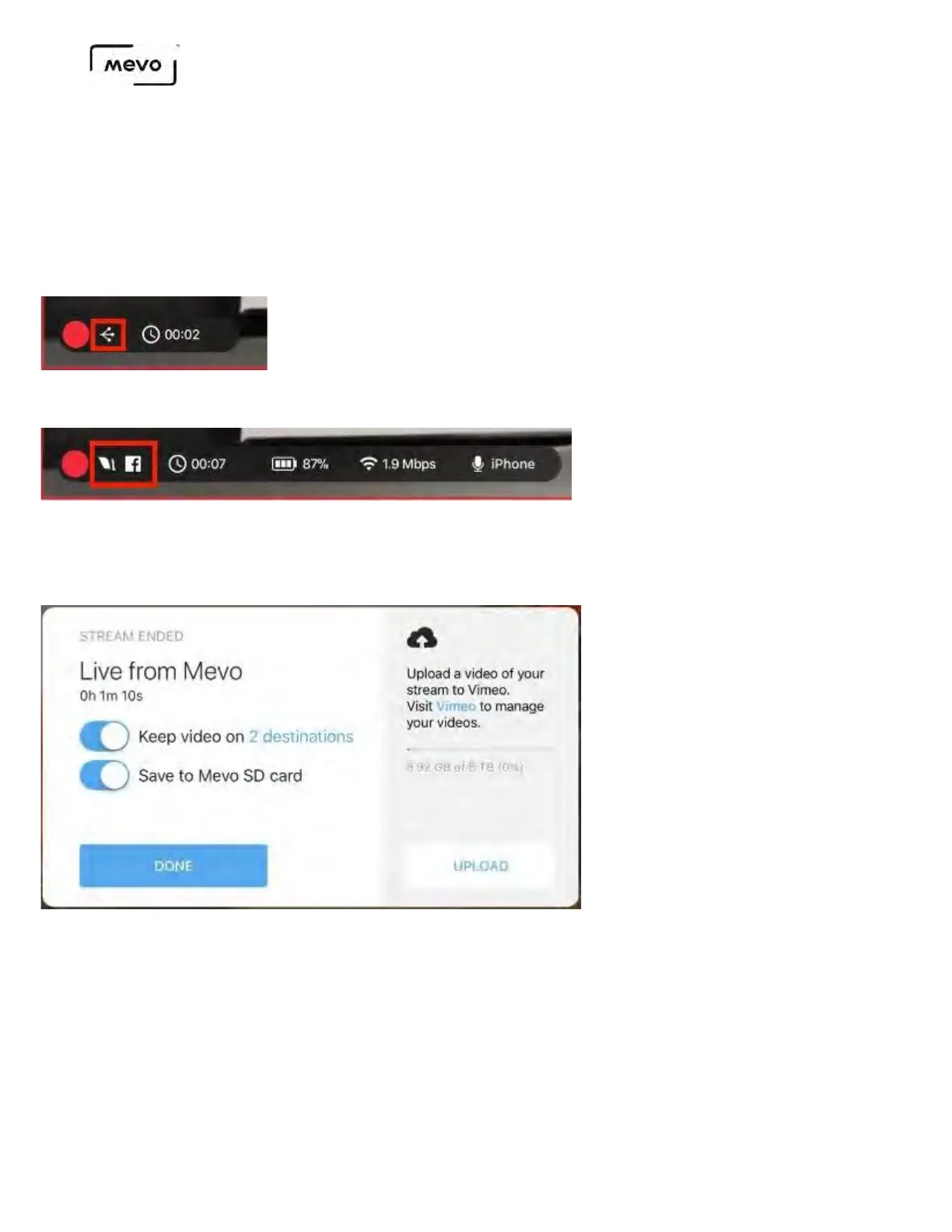
will appear in the native players for each chosen destination. Mevo will indicate that it is simulcasting
in the lower left corner of the live edit view.
Tap the information bar to expand it; you will see icons display every provider to which you are
simulcasting; the below example shows Livestream and Facebook.
Tap the red dot to stop broadcasting. The message at the end will give you the option to save your VOD
in all feeds in addition to the microSD card inside the camera.
Mevo Start User Manual
Page 81



 To Next Page