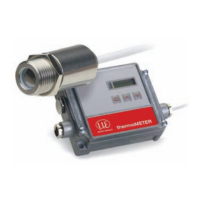
thermoMETER CTL
7. Electrical Installation .............................................................................................................. 40
7.1 Cable Connections ........................................................................................................................................ 40
7.1.1 Basic Version ................................................................................................................................ 40
7.1.2 Connector Version ........................................................................................................................ 40
7.2 Power Supply ................................................................................................................................................. 44
7.3 Cable Assembling .......................................................................................................................................... 45
7.4 Ground Connection ....................................................................................................................................... 46
7.4.1 CTLM-5, CTLM-1, CTLM-2, CTLM-3L, CTLM-3H, CTLM-3H1 to -3H3 Models ............................ 46
7.4.2 CTL, CTLF, CTLC-4, CTLC-2, CTLC-6, CTLG Models ................................................................. 47
7.5 Exchange of the Sensor ................................................................................................................................ 48
7.5.1 Entering of the Calibration Code .................................................................................................. 49
7.5.2 Exchange of the Sensor Cable .................................................................................................... 50
8. Outputs and Inputs ................................................................................................................. 51
8.1 Analog Outputs .............................................................................................................................................. 51
8.1.1 Output Channel 1 ......................................................................................................................... 51
8.1.2 Output Channel 2 [only for CTL, CTLG] ...................................................................................... 51
8.2 Digital Interfaces ............................................................................................................................................ 52
8.2.1 USB Interface ............................................................................................................................... 53
8.2.1.1 Installation ................................................................................................................... 53
8.2.1.2 Driver Installation of Interface...................................................................................... 53
8.2.2 RS232 Interface ............................................................................................................................ 54
8.2.2.1 Installation ................................................................................................................... 54
8.2.2.2 Software Installation .................................................................................................... 54
8.2.3 RS485 Interface ............................................................................................................................ 55
8.2.3.1 Installation ................................................................................................................... 55
8.2.3.2 Sensor Installation ....................................................................................................... 56
8.2.4 Profibus Interface ......................................................................................................................... 57
8.2.4.1 Installation ................................................................................................................... 57
8.2.4.2 Commissioning Profibus ............................................................................................. 58
8.2.5 CAN BUS Interface ....................................................................................................................... 59
8.2.6 Modbus RTU ................................................................................................................................. 62
8.2.6.1 Serial Interface Parameters ......................................................................................... 62
8.2.6.2 Protocol ....................................................................................................................... 62
8.2.6.3 Installation Overview ................................................................................................... 62
8.2.6.4 Connection of More than one Device (Synchronisation) ........................................... 65
8.2.6.5 Overview of Digital Commands for Modbus RTU Digital Interfaces for CT and
CTLaser Sensors ......................................................................................................... 65


 To Next Page