Page 76
Outputs and Inputs
thermoMETER CTL
8.2.7.5 Settings inside the CompactConnect Software
After a successful network installation of the Eth-
ernet adapter you can start the CompactConnect
software.
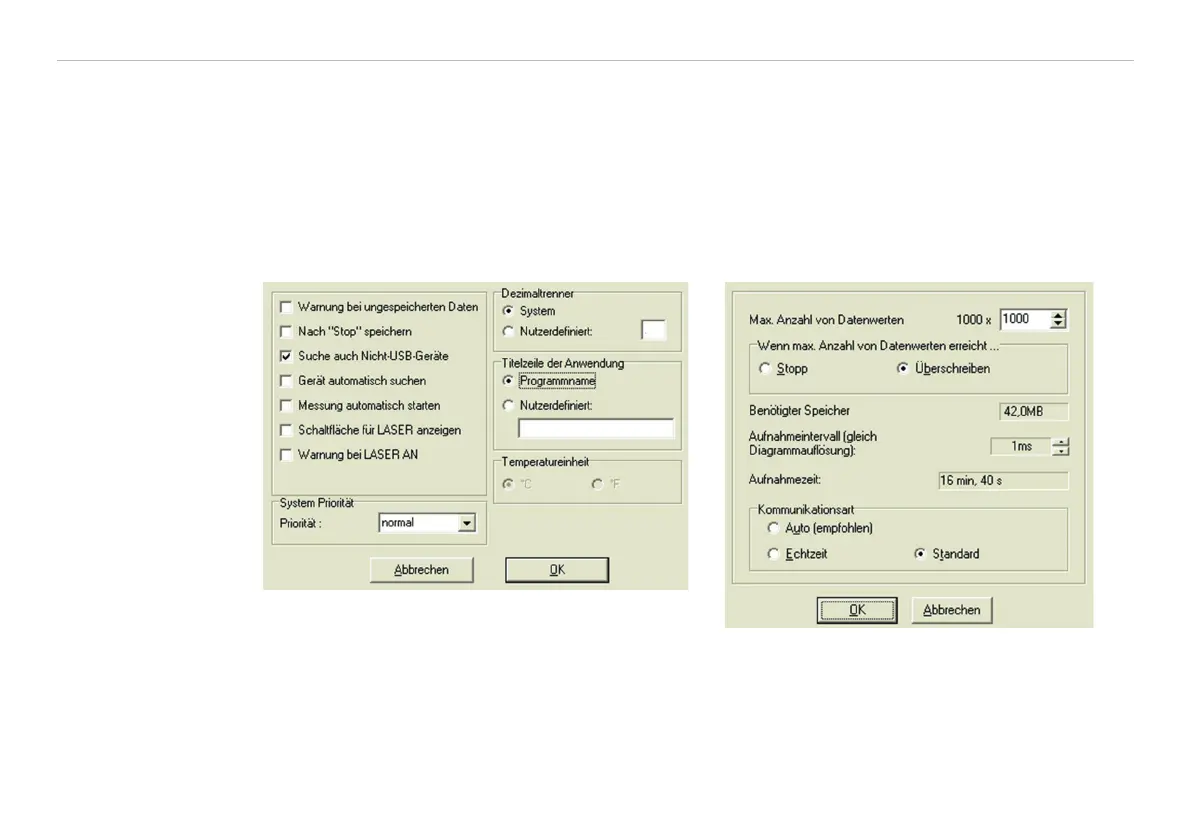
To make sure that an available device can be found
you should first activate the function Scan non-
USB devices in the menu point Preferences/
Options:
Furthermore you should set the Communication
mode
to Standard (menu: Measurement/
Settings).
This activates the so called polling mode
1
(bi-
directional communication).
1) Polling Mode = Method, to determine the status of a device consisting of hardware or software or the
event of a change of values by cyclic queries.


 To Next Page