Page 71
Outputs and Inputs
thermoMETER CTL
8.2.7.4 Direct Connection to a PC
If a direct connection between Ethernet adapter and PC is required both have to be connected via a cross-
over cable. In addition the adapter and the PC need to get a fixed IP address.
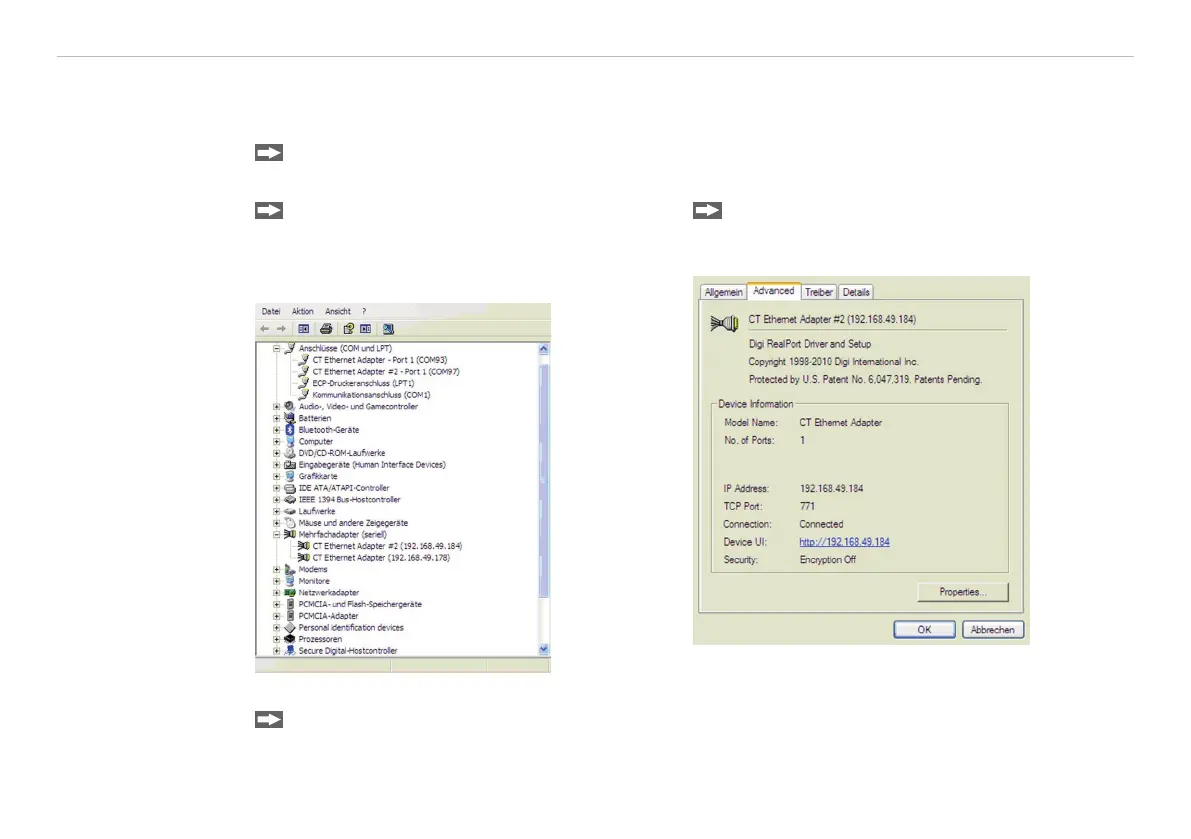
Please open the Windows device manager after the network installation (Start/Control panel/
System/Hardware/Device manager).
Please choose Mehrfachadapter/Multi
adapter (serial) from the list.
By double clicking the desired Ethernet adapter, a
properties window is opening.
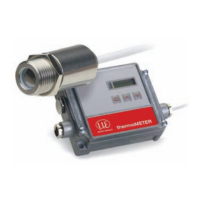
Please open the tab Advanced in this win-
dow. Beside Device UI you will find a link
with the network IP address.
By clicking on the link the configuration page for the Ethernet adapter will be opened in your web browser.
Please select Network (Navigation left; below configuration).


 To Next Page