PDS-104G PoE Switch
Power Over Ethernet PowerView Pro User Guide
Copyright © 2016 Microsemi Page 46 of 48
Rev. 1.0 CPG – PoE BU
One Enterprise Aliso Viejo, CA 92656 USA
NOTE:
You may need to add Telnet client service to Windows7 or Windows8,10. Please refer to the following
links for detailed instruction on how to add Telnet to Win7/Win8:
Win7: http://technet.microsoft.com/en-us/library/cc771275%28v=ws.10%29.aspx
Win8: http://www.sysprobs.com/install-and-enable-telnet-in-windows-8-use-as-telnet-client
7. Now that everything is ready, turn the unit off, wait 10 seconds, and turn it On. Wait for 30 seconds
before pressing Enter to start the Telnet session on TCP port 2525. Please note that the time window
for password recovery is limited to 120 Sec since power up.
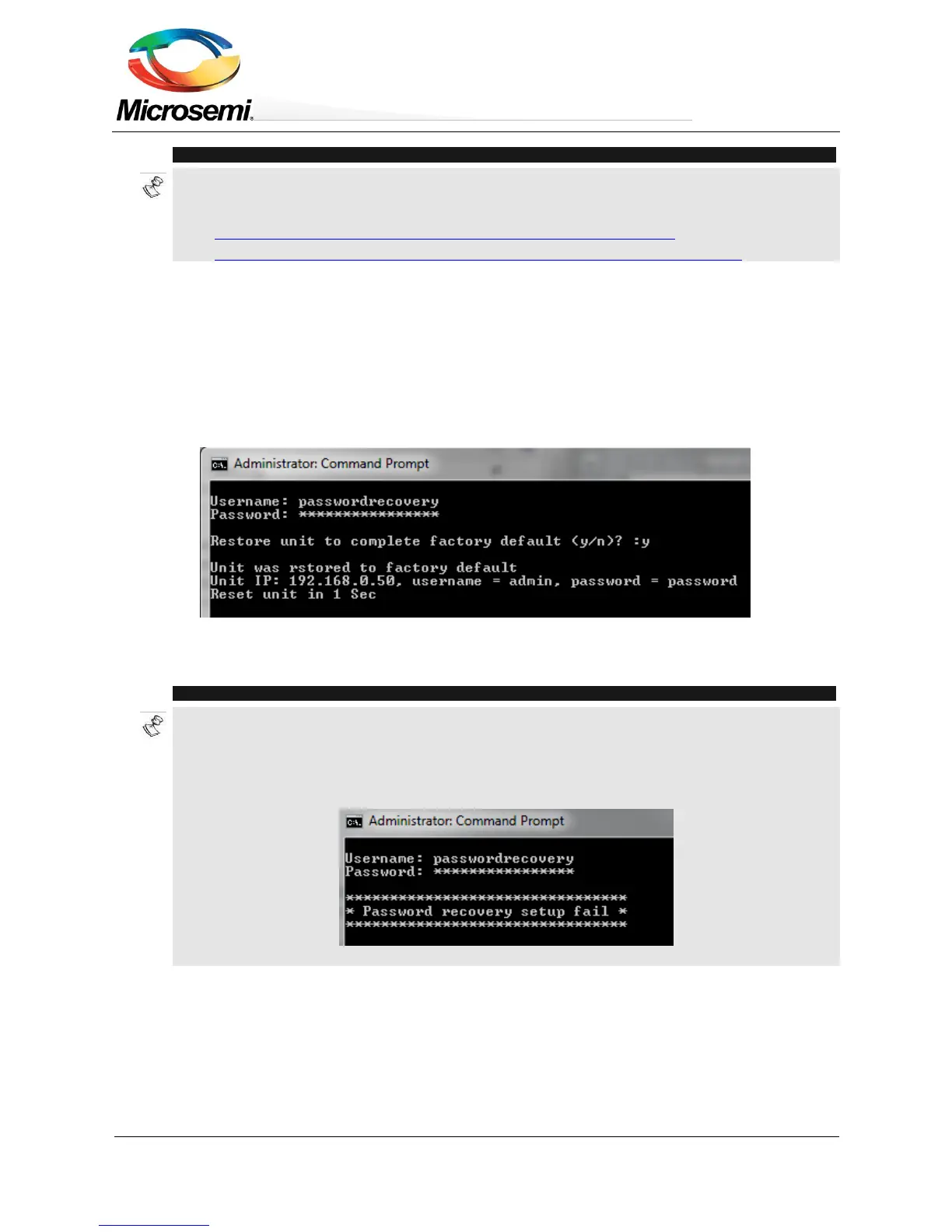
8. Type passwordrecovery as username and passwordrecovery as password. A recovery option will be
presented to the user. Press 'Y' to restore the unit to complete factory default configuration including
unit Network configuration, causing the unit to restart with default IPv4 192.168.0.50 and username as
admin, and password as password.
Figure 9-3: Password Recovery by Restoring the Unit to Factory Default
NOTE:
NOTE1 - The entire recovery process from unit power-on until the username and password was applied
using Telnet TCP port 2525 must take less than 120 seconds.
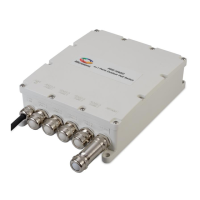
NOTE2 - Whenever one of the restrictions isn't met (for example password was typed after 120 seconds
had passed) then the following message will be reported:


 To Next Page