24
6. RS-232 Baud Rate:Set the baud rate of the serial communication port; the Select
function key can be used to make selections. The following baud rates are available:
115200/56000/384000/19200/9600 bps.
7. Communication Interface: Communication interface setting; selects the
communication interface to use GPIB/RS-232/LAN.
8. Language/語言/语言: Language setting; the Select function key can be used to make
selections. Three options are available for selection, including English, Traditional
Chinese, and Simplified Chinese.
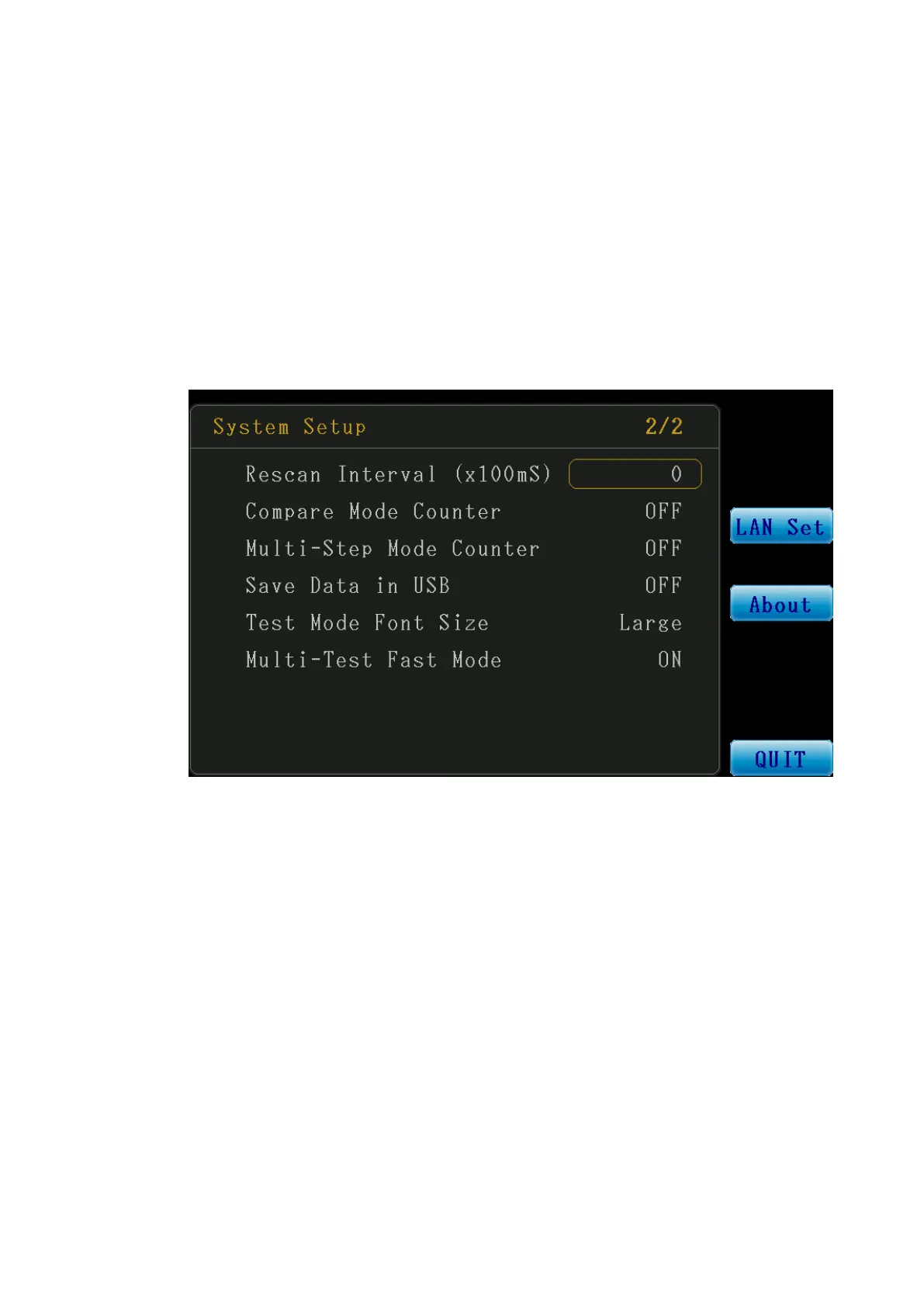
Figure 3-2-1 System Setup Screen (2/2)
9. Rescan Interval (x100mS): Set the time for continual test and continual test intervals
in Multi-Step Test Mode; the setting range is between 0-100.
When the value is set as 0, the continual test function is disabled.
When the value is set between 1-100, the continual test function is enabled and
the time for continual test intervals is the value set x100mS.
Example:
When the value is set as 5, the time for the continual test interval is 500mS.
(5x100mS=500mS)
10. Compare Mode Counter: Set ON/OFF of the compare mode counter. The Select
function key can be used to make selections.
a. ON: Enable the Compare Mode Counter.
b. OFF: Disable the Compare Mode Counter.
※ After enabling this function, the total PASS/FAIL quantity will be displayed at the



 To Next Page