30
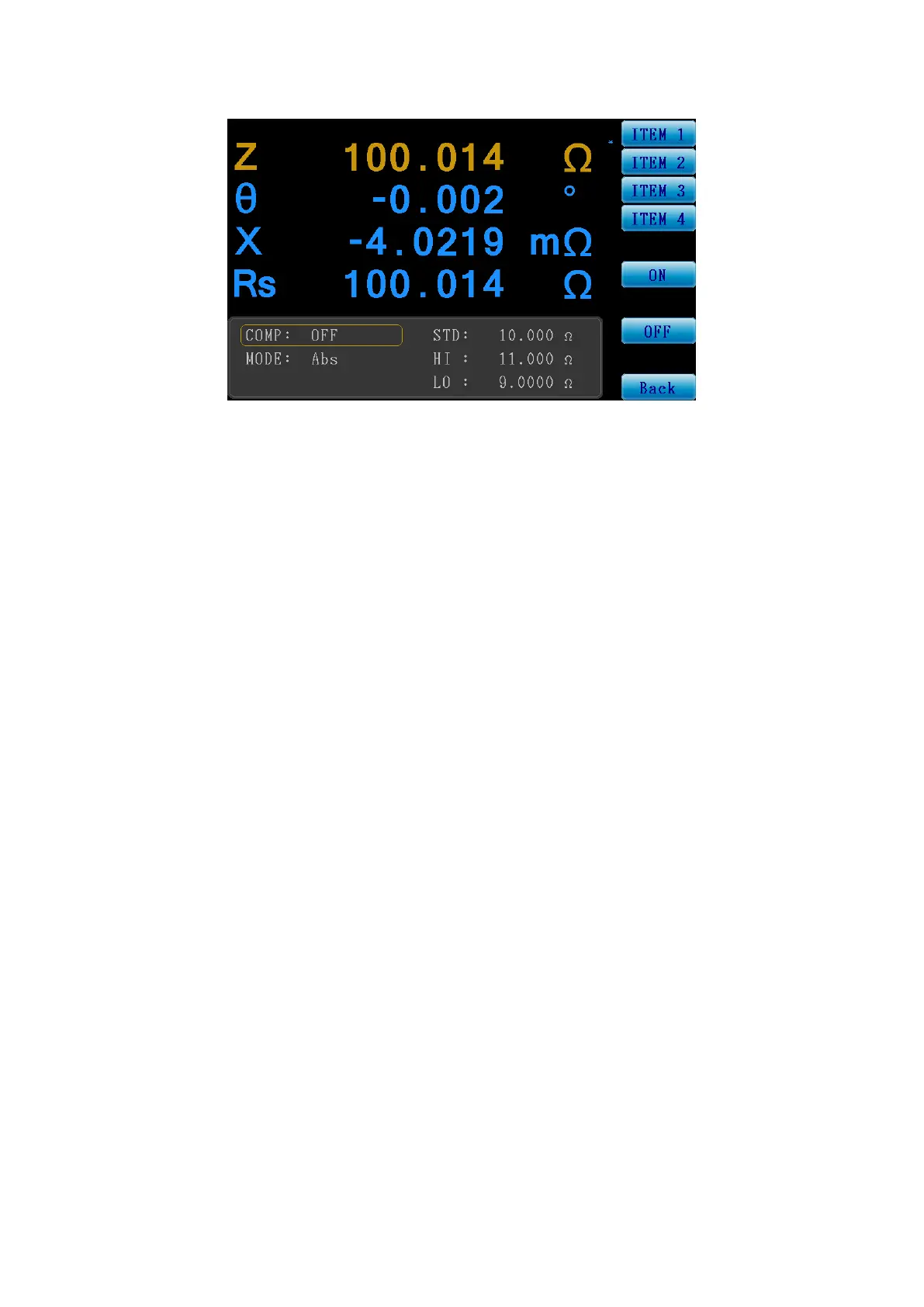
COMP.: (Compare Function)
Figure 3-3-5 Compare Function Setting Screen
Compare Condition Setting:
COMP: Set whether to turn the compare function ON/OFF.
MODE: Set the compare mode.
Abs: Its upper and lower limits are determined by the value entered in the
HI/LO fields.
ΔAbs: Its upper limit is STD+HI; lower limit is STD+LO..
Δ%: Its upper limit is STD+(STD x HI%); lower limit is STD+(STD x LO%)..
STD: Set the standard value.
HI: Set the upper limit.
LO: Set the lower limit.
Function Menu:
ITEM 1: Select to edit measurement item 1.
ITEM 2: Select to edit measurement item 2.
ITEM 3: Select to edit measurement item 3.
ITEM 4: Select to edit measurement item 4.
Back: Return to the measurement screen.



 To Next Page