82
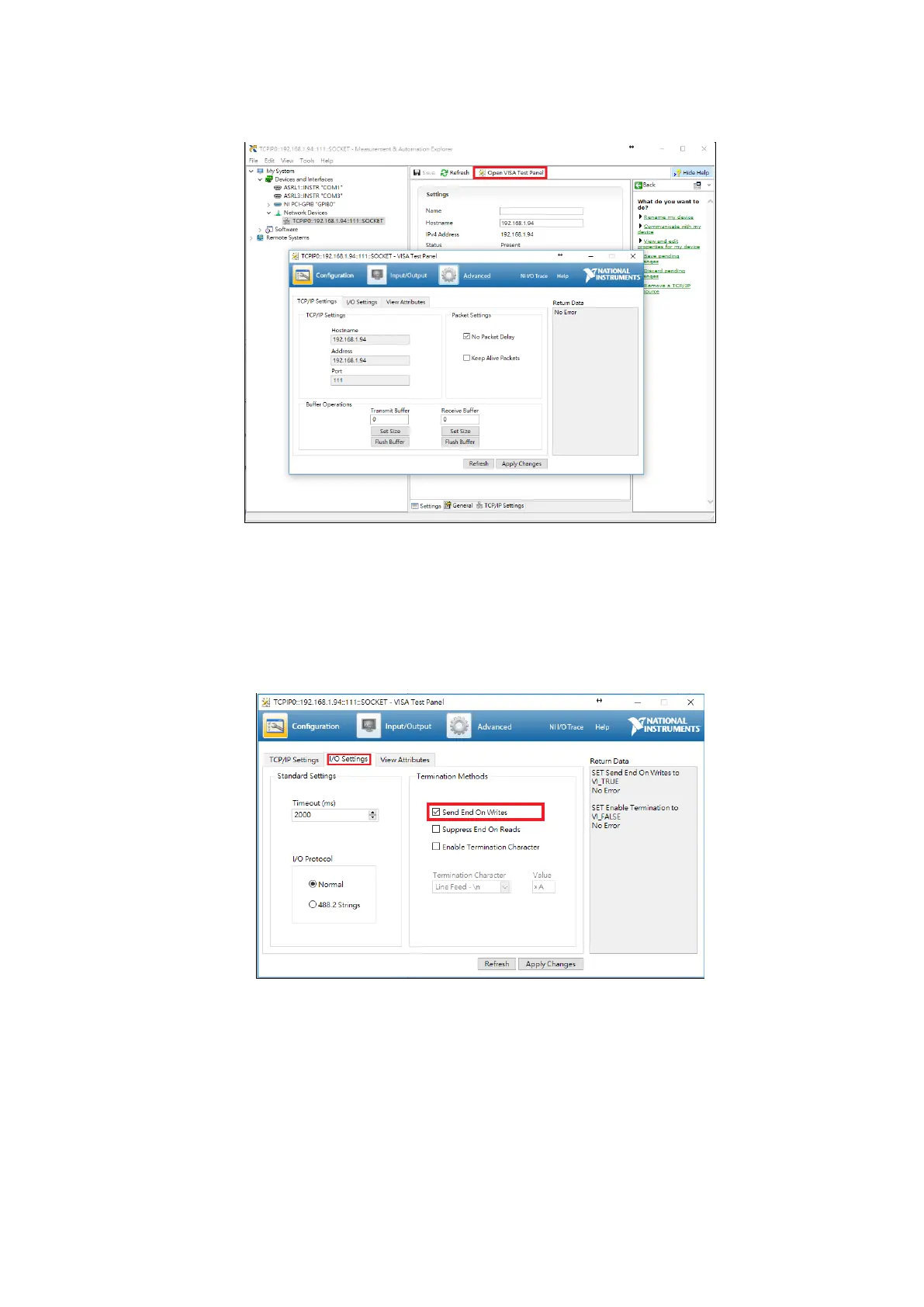
Click the Open VISA Test Panel at the top-right of the window to open the communication
interface; its screen is as shown in the figure below:
Figure 3-7-7 Open VISA Test Panel
In the VISA Test Panel window, select the I/O Settings tab and change the Termination
Methods setting. Only check the Send End On Writes function and leave the remaining items
unchecked. When completed, click Apply Changes to confirm the changes; its screen is as
shown in the figure below:
Figure 3-7-9 I/O Settings



 To Next Page