CT
CTCT
CT-
--
-8700
87008700
8700 User
User User
User’s Guide
s Guides Guide
s Guide
P 40
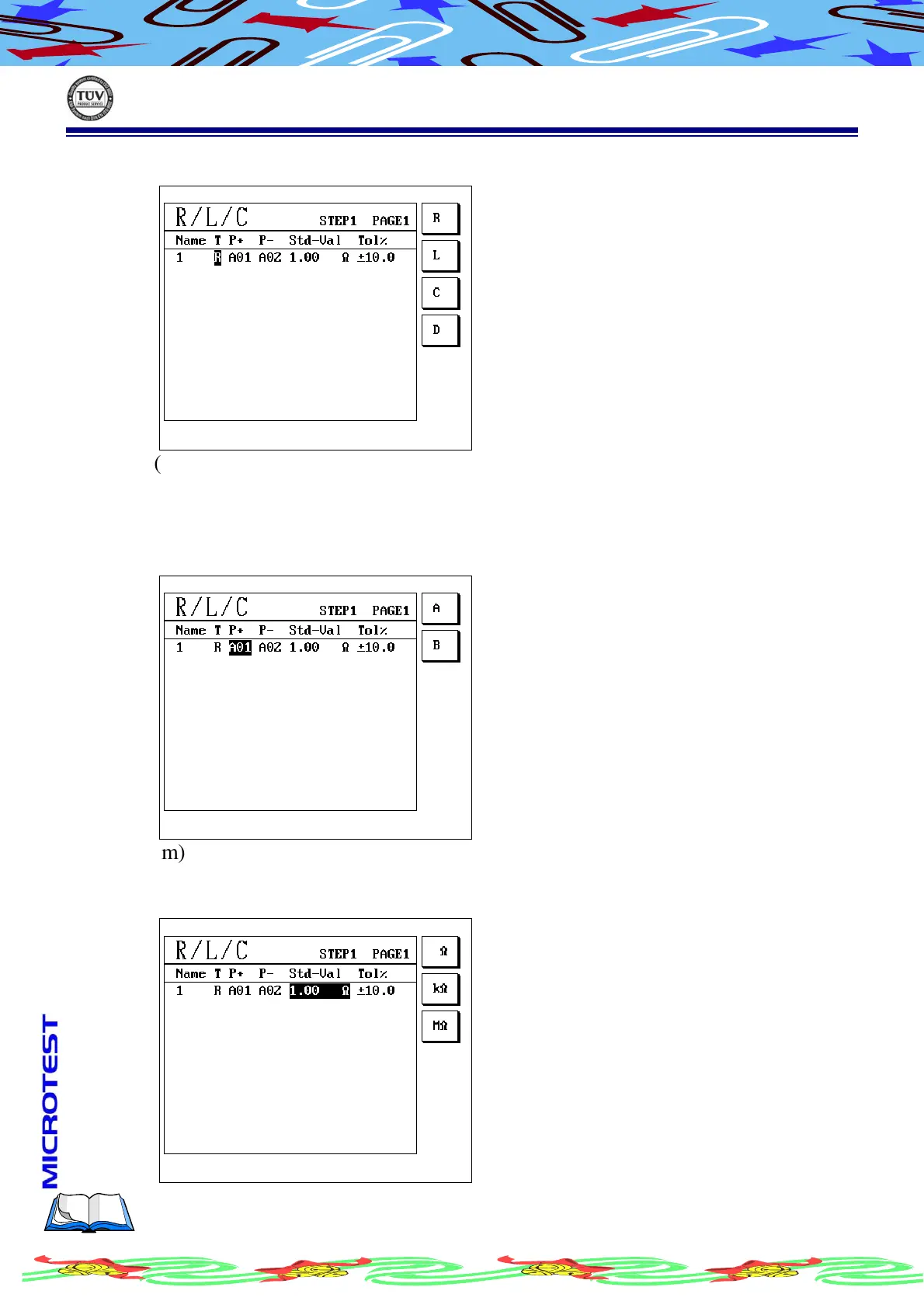
(i) Move cursor to T(Type),LCD display as following
(j) Press S1[R ]/S2 [L]/S3[C ]/S4[D ] to select item which want to setup
(k) The symbol as follow:R-Resistance, L-Inductance, C-Capacitance,
D-Diode
(l) After selected, Press [Enter] cursor will move to ”P+”, LCD display as
following
(m) Use S1[A] or S2[B] to select A/B, and use alphanumeric to enter setup pin
(n) Press [Enter] to confirm
(o) Cursor will move to “Std-Val”, LCD display as following



 To Next Page