CH
CHCH
CHAPTER III Sequence Test Setup
APTER III Sequence Test SetupAPTER III Sequence Test Setup
APTER III Sequence Test Setup
P 41
(p) In this item, use the alphanumeric to setup stand value as weel
(q) After, useS1[Ω]/S2[KΩ]/S3[MΩ] to select a unit of Std-Val unit
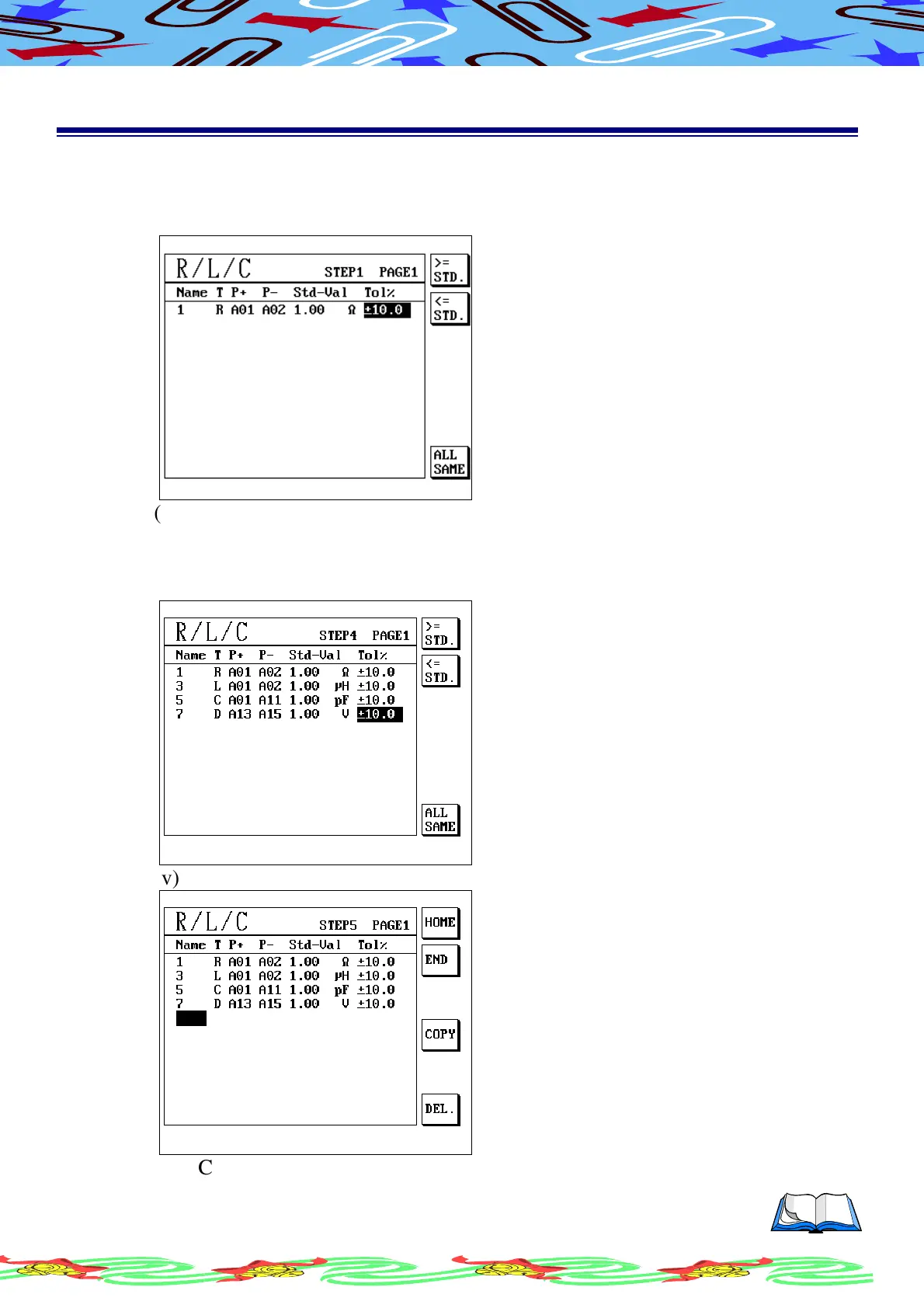
(r) Press[Enter] to confirm, cursor will move to “Tol%” display as following
(s) Use alphanumeric to setup tolerate
(t) Use S1[>=STD]/S2[<=STD]/S6[ALL SAME] to shift tolerate setup
(u) Following this way to setup test condition what you needed, LCD display
as following
(v) Press [ Enter ] to confirm, LCD display as following
(w) Complete it then press [ Exit] to leave



 To Next Page