EasyManua.ls Logo

Mikro DPM380 - Menu Map for the Normal Mode; Function

Mikro DPM380
60 pages
Print Icon
To Next Page IconTo Next Page
To Previous Page IconTo Previous Page
Loading...
13
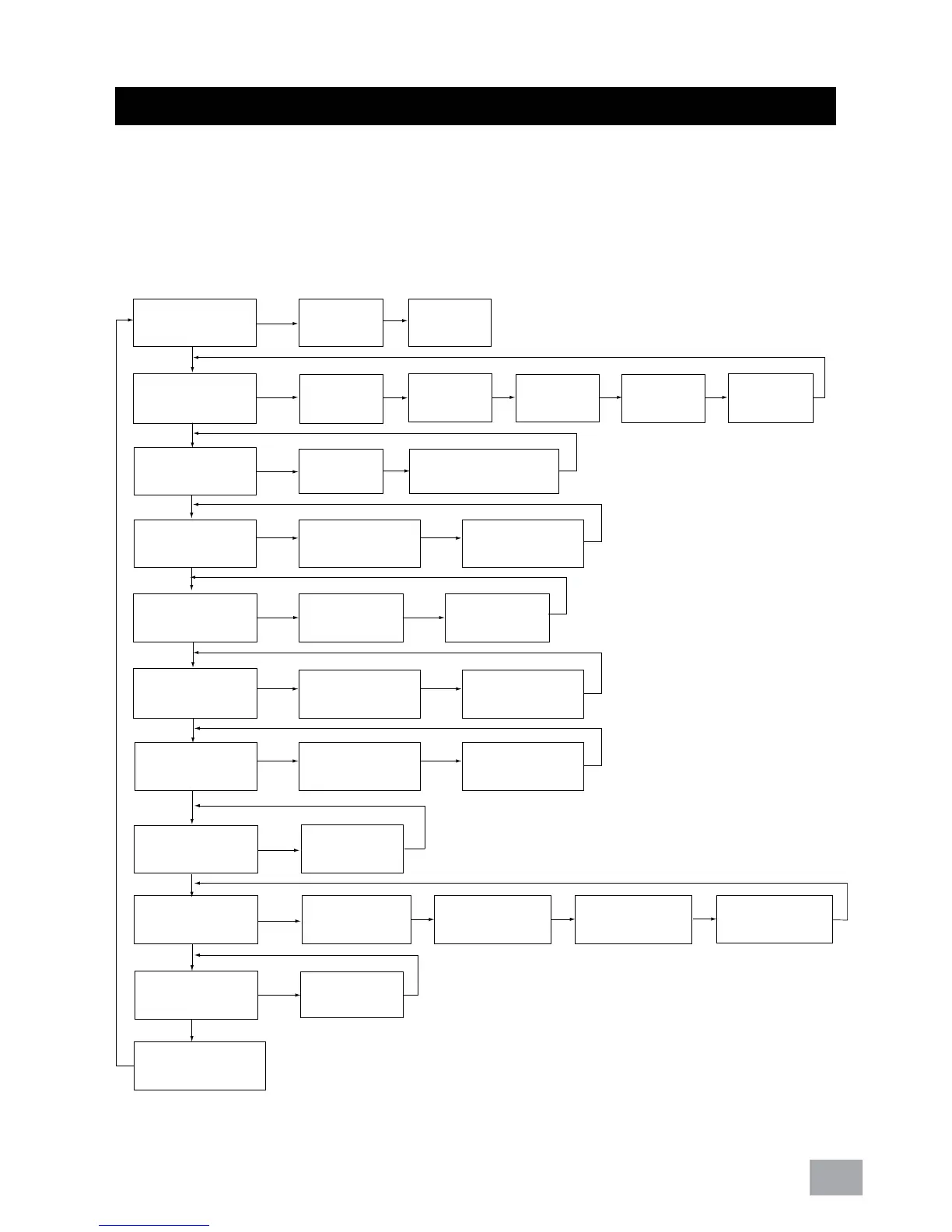
Figure 7 below shows menu map for the power meter. It
includes the setting and measurement display for the power
meter. These menus can be accessed by pressing NEXT, UP,
PROG & DOWN buttons.
Figure 7 : Menu map for normal mode.
5. Function
Line Current (A)
Current
Min. (A)
Current
Max. (A)
Line Voltage (V)
Phase
Voltage (V)
Min. Line
Voltage(V)
Min. Phase
Voltage(V)
Max. Line
Voltage(V)
Max. Phase
Voltage(V)
Power factor(PF)
& Frequency(Hz)
True Power
factor(PF)
Displacement
Power Factor (DPF)
Total Power
(W, VAR, VA)
Min. Real
Power (W)
Min. Total Power
(W,VAR, VA)
Demand
(W,VAR,VA)
Max. Demand
(W,VAR,VA)
Total Real
Energy (Wh)
Total Neg.Real
Energy (-kWh)
Total Reactive
Energy (VARh)
THD Current (A)
THD
Voltage (V)
Hour On
(Days, Hrs, Mins)
Real Power(W)
Reactive Power
(VAR)
Apparent Power
(VA)
Max. Real
Power (W)
Max. Total Power
(W,VAR, VA)
Min. Reactive
Power (VAR)
Max. Reactive
Power (VAR)
Min. Apparent
Power (VA)
Max. Apparent
Power (VA)
Total Neg. Reac.
Energy (-VARh)
Total Apparent
Energy (VAh)

Related product manuals