. A complete Parts List is available at www.MillerWelds.com
OM-253392 Page 30
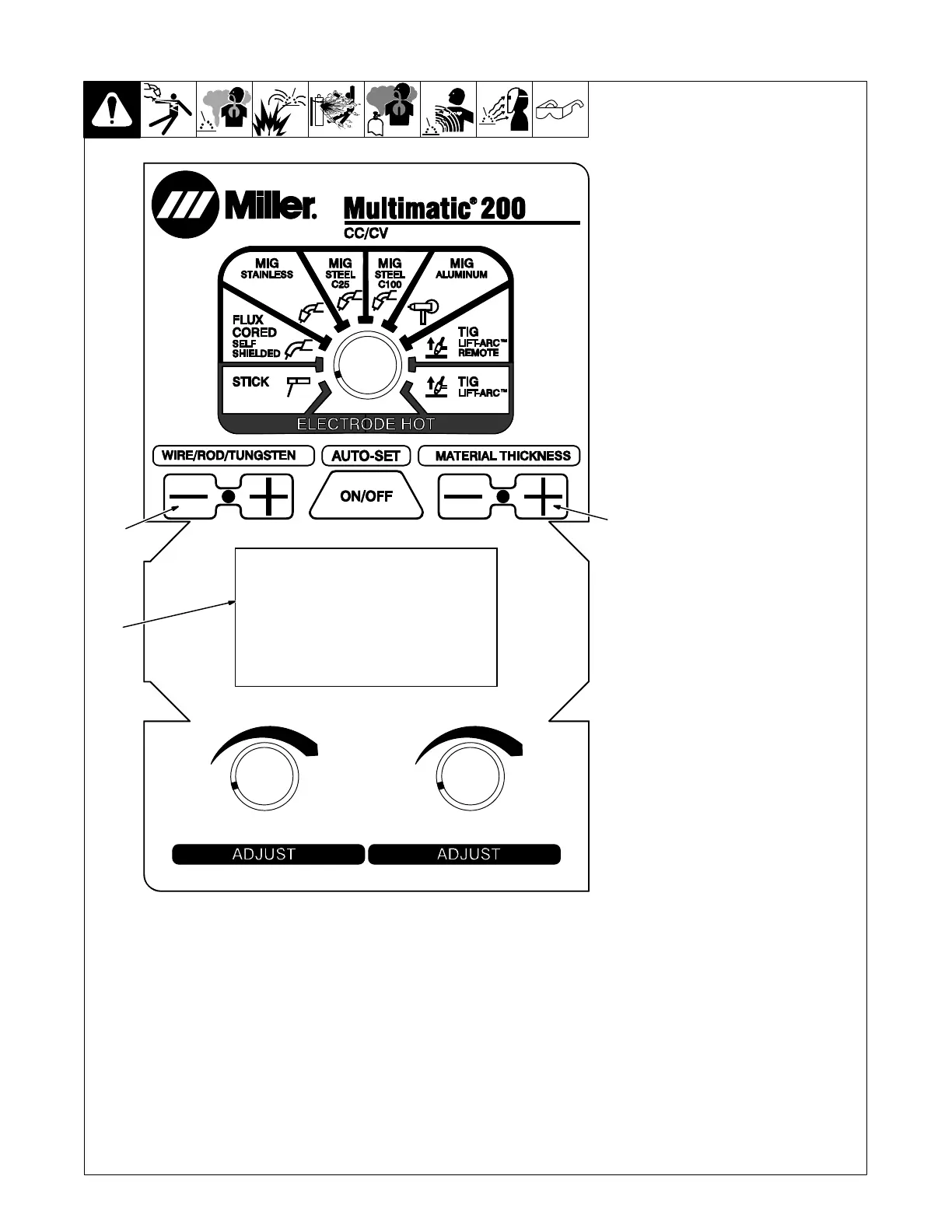
6-3. Entering Setup Menu
1 Wire/Rod/Tungsten Minus (−)
Button
2 Material Thickness Plus (+)
Button
3 Display
When unit is turned off, press and
hold Wire/Rod/Tungsten Minus (−)
button and Material Thickness Plus
(+) button simultaneously.
Turn unit power on.
When Display shows MULTIMATIC
200 setup screen, release the two
buttons simultaneously.
The contrast adjustment screen
should be displayed.
Ref. 249 632-F
1
2
3












 To Next Page