. A complete Parts List is available at www.MillerWelds.com
OM-253392 Page 35
6-11. Viewing Process Logs (Menu 8 Of 10)
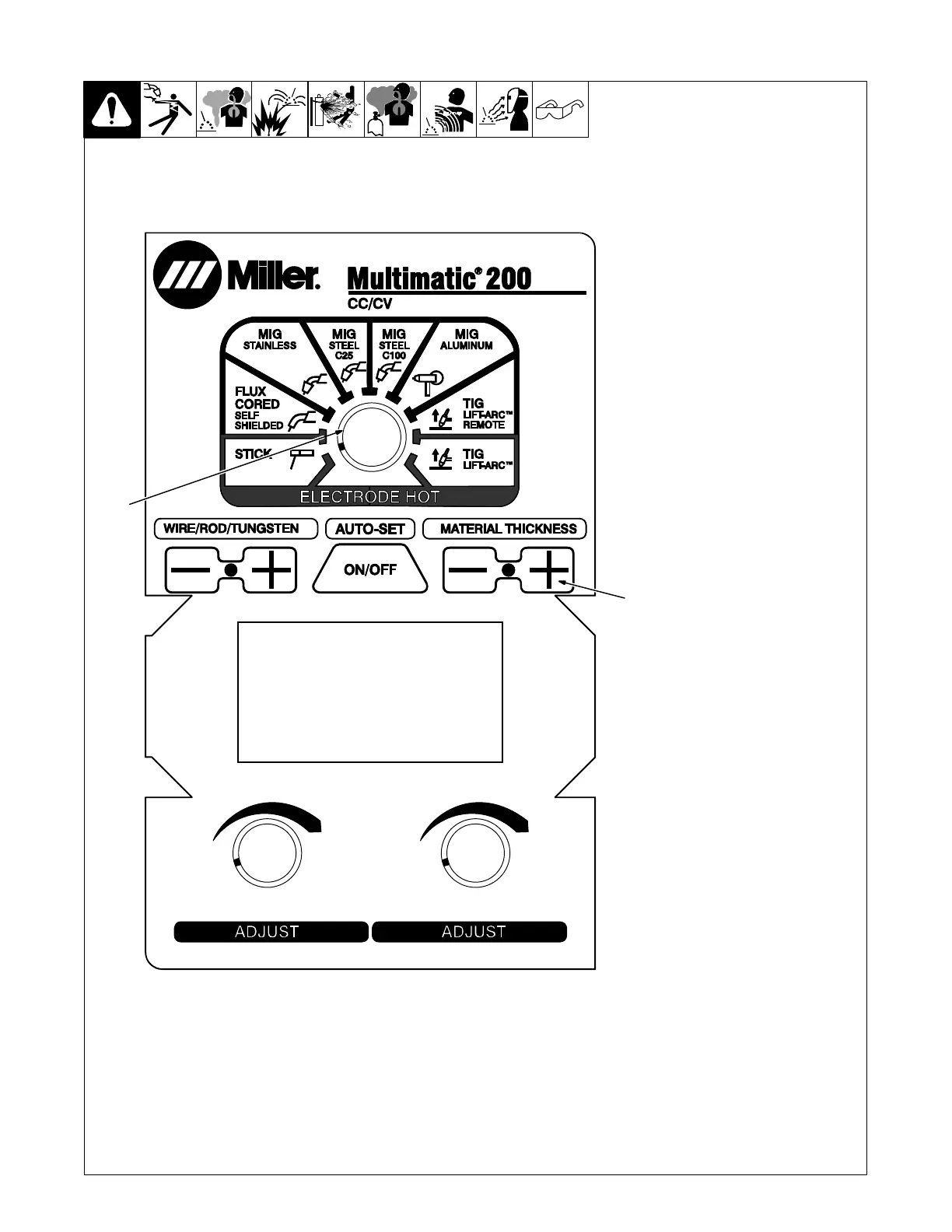
1 Material Thickness Plus (+)
Button
2 Process Select Knob
Follow instructions in Section 6-3 to
enter the setup menu.
Press Material Thickness Plus (+)
button seven times after entering
setup to enter the Process Logs
screen.
Process Logs screen displays
manual minutes, Auto-Set minutes,
weld cycles, and Auto-Set cycles
for the selected process.
To view other processes, use the
Process Select knob to select the
desired weld process.
Cycle through menu items using
the Material Thickness Plus (+) but-
ton or cycle unit power to save set-
tings and exit menu.
. Cycle unit power before
welding to complete
initialization
process.
Ref. 249 632-F
2
1












 To Next Page