. A complete Parts List is available at www.MillerWelds.com
OM-253392 Page 37
6-13. Performing A Factory Reset (Menu 10 Of 10)
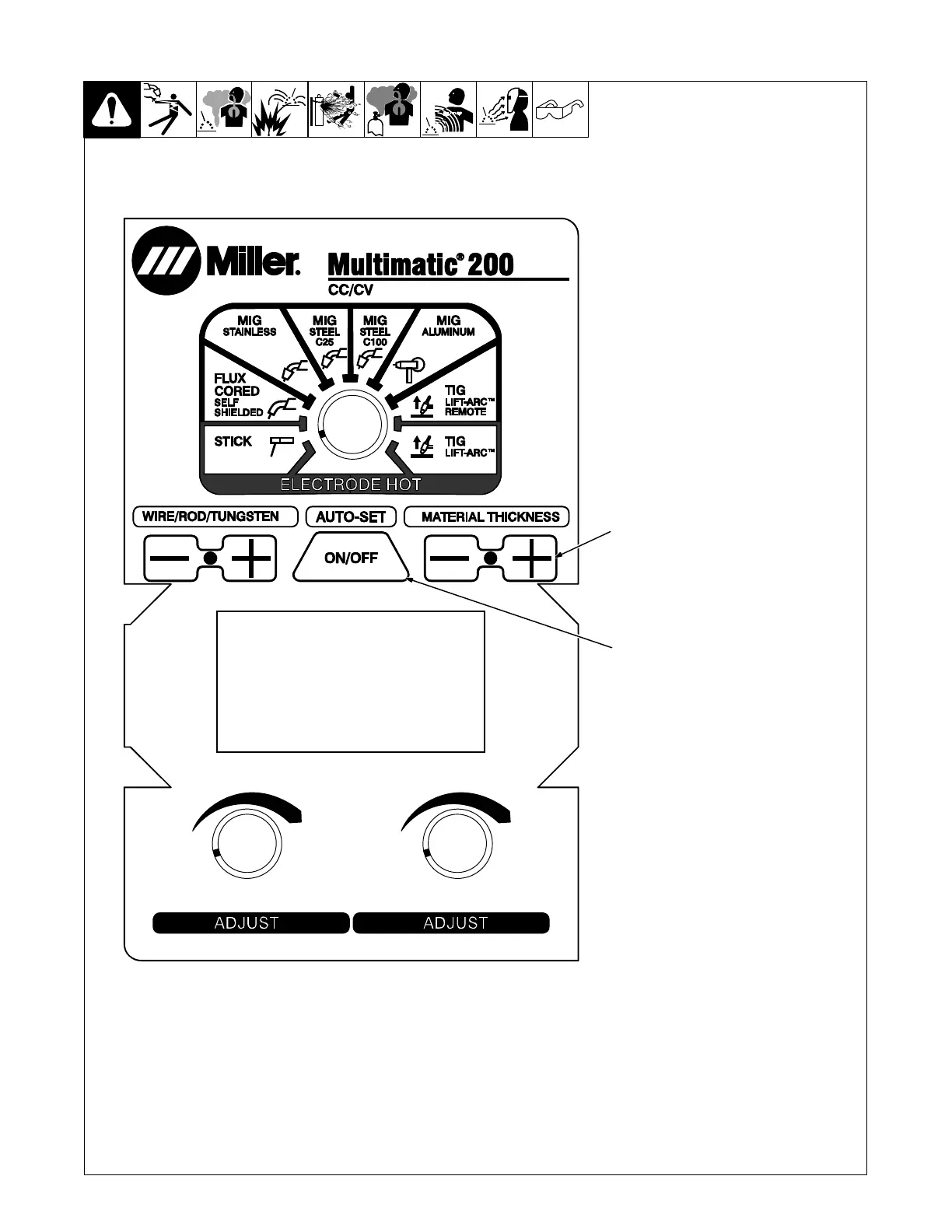
1 Material Thickness Plus (+)
Button
2 Auto-Set Button
. A Factory Reset will reset the
primary log data, process log
data, and error log data. Contrast
settings, motor calibration set-
tings, Spoolmate Calibration set-
tings, Burn-In information, and
Software information will all be
retained.
Follow instructions in Section 6-3 to
enter the setup menu.
Press Material Thickness Plus (+)
button nine times after entering setup
to enter the Factory Reset screen.
To perform a Factory Reset, press the
Auto-Set button. To exit this screen
without performing a factory reset,
press the Material Thickness Plus (+)
button.
. Cycle unit power before welding
to complete initialization process.
Ref. 249 632-F
2
1












 To Next Page