EasyManua.ls Logo

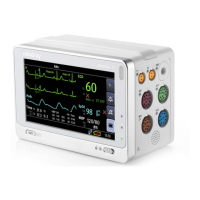
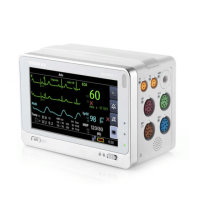
Mindray T1 - Service Manual

Mindray T1
104 pages
Print Icon
To Next Page IconTo Next Page
Loading...
T1 Patient Monitor
Service Manual

Table of Contents

Other manuals for Mindray T1

Questions and Answers

  • V
    Victoria ThompsonSep 23, 2025
    Why is my Mindray Medical Equipment unable to connect to the wired network?
    • S
      Sara MeyersSep 23, 2025
      If you are unable to connect to the wired network, consider the following possible causes: * **Incorrect network cable connection:** Check network cable connection. Network cable shall not be longer than 50 m. * **Incorrect IP address setting:** Check for IP address conflict. If yes, reconfigure the IP address. * **Defective network cable:** Replace the network cable. * **Failed main board:** Replace the main board.
  • R
    Richard WhiteAug 27, 2025
    Why is my Mindray Medical Equipment touchscreen not responding?
    • J
      Jason DeckerAug 27, 2025
      If the touchscreen is not responding, the display may be defective, and you should replace the front housing assembly.
  • D
    Diana WilliamsAug 28, 2025
    How to fix touchscreen accuracy issues on Mindray T1?
    • F
      fjoyceAug 28, 2025
      If the touchscreen accuracy is off, calibrate the touchscreen.
  • S
    Shawn LeachAug 29, 2025
    Why is the display blank or black on my Mindray T1 Medical Equipment?
    • C
      cantujamieAug 29, 2025
      If the display is blank or black, it could be due to: * A loose display connection cable. Properly connect the display connection cable. * A defective display. Replace the front housing assembly.
  • E
    Erin FarmerNov 22, 2025
    Why is the Mindray Medical Equipment monitor frequently offline or disconnecting from the Wi-Fi network, and what can I do?
    • A
      Amber AndersonNov 22, 2025
      The frequent disconnections from the Wi-Fi network may be due to several reasons: * An unstable Wi-Fi signal in the operating area. Check if a Mindray recommended wireless AP is used and verify the AP effective transmission rate meets the throughput requirements of the connected devices. Also, verify the AP channel bandwidth is 20 MHz. Ensure the wireless AP signal strength is no less than -65 dBm where the monitor is located and that the signal strength of other Wi-Fi devices at the same channel is no greater than -85 dBm and no greater than -50 dBm for adjacent channels. Keep the monitor at least 20 cm away from other wireless devices. * The monitor's Wi-Fi antenna might be detached or not properly connected. Disassemble the monitor and properly attach the Wi-Fi antenna. * A defec...
  • C
    connorpattersonNov 24, 2025
    What to do if my Mindray Medical Equipment T1 fails to start when connected to the external DC power?
    • H
      Henry ThorntonNov 24, 2025
      If the T1 fails to start when connected to external DC power, it could be due to several reasons: * **Adapter failure:** Check if T1 works properly when inserted in Passport 12m/17m series patient monitor or installed to the T1 Docking Station. If so, replace the adapter. * **Power management failure:** If the AC power indicator or power on/off indicator does not light up, replace the main control board. * **Display defective:** Check the power indicators, lock/unlock button, and verify you hear an audible tone when you touch the screen. If they all work normally, replace the display. * **Main control failure:** Check the backlight. If there is no light, the backlight drive circuit on the main control board is faulty. Replace the main control board. * If the power on/off indicat...
  • B
    bradleyhughesSep 12, 2025
    Why is there no connection when my Mindray Medical Equipment is inserted into a Passport 12m or 17m patient monitor?
    • B
      Brooke LeeSep 12, 2025
      If there is no connection when inserted into a Passport 12m or 17m patient monitor, the infrared communication board may be defective. Replace the infrared communication board.
  • K
    Kayla BeckerSep 13, 2025
    Why is the system time being reset on my Mindray Medical Equipment?
    • A
      Ashley JacobsonSep 14, 2025
      If the system time is being reset, it could be due to: * Backup battery failure. Replace the backup battery. * A faulty charging circuit for the backup battery. Replace the infrared communication board. * A defective main board. Replace the main board.
  • A
    Andrew DrakeSep 6, 2025
    Why is there no video output from my Mindray Medical Equipment?
    • M
      Margaret AndersonSep 6, 2025
      If there is no video output, it may be caused by: * A defective Dock interface board. Replace the Dock interface board. * A defective Dock converter board. Replace the Dock converter board. * A defective main board of the Docking Station. Replace the main board of the Docking Station.
  • H
    Heather HollandSep 4, 2025
    What to do if the lock/unlock switch does not respond on my Mindray Medical Equipment?
    • S
      Scott WilliamsSep 4, 2025
      If the lock/unlock switch does not respond, the main board may be defective. Replace the main board.

Summary

Safety Information and Equipment Symbols

Safety Information

Details on warnings, cautions, and notes for safe operation and handling of the patient monitor.

Theory of Operation Overview

Unpacking and Installation Procedures

Hardware and Software Upgrade

Hardware Upgrade Methods

Procedures for upgrading the monitor's hardware, including IBP, ECG, and Wi-Fi functions.

Testing and Maintenance Procedures

Performance Tests

Procedures for various performance tests including ECG, SpO2, NIBP, and others.

Electrical Safety and Other Tests

Tests for power-on, touchscreen calibration, battery, and network printing functionality.

Factory Maintenance Access

Steps to access and utilize the factory maintenance menu for advanced settings.

Troubleshooting and Disassembly Guide

Troubleshooting Common Issues

Guide to identifying and resolving common problems with the patient monitor.

Parts Identification and Replacement

Electrical Safety Inspection Procedures

Detailed Electrical Safety Inspection Test

Specific tests and limits for electrical safety inspection as per standards.

Mindray T1 Specifications

General IconGeneral
CategoryPatient Monitor
Battery LifeUp to 4 hours
Imaging ModesNot applicable
SpO2Yes
Pulse RateYes
ECGYes
NIBPYes
TemperatureYes
ParametersECG, SpO2, NIBP, Temperature, Respiration
ConnectivityUSB, Ethernet, Wi-Fi

Related product manuals