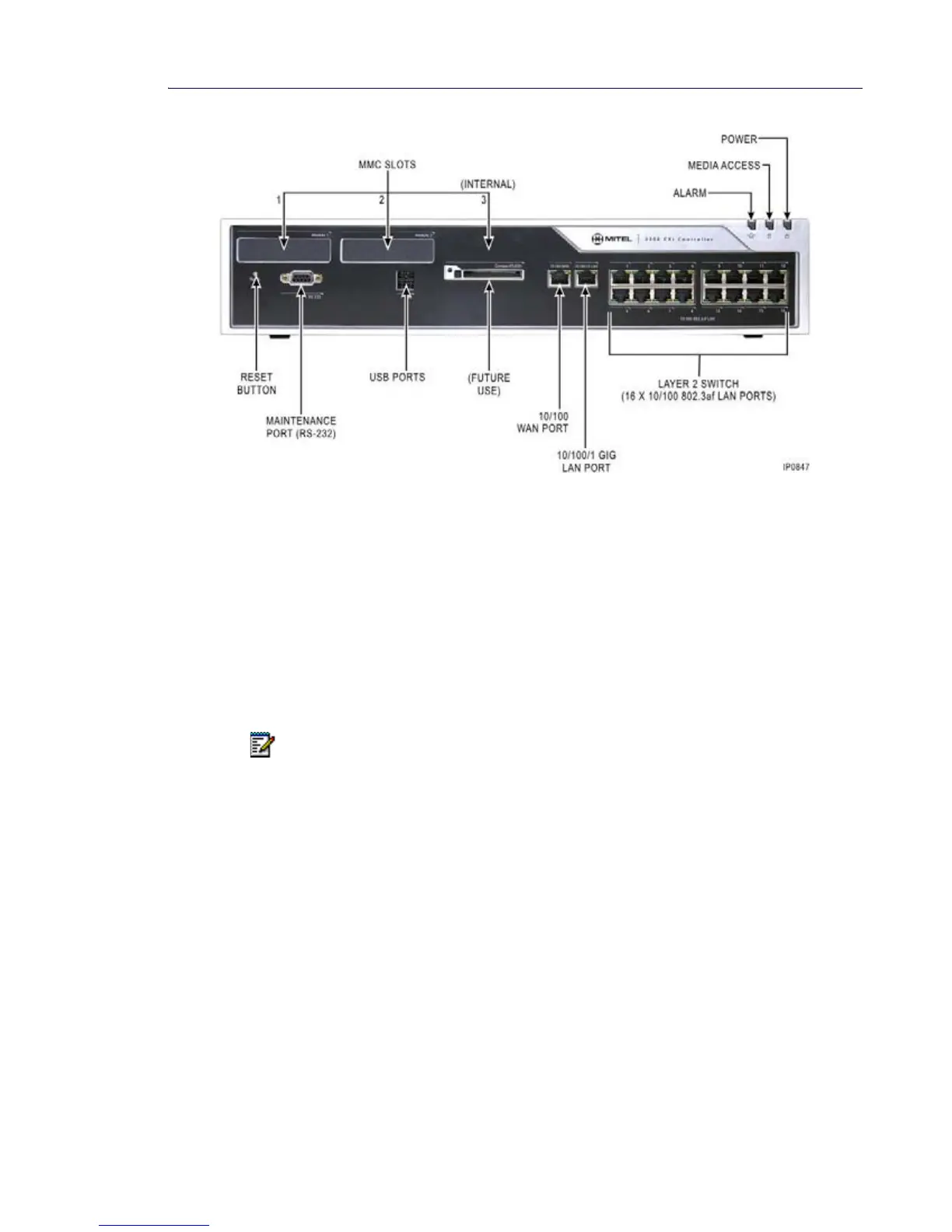
Figure 10: CXi Controller Front View
The Controller front panel consists of the following components:
• Three slots for expansion modules
• RS-232 maintenance port
• CXi only; 10/100 BaseT WAN port (RJ-45 connector) with built-in firewall
The WAN port and firewall is intended to be used either as an access point for performing
remote diagnostics and maintenance (similar to a MODEM) or, if the Firewall function is
disabled, as internal router to transparently route packets between the WAN port and the
controller's LAN ports.
• CXi only; 10/100/1000 BaseT LAN port (RJ-45 connector)
• CX only; 10/100 BaseT LAN port (RJ-45 connector)
• CXi only; 16 10/100 BaseT LAN ports connected to an internal Ethernet Layer 2 switch
• Reset button
• Status LEDs - Ethernet, power, and alarm.
10/100 802.3af LAN Ports (CXi)
The CXi includes a 16-port managed Layer 2 Ethernet switch. Each port supports
auto-negotiation and is able to connect to 10Base-T or 100Base-TX devices and determine
the appropriate data rate from information provided to it. Duplex mode and flow control are also
programmable for each port. The ports use 8-way RJ-45 connectors that conform to Category
5 wiring standards. Although CAT5 cabling is recommended, Category 3 can be used for limited
installations. Refer to Appendix A and the Engineering Guidelines for CAT3 Cabling details.
Note: The WAN port and internal firewall should only be used as a network router in
situations where the amount of internet access is very low. For most installations, the
Administrator should employ a dedicated internet router/firewall.













 To Next Page