Hardware Technical Reference Manual
disabled, as internal router to transparently route packets between the WAN port and the
controller's LAN ports.
• CXi II only; 10/100/1000 BaseT LAN port (RJ-45 connector)
• CXi II only; 16 10/100 BaseT 802.3af LAN ports connected to an internal Ethernet Layer 2
switch (same as the CXi; see the 3300 ICP Hardware Technical Reference Manual for more
information)
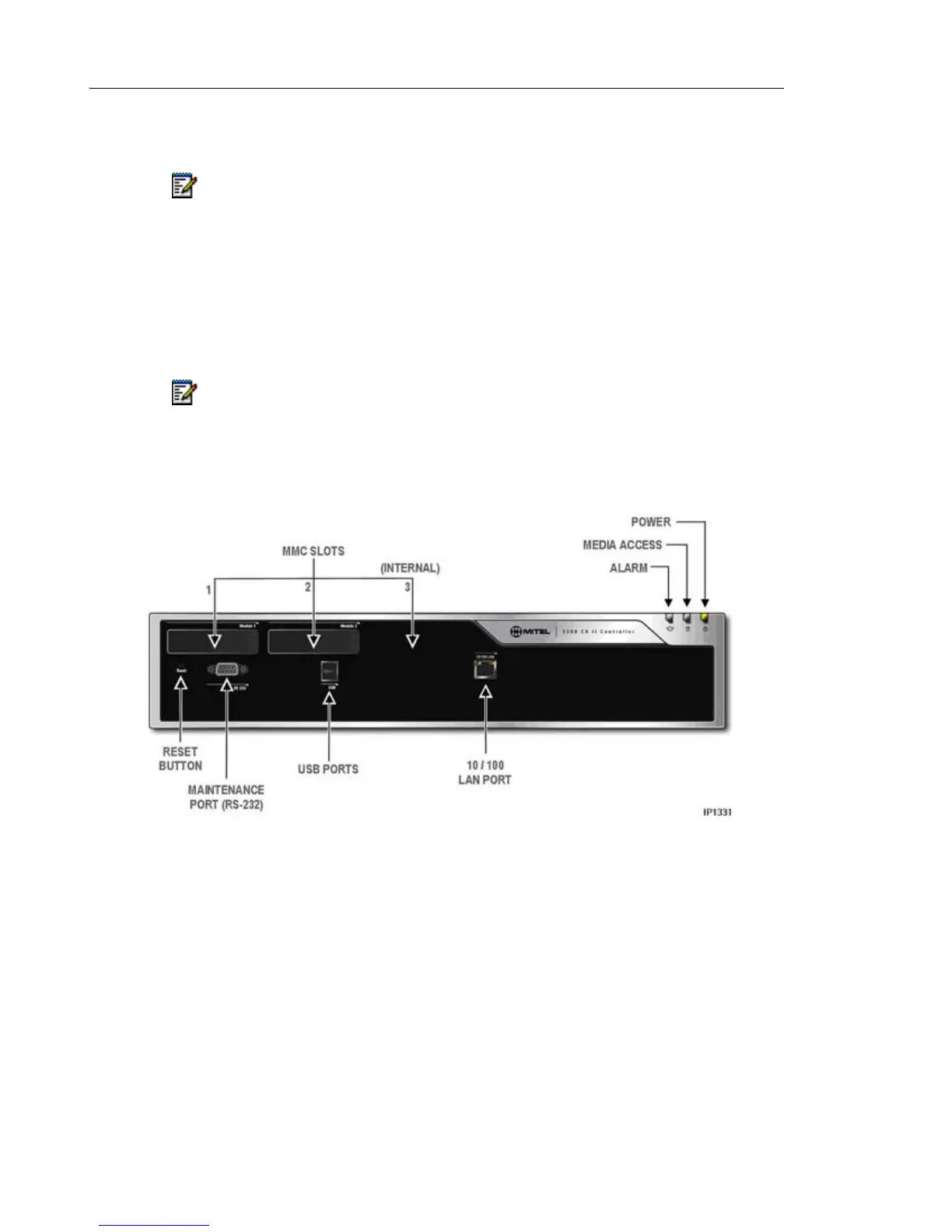
• Reset button
• Status LEDs - Power, media access, and alarm
Front View - CX II
Note: The WAN port and internal firewall should only be used as a network router in
situations where the amount of internet access is very low. For most installations, the
Administrator should employ a dedicated internet router/firewall.
Note: The Reset button, resets the Ethernet/POE module and the APC (if installed) as well
as the main processor.













 To Next Page