Other improvements include:
• Simplified network connection – No dedicated LAN connection is required for the CX II
since it has a built-in L2 switch to service all internal devices requiring network access.
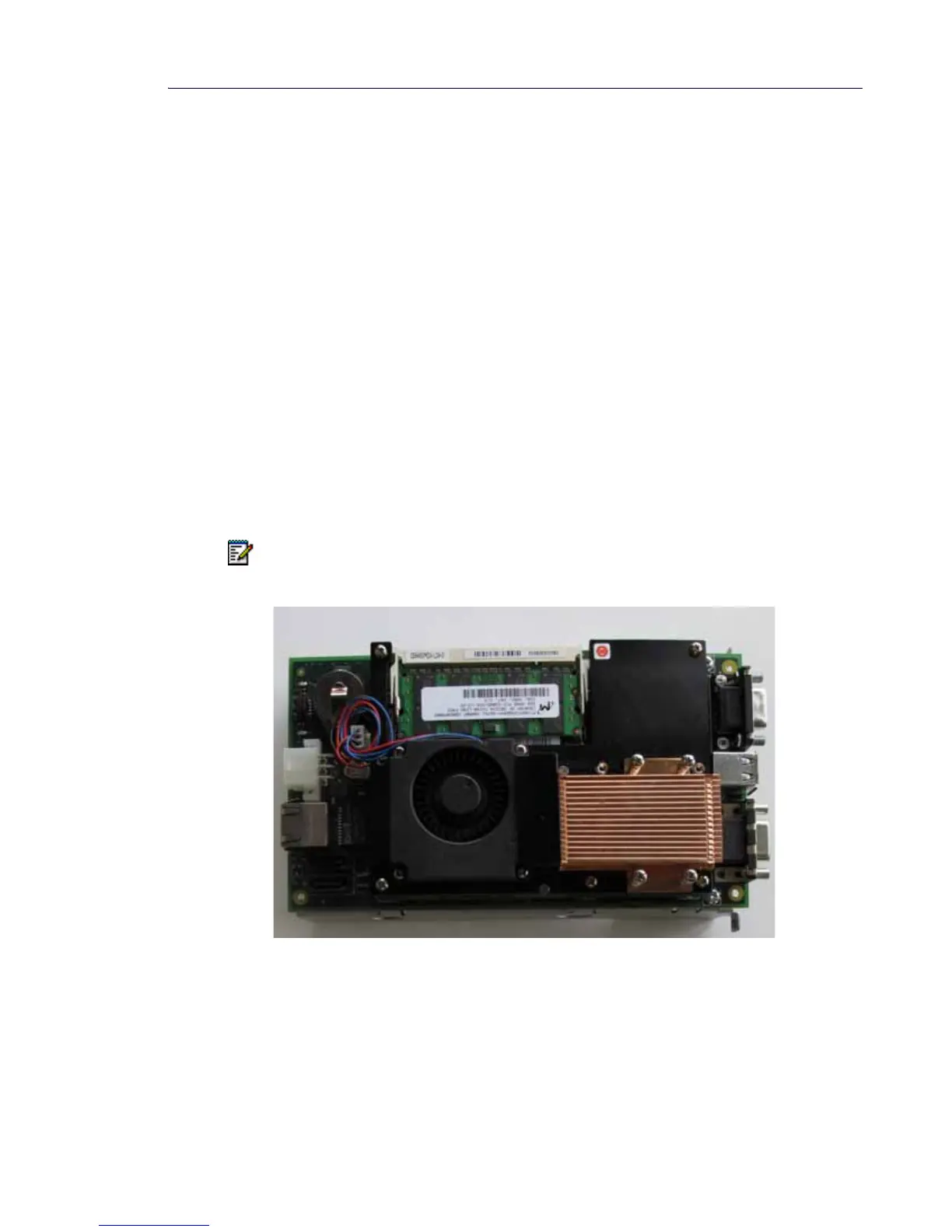
• Simplified installation – the new APC-CX(I) Assembly comes mounted on a carrier board
for easy installation—simply install the assembly in the controller and connect the power
and hard disk drive cables.
Four connectors on the back panel of the CX(i) II provide access to the APC-CX(i) Assembly
for maintenance and configuration:
• a serial (RS-232) console port – used to install and set up the Mitel Standard Linux (MSL)
console. Requires a VT-100 terminal or terminal emulator program.
• two USB 2.0 ports for software upgrades via flash drive or other media storage device.
• a VGA output connector – used to connect a monitor for installation and debugging of APC.
(Alternative to using RS-232 console port.)
See the Technician’s Handbook for installation instructions. For information on programming
and using APC-hosted software applications and services, refer to the Mite Applications Suite
(MAS) documentation at Mitel OnLine.
Figure 19: APC-CX(i) II Assembly
Note: The APC for the first generation CX(i) is not compatible with the CX(i) II.













 To Next Page