43
C
HANGE IP ADDRESS OF THE EX CONTROLLER WEB GUI
C
HAPTER 5 MAINTENANCE
Change IP Address of the EX Controller Web GUI
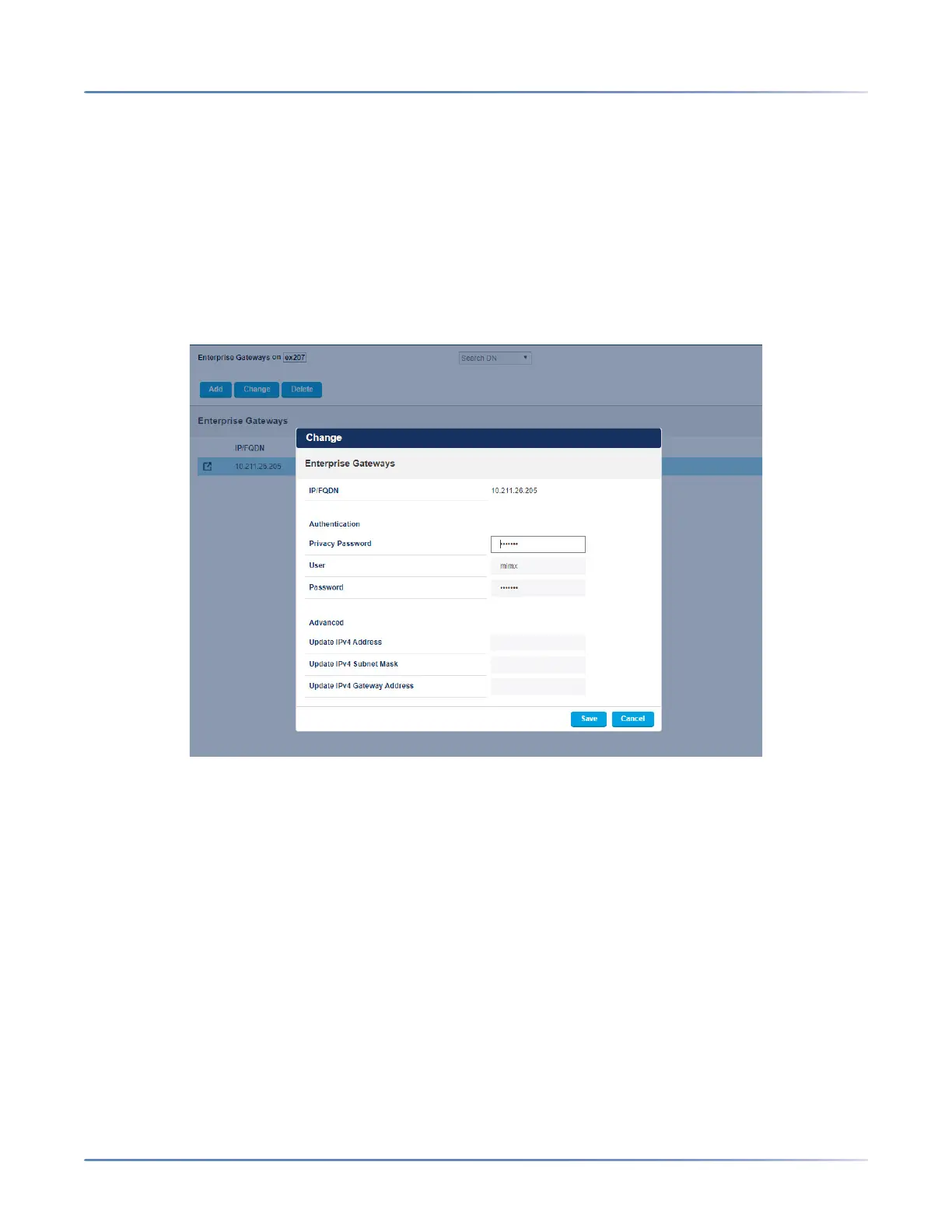
To change IP address of the EX Controller Web GUI (EX Controller):
1. Log in the System Administration Tool, and navigate to the Voice Networks > Enterprise
Gateways form.
2. Select the IP address, and click Change, and specify the following:
a. Update IPv4 Address
b. Update IPv4 Subnet Mask
c. Update IPv4 Gateway Address
Ensure that the EX Controller and the MiVoice Business system are on the same subnet. If the EX
Controller is on a different subset, then Change the IP address of the MiVoice Business system to the
same subnet as that of the EX Controller.
Configure the Server Using Server Console
The server console provides basic, direct access to the server. Most server console operations are also
available from the server manager. You can also perform basic MSL configuration using the Server
Console.
咨询订购:400-010-8885、 Support@mitel.com.cn



 To Next Page