Customizing Your Phone
75
Resetting a User Password
If you forget your password, you can reset it and enter a new password. The reset user password
feature resets the password to the factory default which is blank (no password). You can reset
a user password using the Mitel Web UI only.
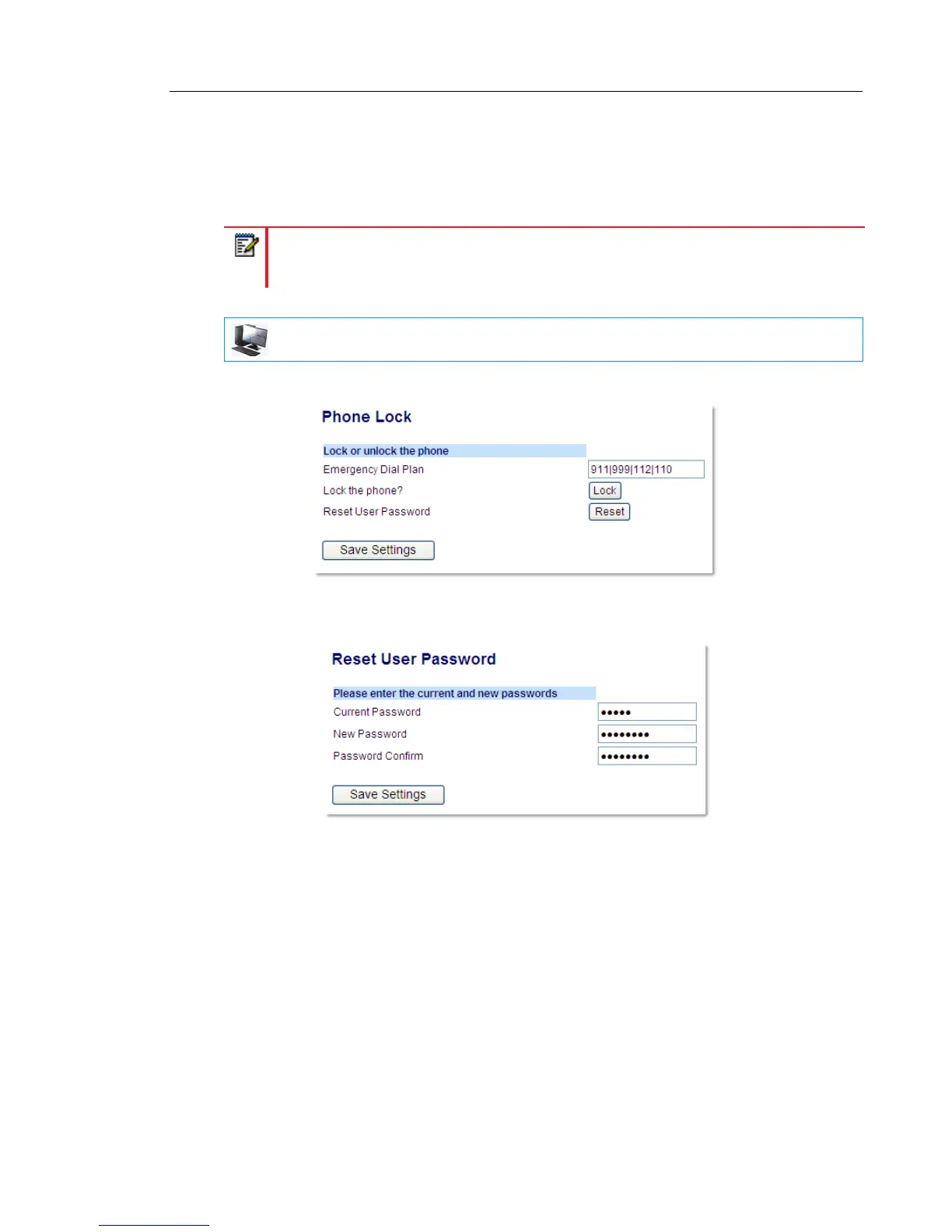
1. Click on Operation > Phone Lock.
2. In the Reset User Password field, click Reset.
The following screen displays.
3. In the Current Password field, leave this blank.
4. In the New Password field, enter a new password.
5. In the Password Confirm field, re-enter your new user password.
6. Click Save Settings.
Note: Valid values when creating or changing a password are 0 to 4294967295 (integers
only; symbols and alpha characters are not allowed). The default password is an empty
string (i.e. leave the field blank).
MITEL WEB UI



 To Next Page