Customizing Your Phone
87
BRIGHTNESS SETTINGS
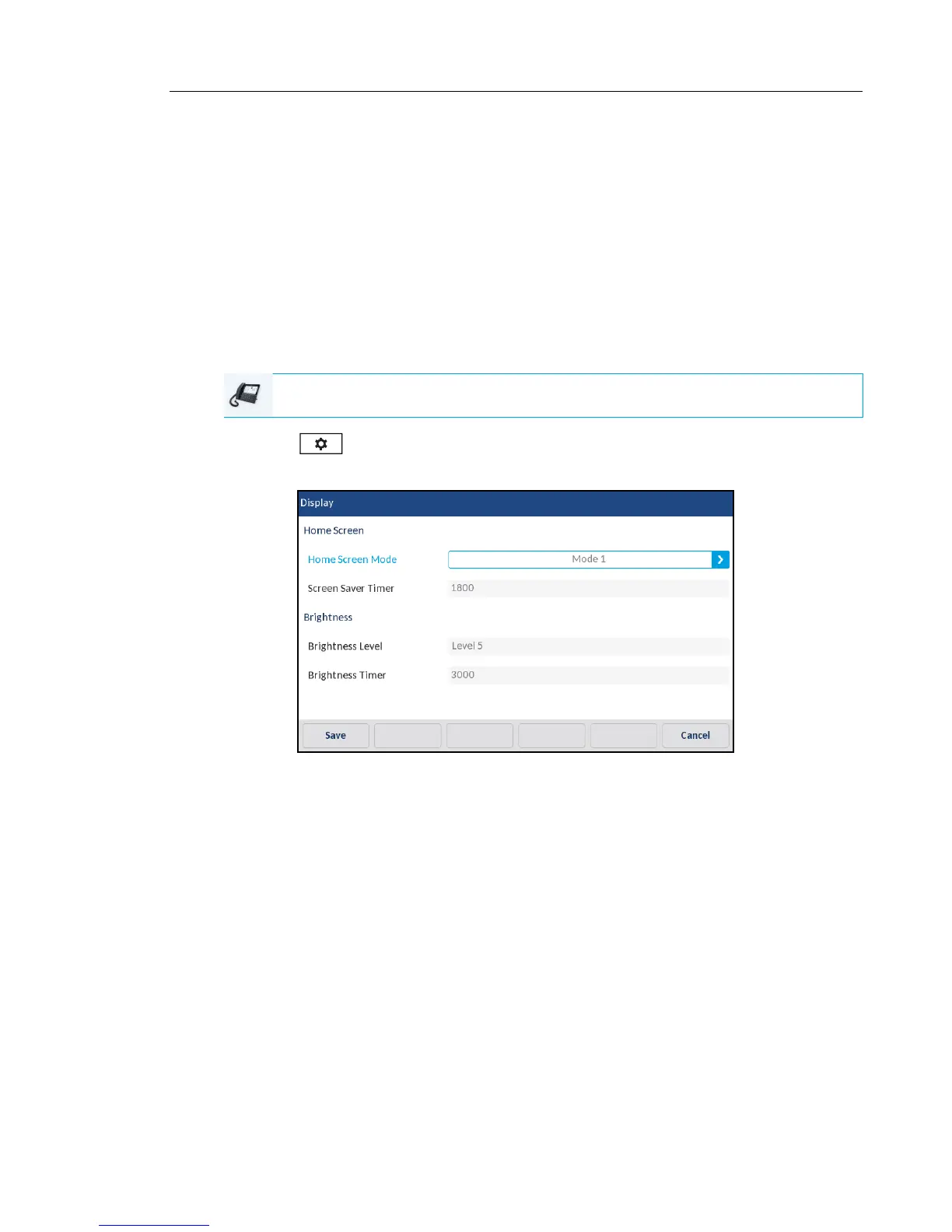
The Brightness Level option on the IP phone allows you to set the amount of light that
illuminates the LCD display. Use this option to set the preference of brightness level.
The Brightness Timer option allows you to set the amount of time you want the LCD display
to stay illuminated before turning the backlight off during a period of inactivity. For example, if
you set the brightness timer to 60, when the phone reaches 60 seconds of inactivity, the LCD
backlight goes off.
You can set the brightness level and timer using the IP phone UI only.
Setting the Brightness Level and Timer Using the IP Phone UI
1. Press on the phone to enter the Options List.
2. Press the Display icon.
3. Press the Brightness Level field.
4. Press the left and right arrow buttons in the Brightness Level field to increase or decrease
the intensity of brightness on the LCD.
5. Press the Brightness Timer field.
6. Enter a value, in seconds, using the on-screen keyboards. You can set the timer from 1 to
36000 seconds. Default is 600 (10 minutes).
7. Press the Save softkey to save your changes.
IP PHONE UI



 To Next Page