72
R
ECEIVING CALLS ANSWERING AN INCOMING CALL
Receiving calls
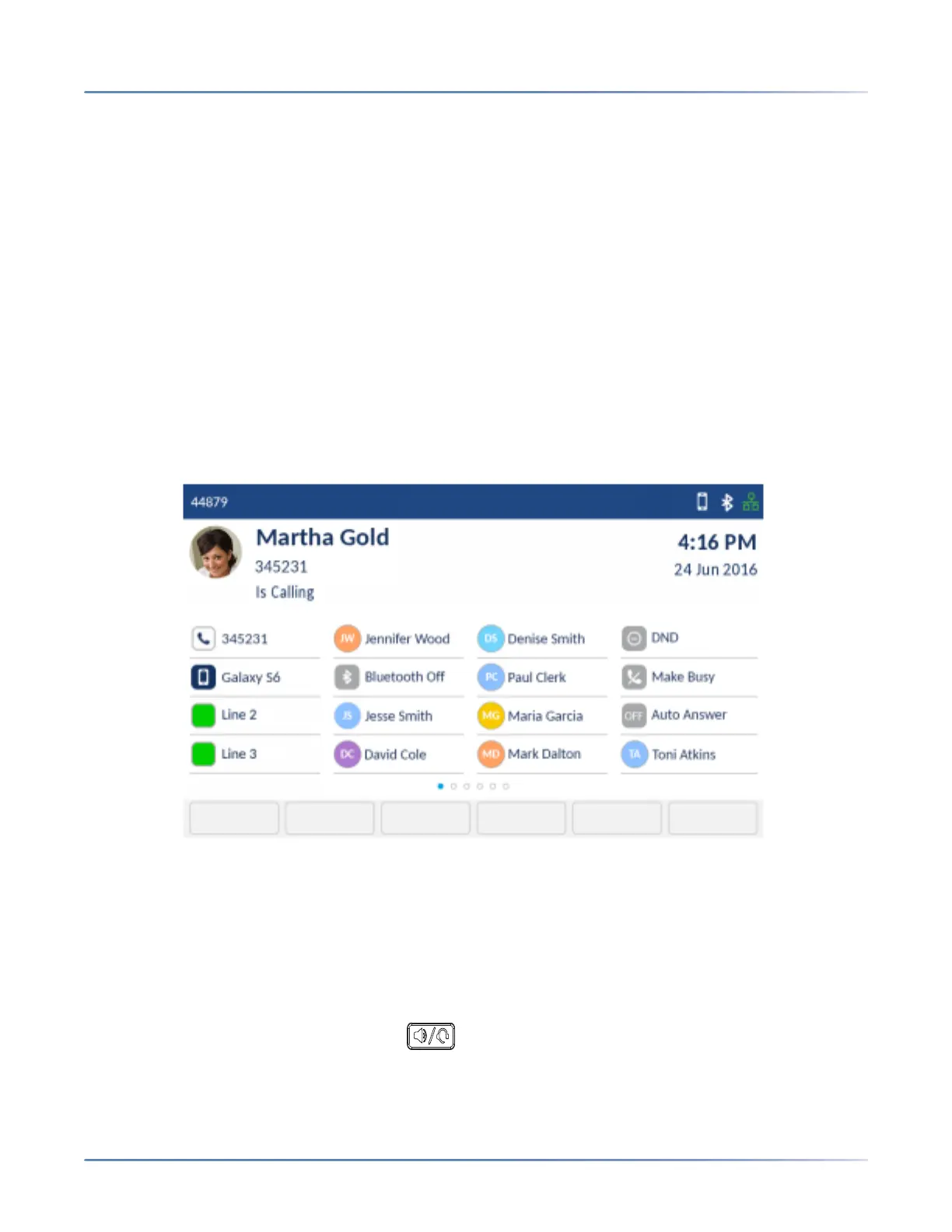
When a call is ringing at your extension, the callers name, number, and avatar (if applicable) display on
the Call screen. Additionally, the applicable Line key icon flashes indicating the incoming call.
If the incoming number matches with a contact stored in the Personal, Mobile or Corporate folder in
the Contacts application, then the contact name is displayed. The contact name look up is in the following
order:
1. Personal Contacts, where respective Personal Contacts name is displayed.
2. Mobile Contacts, where respective Mobile Contacts name is displayed.
3. MiVoice Business System Contacts, where if the MiVoice Business System is configured with MiNET
Phone Object Message Name, then the respective MiVoice Business System name is displayed.
4. Corporate Contacts, where respective Corporate Contacts name is displayed.
If there is no match, then the name returned by the MiVoice Business system is displayed.
Answering an incoming call
To answer an incoming call:
• If the handset is on the cradle, lift the handset for handset operation.
• If the handset is not on the cradle, press the hookswitch key located on the side of the handset for
handset operation.
• For speakerphone operation, press the (Speaker/Headset) key, or tap the
applicable Line softkey, or Float Key (see Float Keys). Your phone must be configured to use the
Speaker audio path.













 To Next Page