Planning and Installation Guide Mitel SIP-DECT Multi-Cell for MiVoice Connect
20
2. Never replace the battery in potentially explosive environments, for example
close to flammable liquids or gases.
3. ONLY use approved batteries and chargers from the vendor or operator.
4. Do not disassemble, customize, or short circuit the battery.
CHARGE THE BATTERY
Each handset is charged using a handset charger. The charger is a compact
desktop unit that automatically maintains the correct battery charge levels and
voltage.
The handset charger is powered by AC power adapter that supplies 5VDC at
1000mA. The AC power adapter is supplied from 110-240 VAC.
When charging the batteries for the first time, leave the handset in the charger for at
least 10 hours so that the batteries can fully charge. After this 10-hour charging
period, the handset will be ready for use.
For correct charging, ensure that the room temperature is between 0°C and 25°C
(32°F and 77°F). Do not place the handset in direct sunlight.
The battery displayed in the top right of the screen indicates the charging status.
USING THE HANDSET
For instructions about how to use the handset features, see the Mitel 600 DECT Phone
User Guide.
INSTALL THE BASE STATION
The following sections describe how to install the base station.
PACKAGE INSPECTION
Before you open the package, examine it for evidence of physical damage or mishandling. If
the package appears damaged, report it to the relevant support center of the regional
representative or operator.
PACKAGE CONTENTS
Ensure that the following components where provided in the base unit package before
proceeding with the installation:
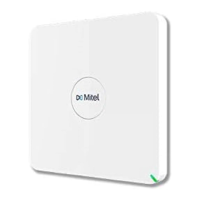
• RFP4x Base Station
• Mounting Bracket, 2 screws and screw anchor
• Circular Mitel Logo Plate
• Installation & regulatory documents


 To Next Page