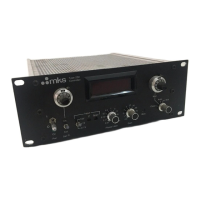
647C 4. Remote Control
35
4. Remote Control
4.1 Compatibility
647B
The 647C uses the same software as ist predecessor 647B, except the menu POWER OFF (and
some internal functions) but is incorporated in a more compact housing with improved shielding
properties. Also the RS232 communication is fully compatible.
147C
The 647C as well as the 647B offers more functionality than the 147B, which leads to some
incompatible constructs in the remote control syntax. To avoid this incompatibility, the 647C
distiguishes two host modes:
- C-MODE offers actual 647C (and B) commands
- B-MODE offers 147B commands
In B-MODE the device is compatible with 147B, so it is possible to use old configuration software
without any changes. The full 647C functionality is only available in C-MODE.
In the beginning the C-MODE will be initialized and the device will act like an actual 647C. If a
147B command is used, the 647C will switch to B-MODE (e.g.: MO c 1, PL 1 3). It is also possible
to switch to B-MODE through menu SYSTEM SETUP and vice versa.
For setup see section System Parameters, page 32.
4.2 Command Syntax
In general all commands are transmitted in ASCII format. Each command string must be
terminated by a carriage return and there is no discrimination between upper and lower case
letters. In order to improve readability, blanks (20 hex) may be included as delimiters between
command, channel number and command parameters, however, this is not necessary. All
parameters can be read by the host. For this purpose a “R” (for “Request”) is transmitted instead of
the command parameter.
Cmd cn {R | p1 [p2] [p3]} <cr> [ <nl> ]
Cmd
Cn
P1, p2, p3
R
<cr>
<nl>
= command, 2 bytes (see table of commands)
= channel number (1 – 4/8)
= parameters, numerical input is always in
decimal ASCII format
= request of the parameters
= carriage return (0D hex) for terination
= new line (0A hex) optional



 To Next Page