Instruction Manual #122162 31
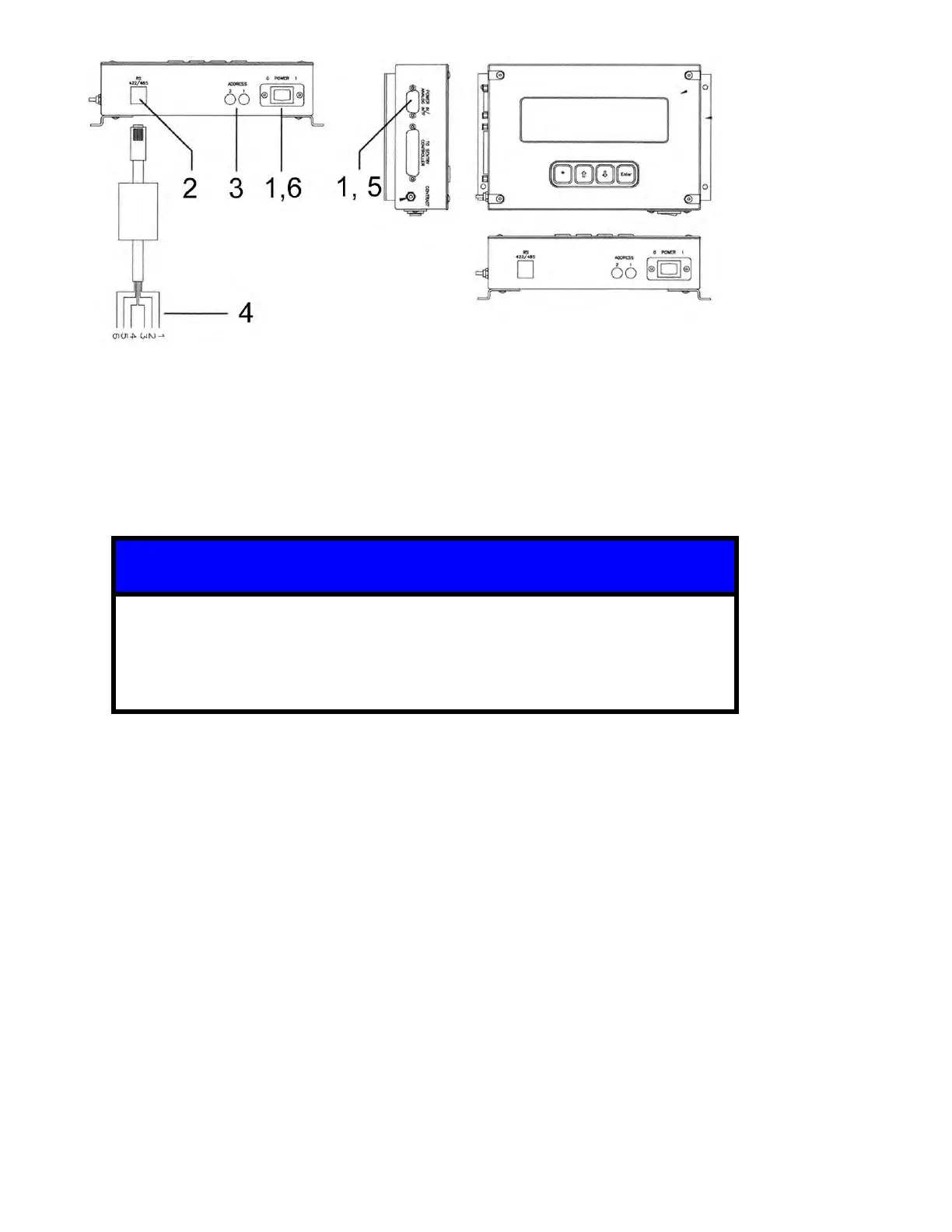
1. Turn OFF the TIM 100/120 and disconnect the power cable.
2. Connect the RJ12 connector on the serial communications cable to the corresponding
socket on the TIM 100/120.
3. Adjust the hexadecimal address as needed. This value is preset at the factory to “00”.
4. Connect the other end of the serial communications cable (leads) to the tool or host
computer.
• The use of the serial communication cable requires the connection of Tx
and Rx leads only.
• The connection of the ground leads (3 and 4) on the serial communication
cable is not required.
5. Reattach the power cable.
6. Turn the TIM 100/120 to the ON (1) state.
5.8 System Start-Up
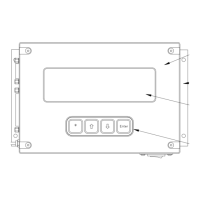
The TIM 100 includes a display and keypad which allows access to the TIM command menu
and parameter settings. A functionally similar module without the display and keypad, the TIM
120, is also available and provided on some OEM equipment. The TIM 120 is preconfigured for
the intended application and communication protocol and should not require access through the
keypad or display. An optional program module, the TIM 200, is available should keypad access
to the command menu be required.
5.8.1 Power ON the SENTRY TIM-100/120
1. Turn ON the TIM-100/120.
2. Use the contrast knob (2) to adjust the display.


 To Next Page