Instruction Manual #122162 34
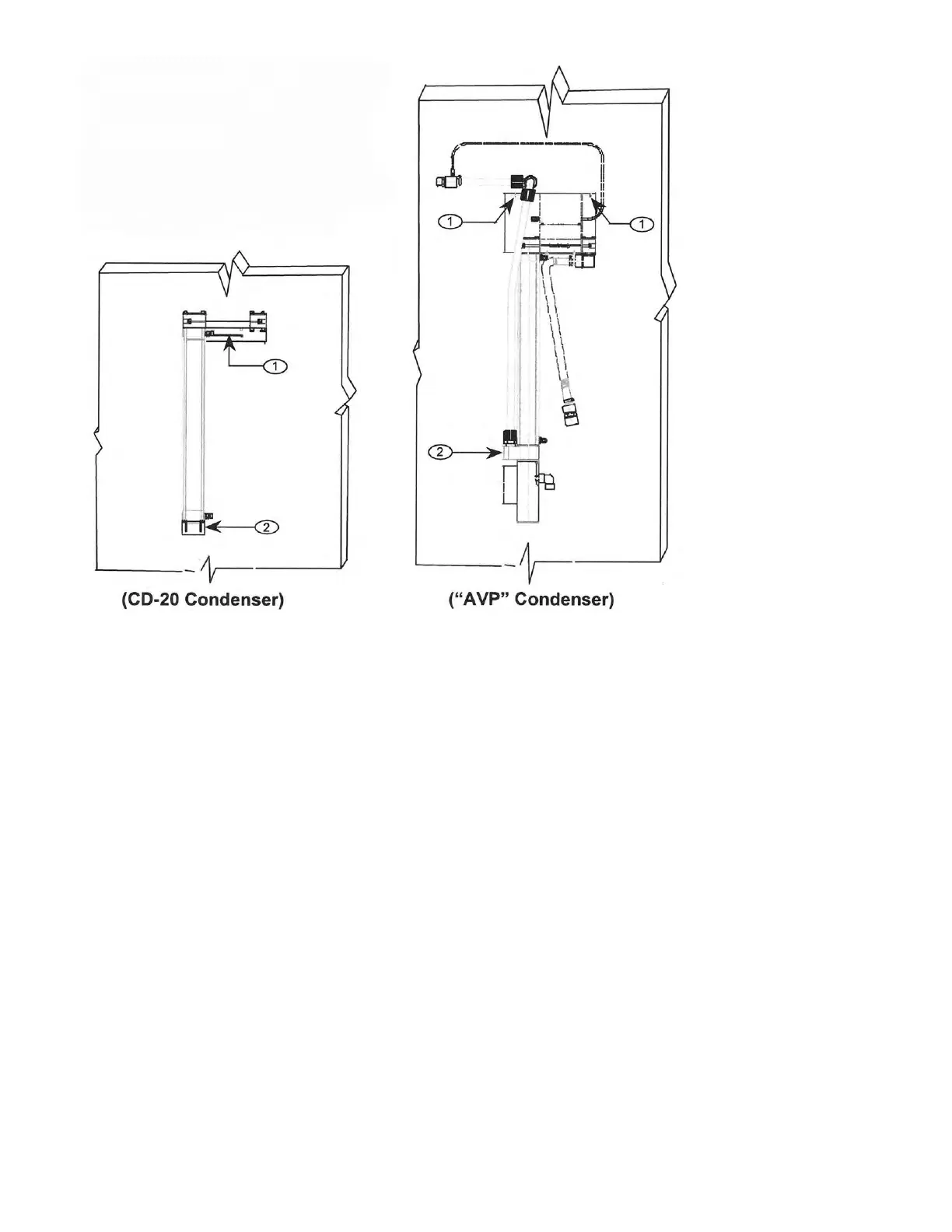
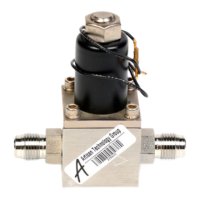
5.9.2 Installing the SENTRY 1510 on the CD-20 or “AVP” Condenser
The CD-20 Condenser has two 1” radial seal grooves machined into the input and output blocks.
O-rings installed in these grooves create a radial seal between the body of the SENTRY 1510 and
the input and output blocks of the condenser.
1. Install one O-ring in each groove on the inside face of the input and output blocks on the
condenser.
2. Loosen the two tie rods holding the input and output blocks in place.
3. Loosen the four nuts on the top of the output block. Slide the output block apart just enough to fit
the SENTRY 1510 between the blocks.
4. Insert the SENTRY 1510 between the input and output blocks of the condenser. Be sure the
arrow head on the SENTRY 1510 is pointing towards the output block on the condenser
(pointing to facilities exhaust connection).
5. Tighten the two tie rods on the input and output blocks to secure the controller in place and en-
sure a good compression seal.
6. Once the two tie rods are tightened tighten the four nuts on the output block that were loosened
in step 3.


 To Next Page